Document must be in inches
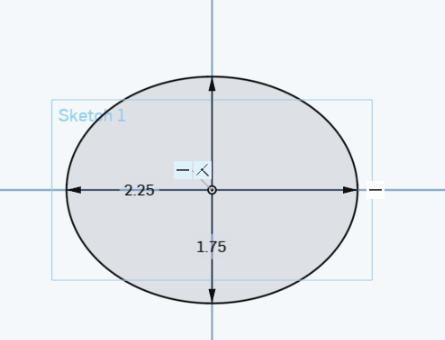
1)Make sure your document is in inches and create the following ellipse :
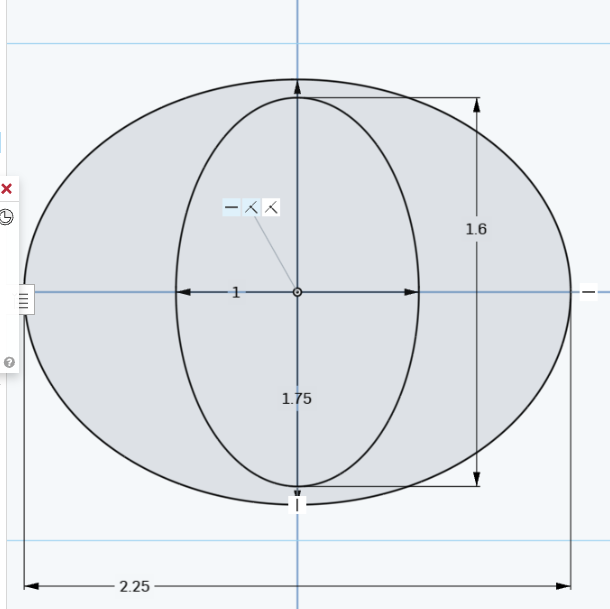
2) Now this inner ellipse . Nothing should be blue; use vertical or horizontal constraints if needed to make it defined (black)
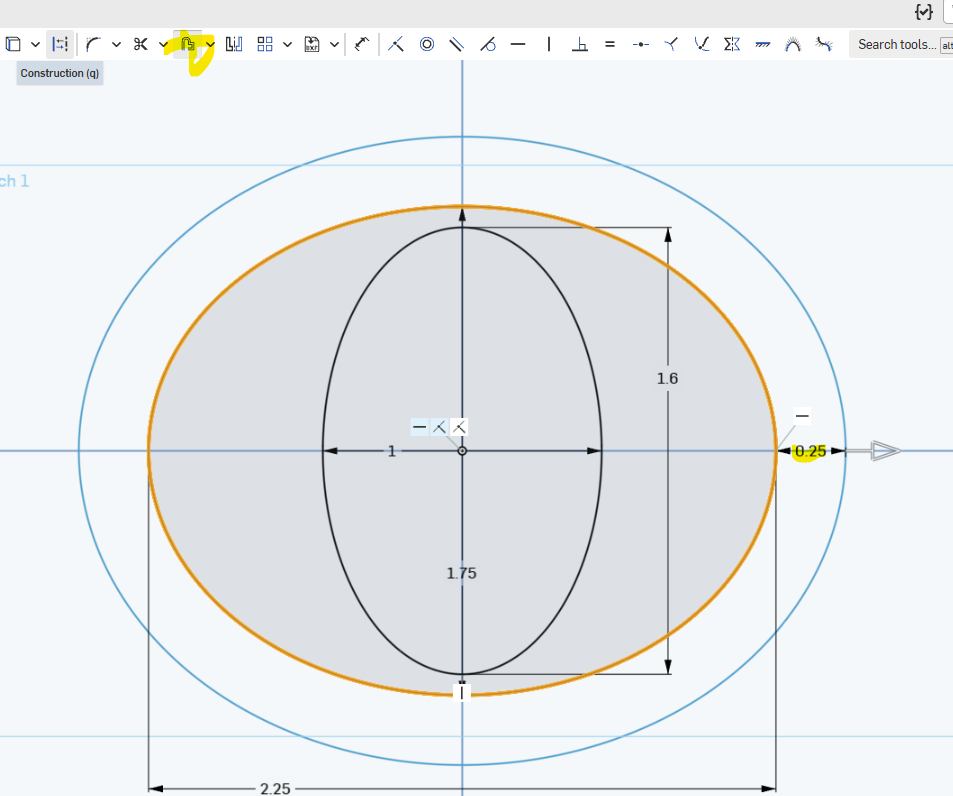
3)
3) Offset the exterior ellipse as shown (pull it OUT not in) :
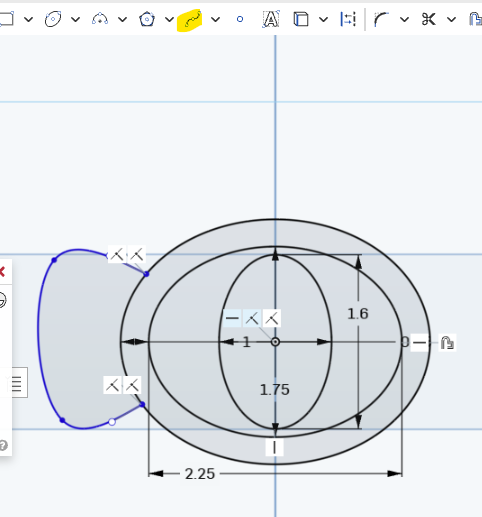
4) Use the spline tool to create a handle, alone the lines of the picture below. Blue is OK here
5) Offset the spline to create :
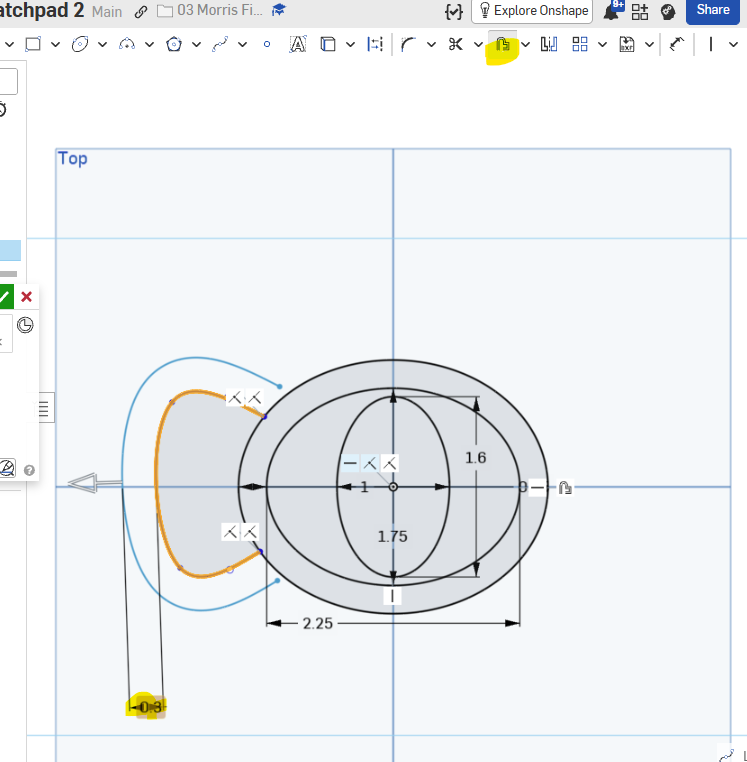
6) Make the endpoints of the offset coincident with the outer ellipse.
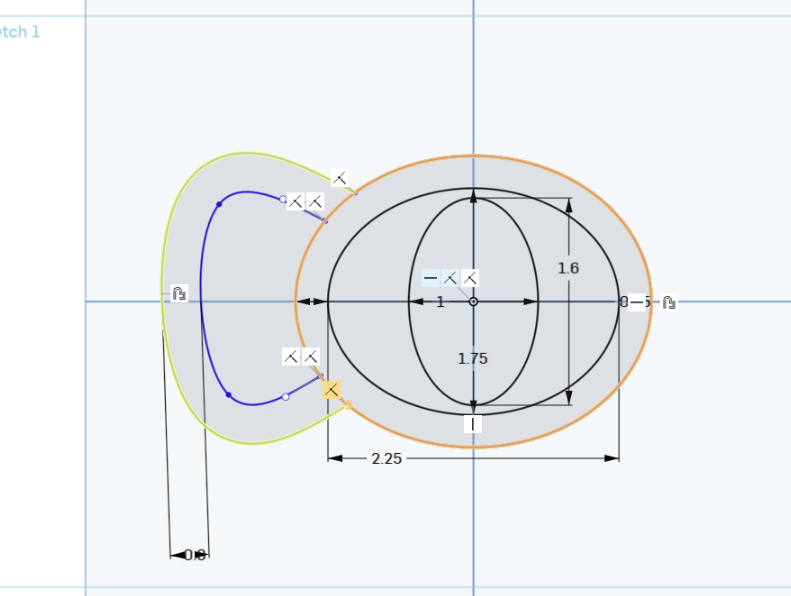
7) Look at the shape above. Make sure that it is filled in, no white spaces and that the only thing that is blue are the last 2 steps
8) Extrude the outer rim of the handle and the main piece
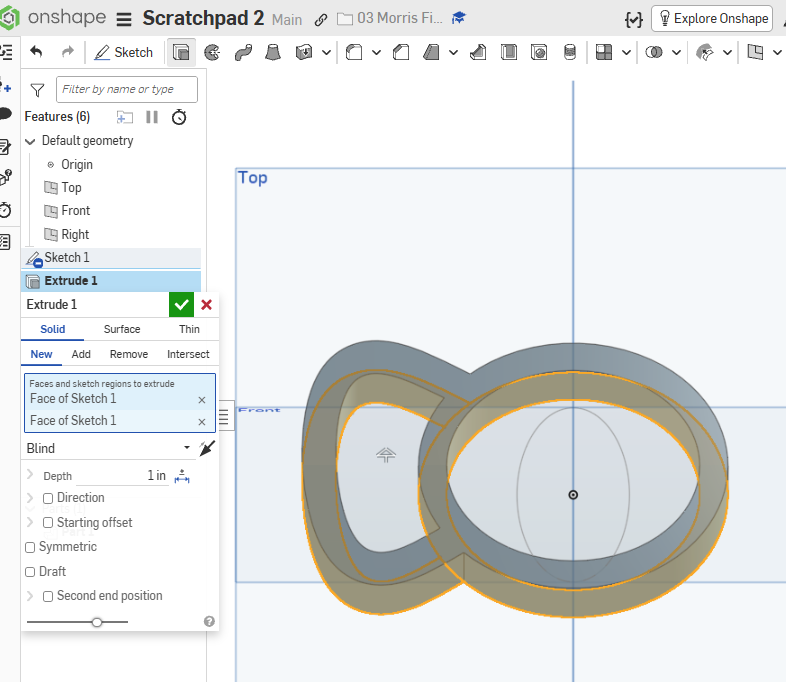
9 ) Show the sketch (it was probably autaomatically hidden by the last step) then extrude this part :
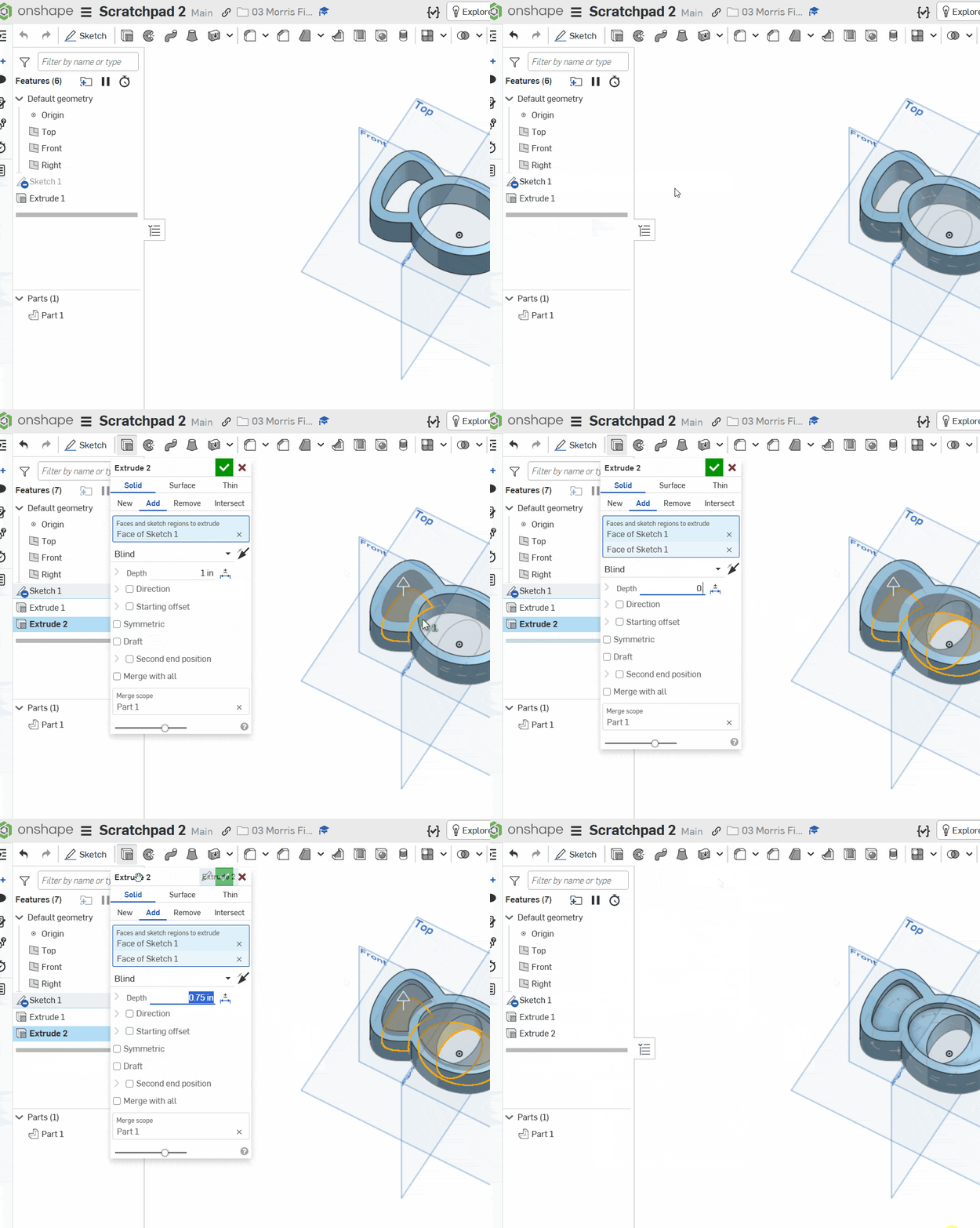
10) What your current status should be :
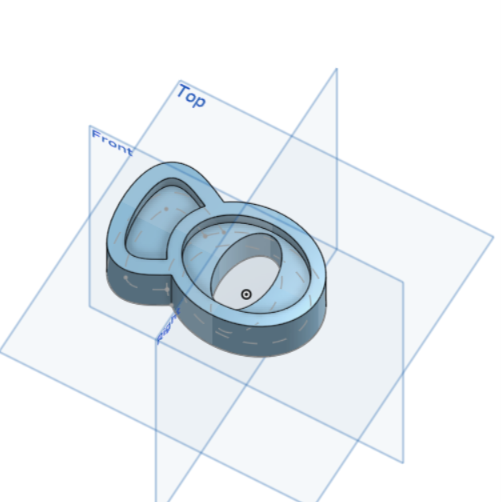
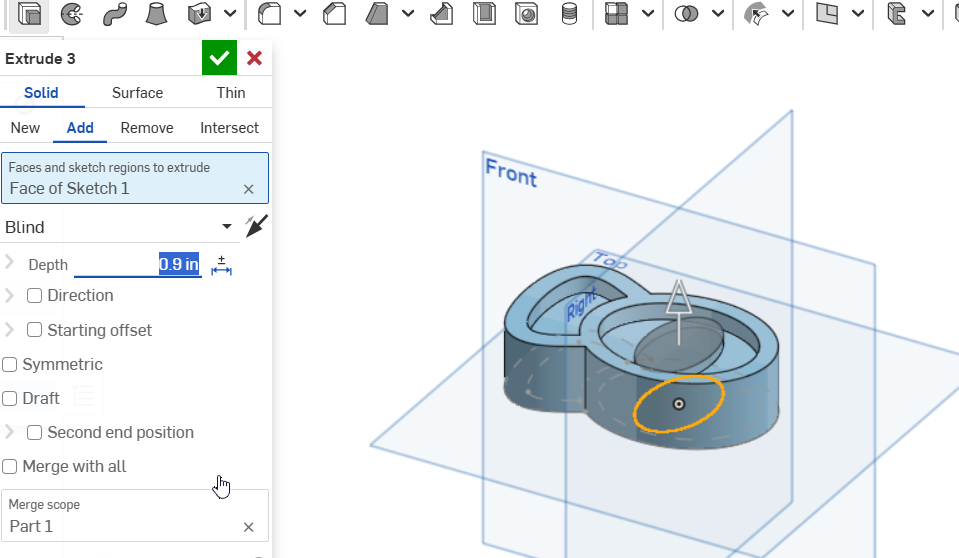
11) Innermost extrude
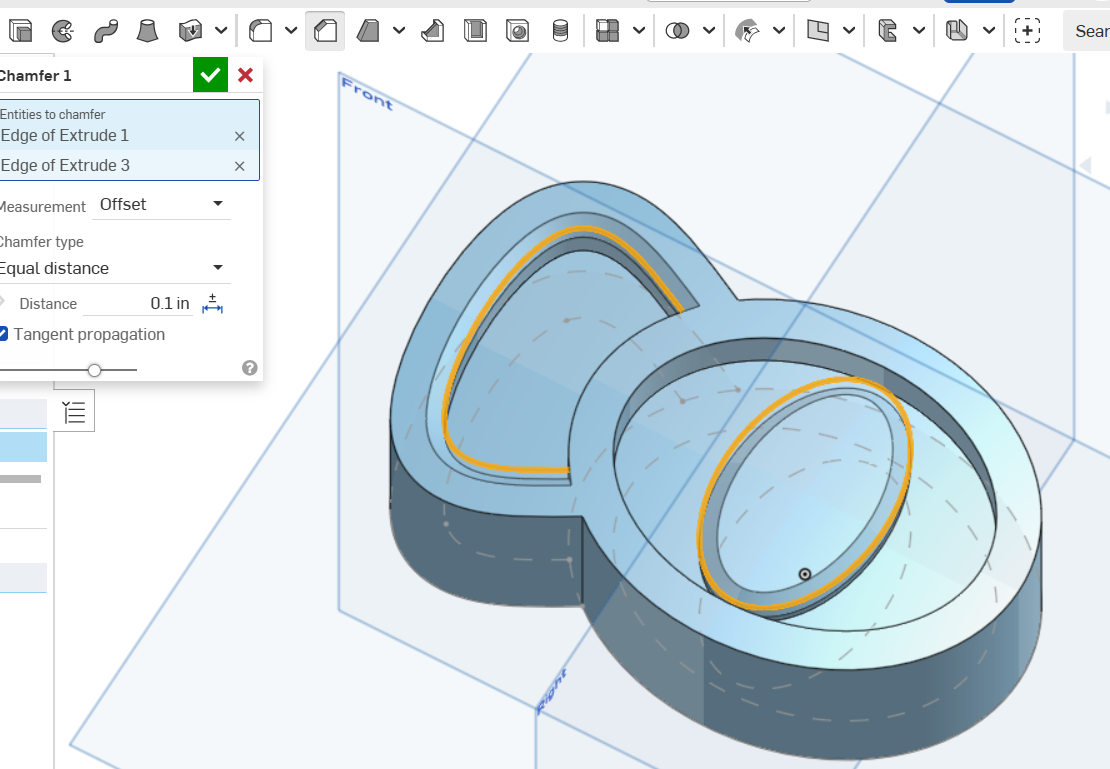
12) Chamfer :
13) Fillet :
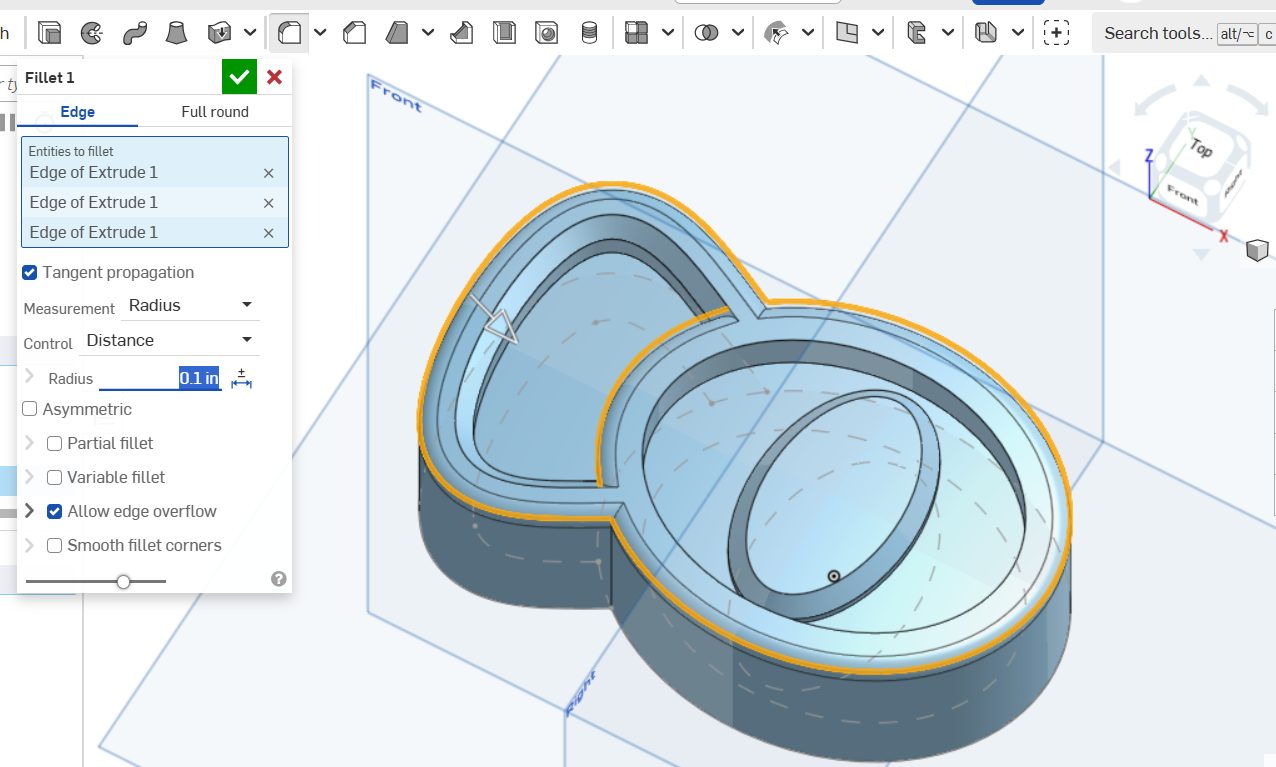
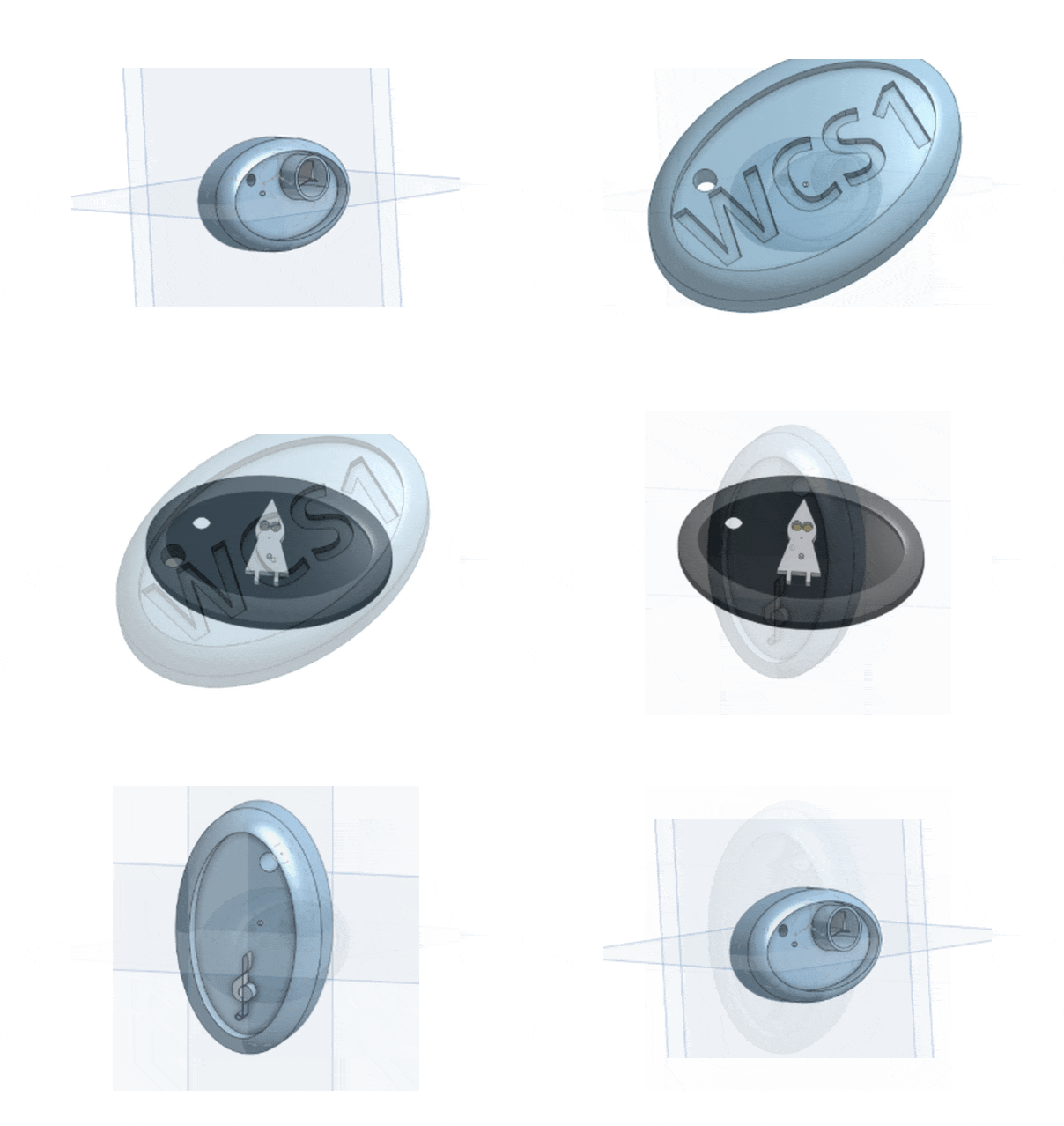
14) Below is what you currently should have :
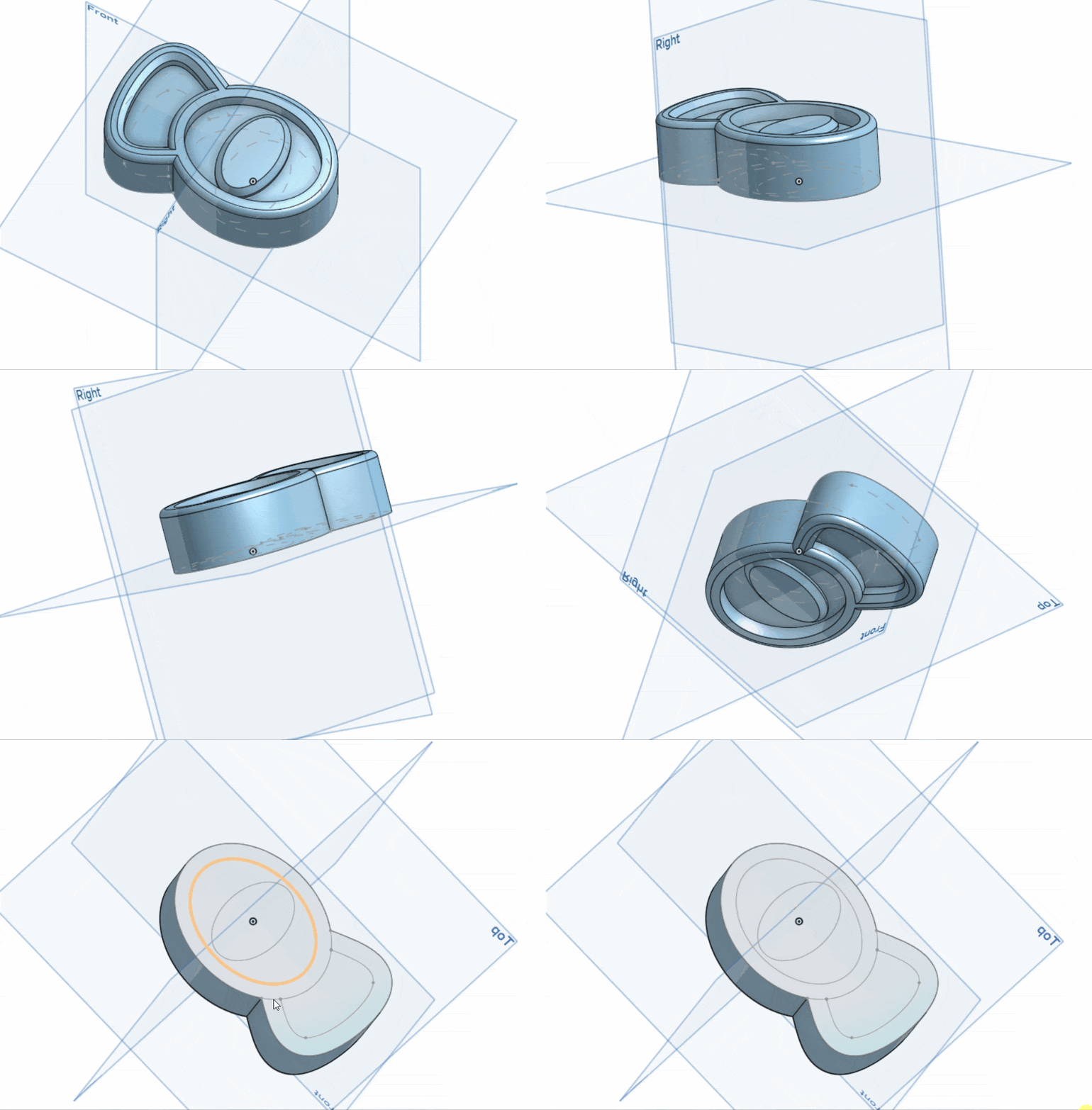
15) Add a hole either by using the Hole tool (preferred) or by cutting out an extrude. Your hole must make sense and go through the shape
16) Draw a pattern on the flat back that you can see at the end of the animation