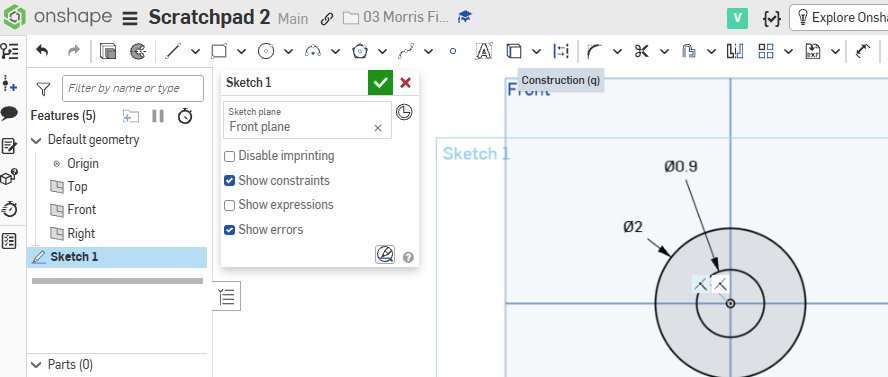
Step 1) On the front plane, create these 2 circles dimensioned.
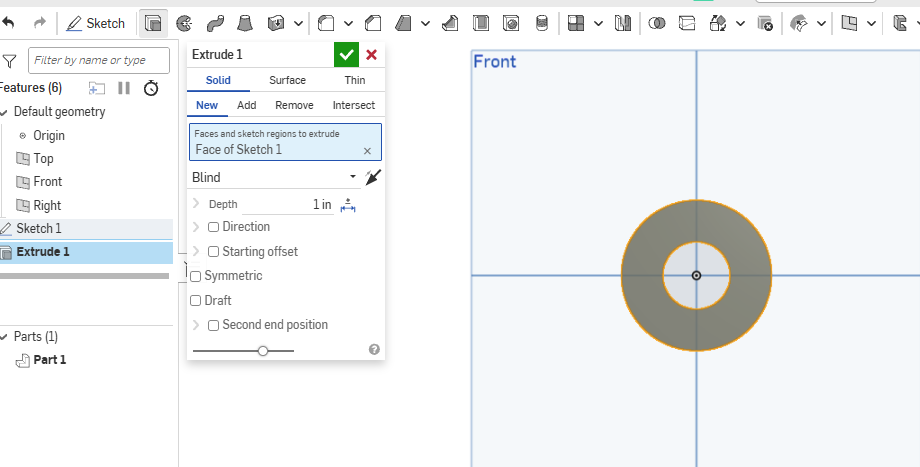
Step 2) Add an Extrude
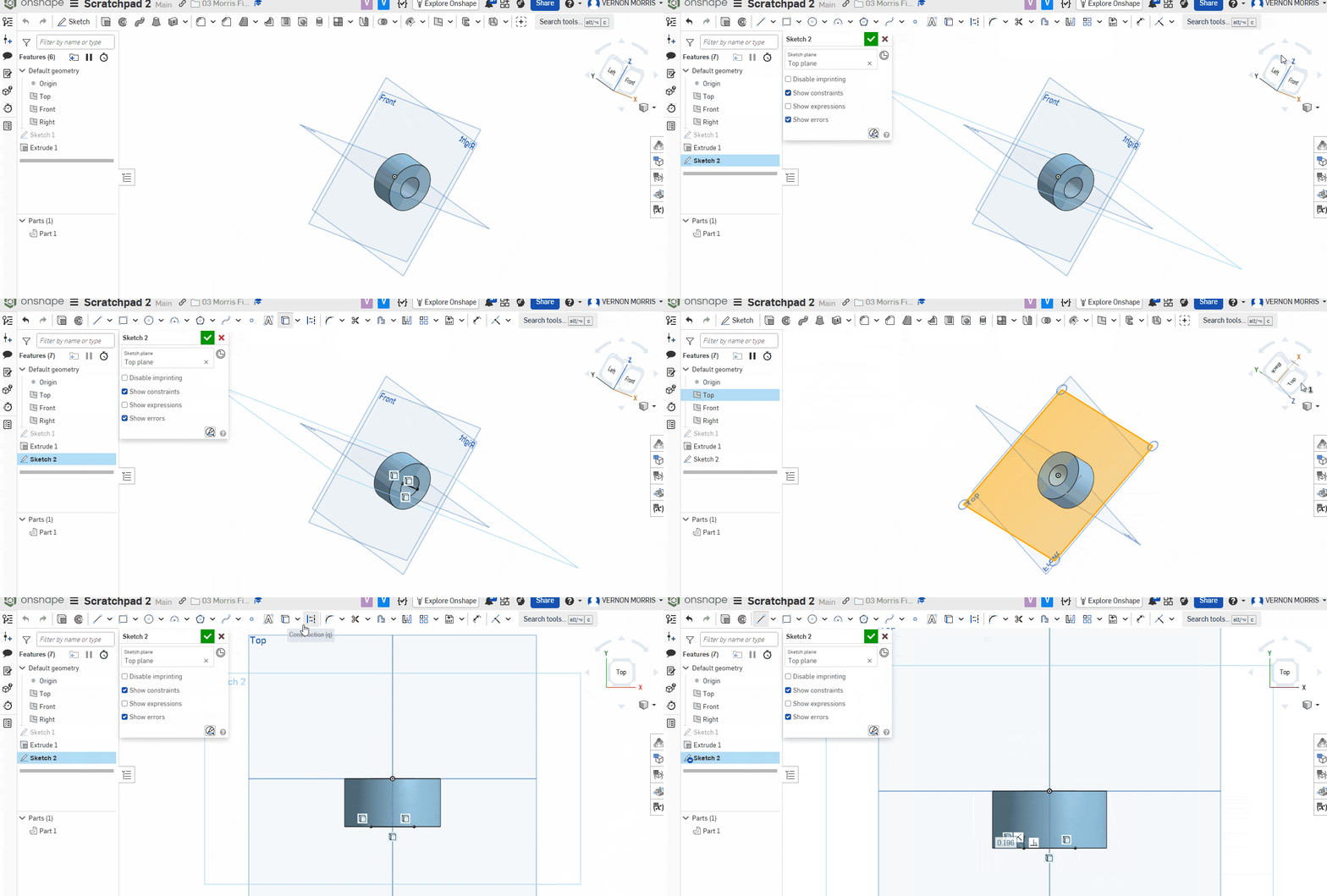
Step 3) Now make a sketch on the TOP plane and use the Use project tool to create a line with the inner circle. Click the image below to expand the image.
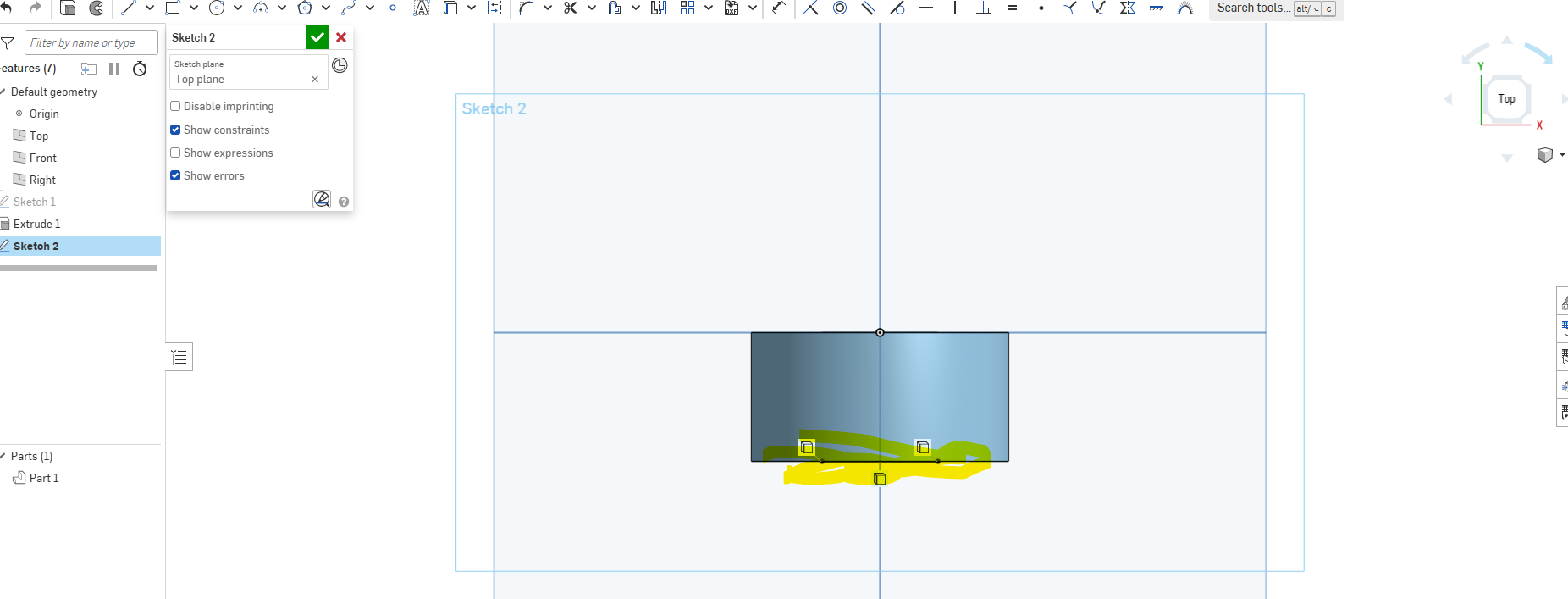
Step 4) The top plane now looks like this. The line highlighted in yellow is what we created in the prior step with the Use command:
Step 5) Create a trapezoid with that line as a base. Something like this :
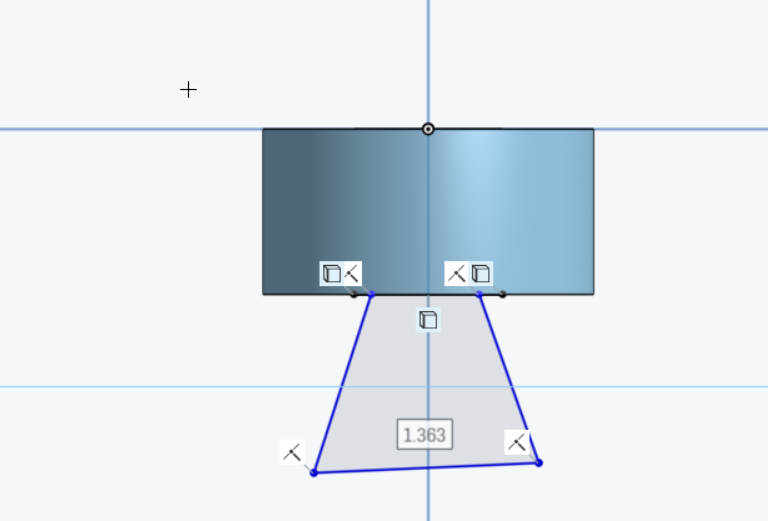
Step 6) Take a screenshot of this and put it into a google doc. I need to see the above marks (showing that you used the “use” command)
Step 7) Make a second picture. I want a 5 sided shape and for you to revolve that around a line. Submit that as the second screenshot.