Responsible Companies
Author Archives: Mr. M
Rock Paper Scissors Part II [Alice 2]
Part II
1 Create a variable called userChoice
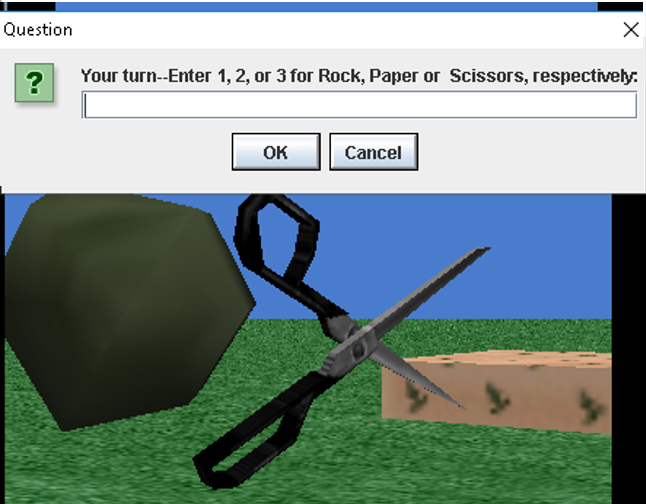
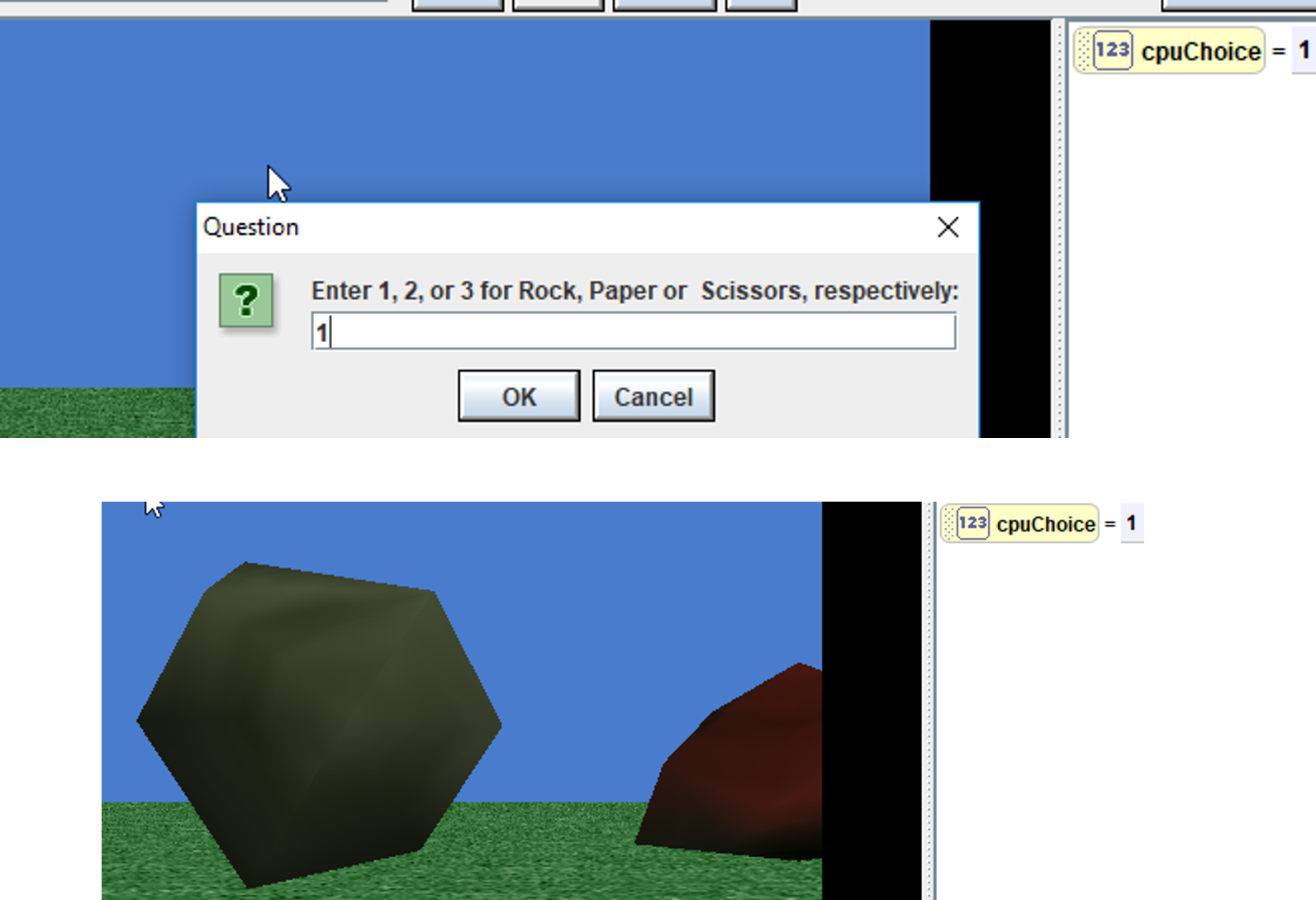
2. Use the world ask user for a number function to store the user’s choice into that variable (Note: if the user chooses a number larger than 3 or less than 1 then they entered an invalid number, something to think about
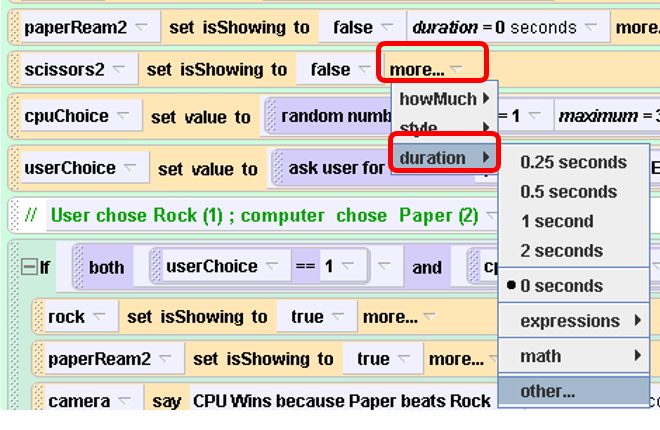
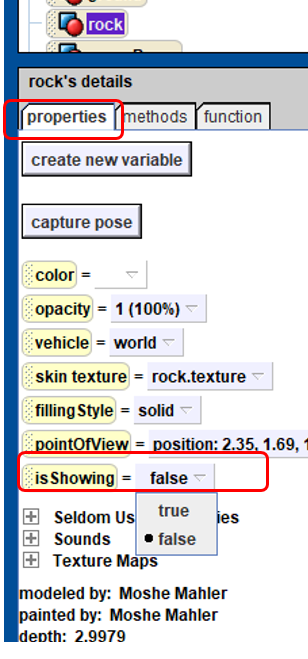
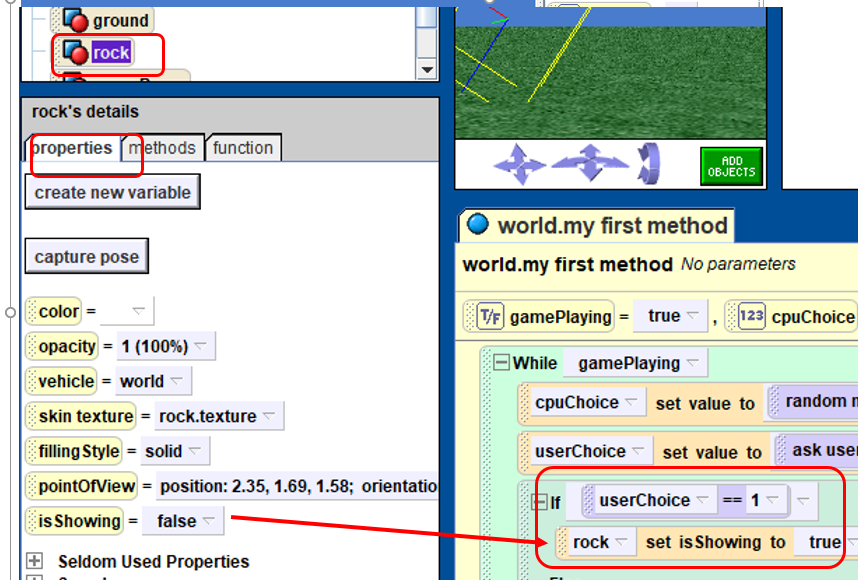
3. Set the isShowing property of all 3 objects to be false . We will set the visibility to true , when the user chooses that object , later on .
Task #1
Objective; If the user chooses rock, we need to show a rock; if the user chooses scissors, show a scissors, and the same for paper.
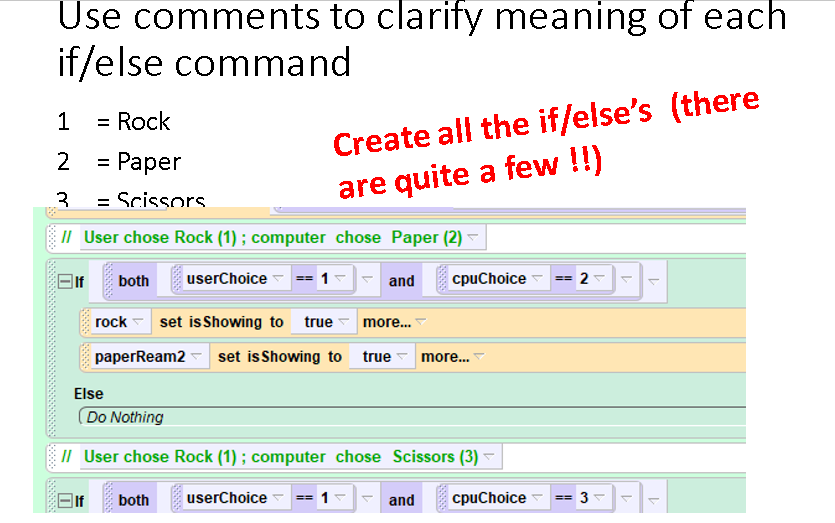
Use if/else and the value of userChoice and set the isShowing of either the rock , the paper or the scissors to true
Remember:
1= Rock
2= Paper
3= Scissors
Run through the program a few times. What should we do next ?
4.
We need to show what the CPU chooses!!
So, now we need to do a few things:
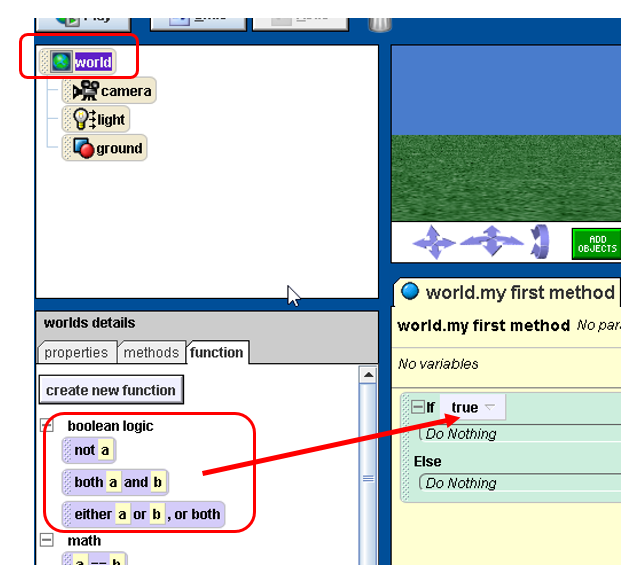
A) edit our if/else to consider what the user chose and what the cpu randomly chose (both/and)
B) add a second rock, paper and scissors object that represents the CPU’s choice
(note: I set the color of the CPU’s objects to red so I can more easily distinguish the cpu’s from the user choice’s objects)
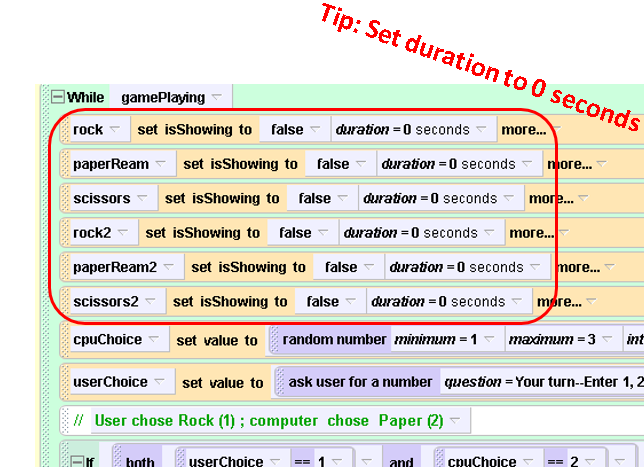
C) Set isShowing to false for each of the cpuChoice’s objects
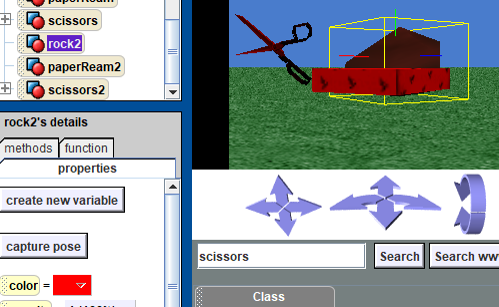
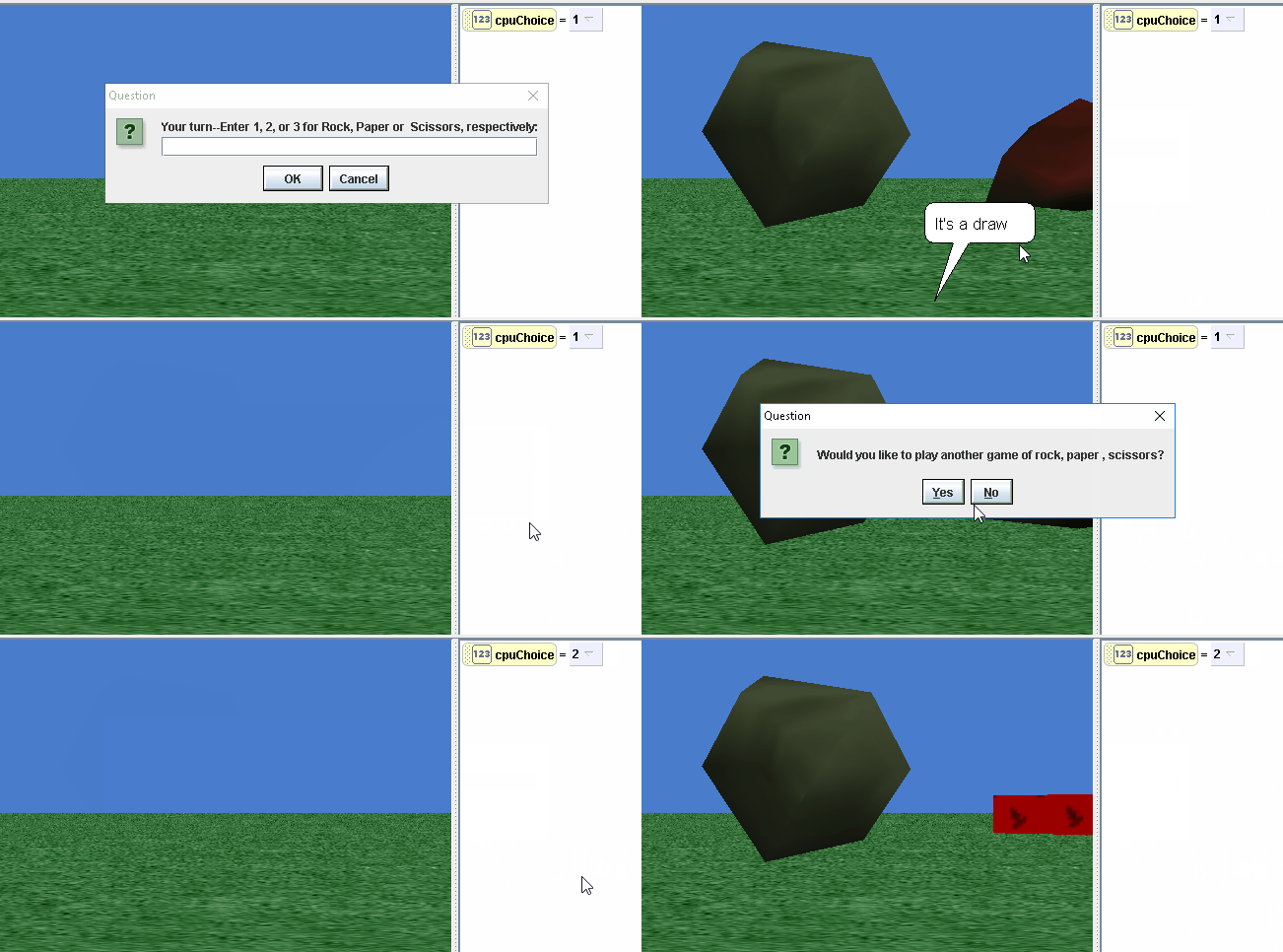
For instance, if the cpu and the user both choose rock, your screen should look something like : 
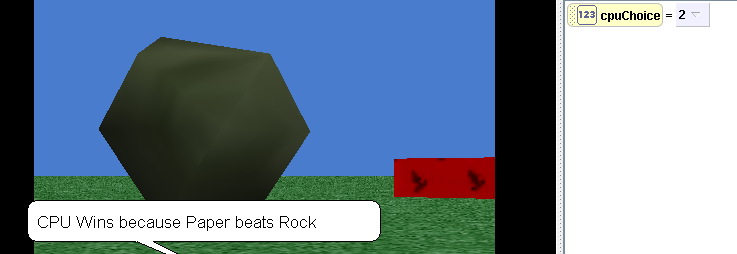
5. State who won the round or if the round was a draw :
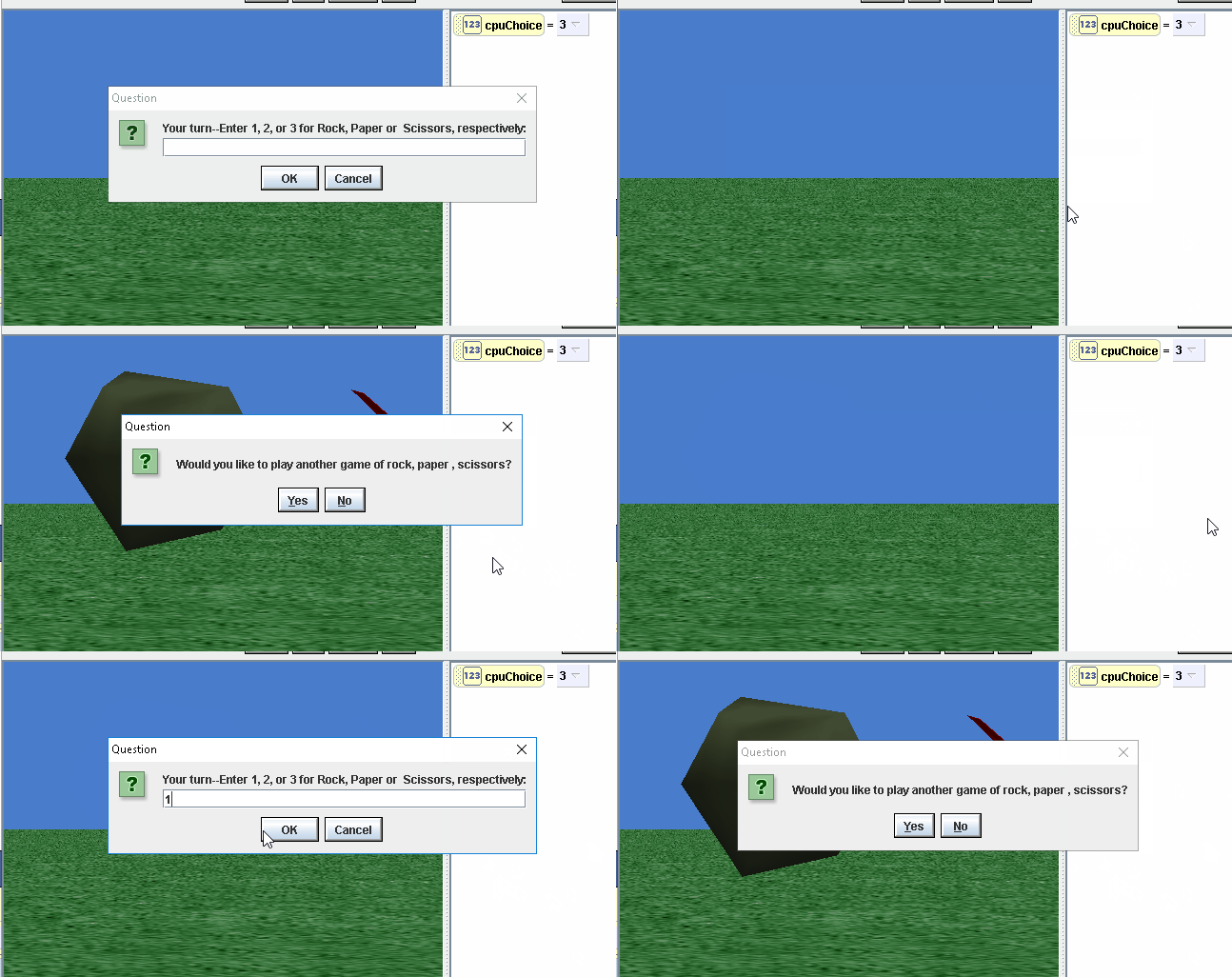
7. The last line of your loop should ask the user if they want to play again.

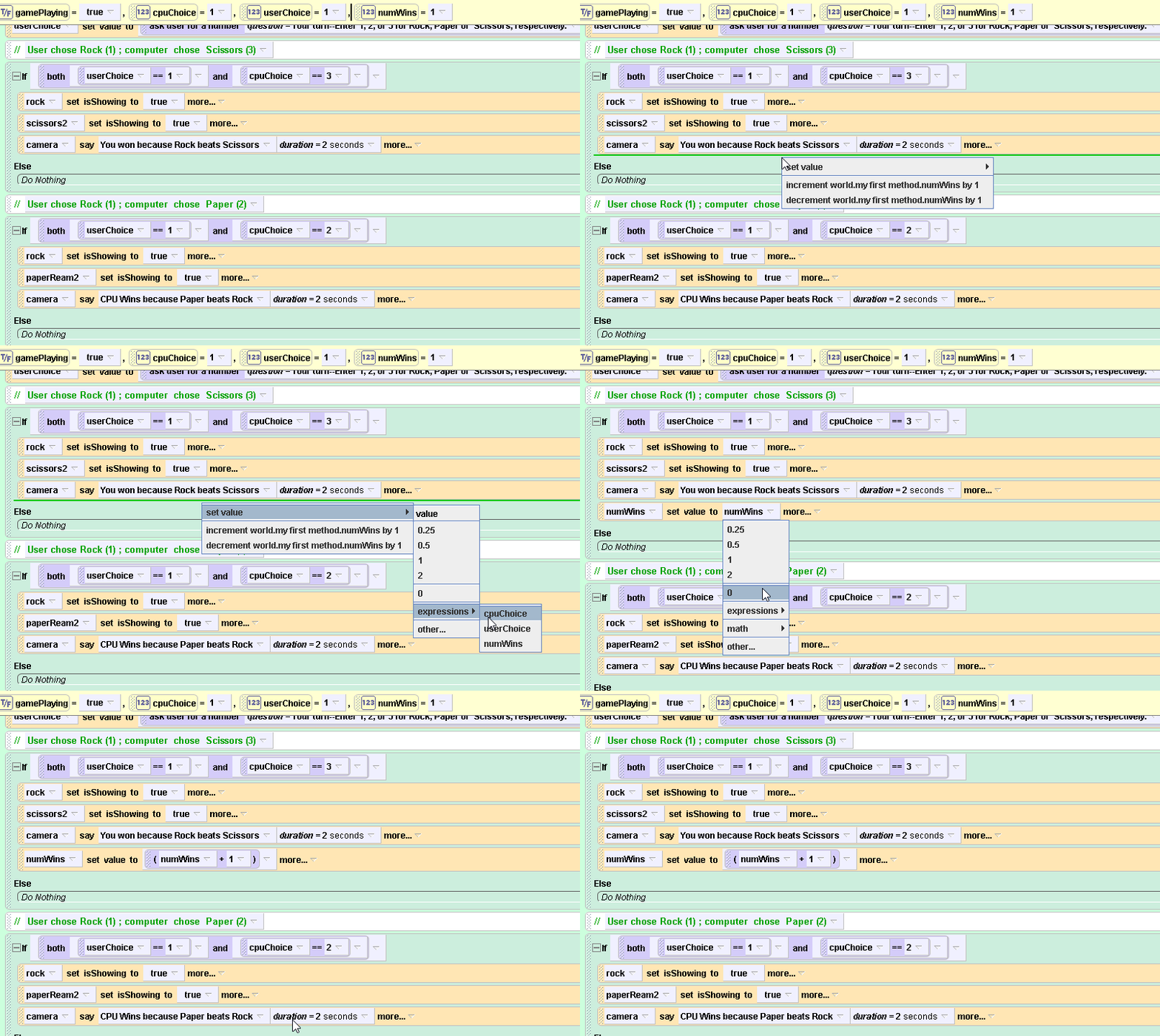
Try playing the game a few times. You will notice that there is a problem, when you play multiple times
Can you see what is wrong with our current setup? The bug only applies to multiple games. If you play a single game and close Alice, you will not notice the problem.
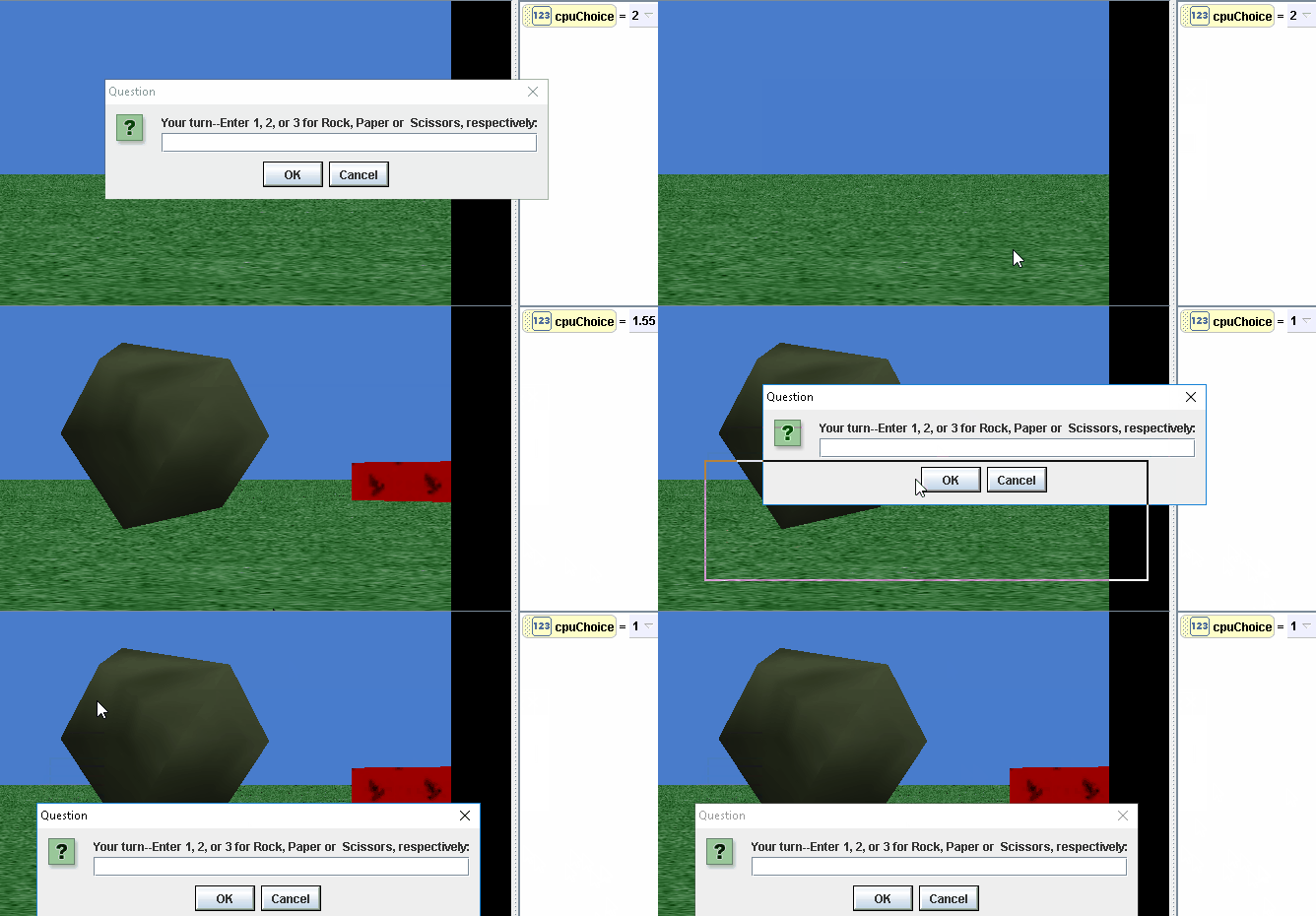
As you can see above, when you start a second game, you can still see the rock and paper that were chosen in the first game.
Can you figure out how to fix the problem?
Go here to see how to fix it and continue on with the project.
Rock Paper Scissors [Alice 2]
Rock, Paper Scissor Game
We are going to create a Rock, Paper, Scissors game using Alice loops and if/else ‘s
- 1.Add a “rock”, “paper” and “scissors” objects to screen and enlarge them all to approximately the same size:

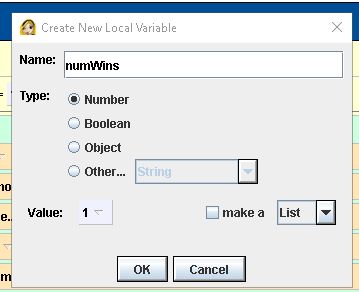
- Make a Boolean variable called
gamePlaying and set its initial value to
true :

3.Add a while loop based on gamePlaying
4. Make a variable called cpuChoice. cpuChoice is a number This variable will represent what the computer randomly chooses (rock, paper or scissors)
5. Use the world function that generates a random number so that the random number is an integer between 1 and 3 , inclusive.
Store the return value of that random number generator into cpuChoice at the beginning of the loop
6. Debugging has many meanings. Experienced developers build debugging and logging into the development of their programs from the start.
- We are going to do that in Alice by “watching” the cpuChoice variable
7. Right click on cpuChoice and select watch this variable
8 .Now we have the computer randomly choosing either 1,2, or 3 and these numbers will represent rock, paper and scissors respectively
So, what do you think we should do next?
Ethics Business Topics
Assignment:
Become an expert on your topic. Explain
- any unethical acts
- what laws, if any , were broken
- what government agency was involved
- what consequences did that party (person or business) suffer
Format: Powerpoint
Foxconn [Sweatshop]
Martin Shkreli [Pharma Bro]
Vokswagon Emissions Scandal
Valeant drug scandal
Enron
Wlls Fargo Checking Scandal
Zenefits Insurance Scandal
AutoZone [discrimination]
PayDay Loans
Mad Libs 1 [Python]
Taken from https://teals-introcs.gitbooks.io/2nd-semester-introduction-to-computer-science-pri/units/1_unit/06_lesson/project.html
Overview: Using Python, students will use variables, input, and printing to create a Mad Lib. You will also practice designing a project by planning out your Mad Lib before implementing it. Part of the project is to use your creativity to design your own unique story.
The program will print out the title of the Mad Libs story, as well as a short explanation of game play
|
1 2 3 4 |
A Day in NYC: a Mad Lib. Welcome! You are about to play a fantastic word game. I will ask you for nouns, verbs, adjectives, proper nouns and adverbs. Using those words I will create an unexpected story for you! |
The program should then prompt the user to enter in nouns, verbs, adjectives, proper nouns, and adverbs
Implementation Details
Plan out your story on pencil and paper first, before you start implementing the program.
- Create your story
- Select the missing words
- Determine each words part of speech
- Create introduction
- Create questions
- Divide story into print statements
As mentioned above the program must request words from the user. The following must be included in the program:
- 10 different words inputted
- Variable names should correspond to the part of speech requested and part of the story they belong to (e.g.
noun1,verb2, etc) - You may only use 3 print statements to tell your story
Scheme/Rubric
| Functional Correctness(Behavior) | |
|---|---|
| Program greets user and explains rules | 3 |
| Program accurately requests 10 words (1 for word, 1 for correct request) | 20 |
| Program prints full Mad Lib | 10 |
| Program exhibits creativity | 3 |
| Sub total | 35 |
| Technical Correctness | |
| Program utilizes variable names to convey meaning | 5 |
| Correct order of inputted words | 10 |
| Only 3 print statements | 10 |
| Sub total | 25 |
| Total | 60 |
Meaning of “==”
Math Expressions in Alice
Alice Supports many types of Math Operations.
For instance, let’s say that we have the variable someNumber and it has a value of 2
What if we want to multiply 2 by 0.5 ?
- click on the down arrow next to “2” and select “math”
2) select “2*” which means “2 times ”
3) Select “Other” for the second number “b”
4) The calculator appears so you can choose 5
5) Select “5”

6) Viola: You know have a math expression that represents 2 * 5
8) Now let’s make a variable called “divisor” and then divide this expression by that
9) Select the down arrow
10) select as shown:
11) Viola :
Alice 2 : Asking User for Input
The world object has many, many useful functions including a way to ask the user for information—say a number, a name or something.
- Click on world
- click on functions
- scroll down ot the ask user functions (See Diagram 1 ) and read below for more
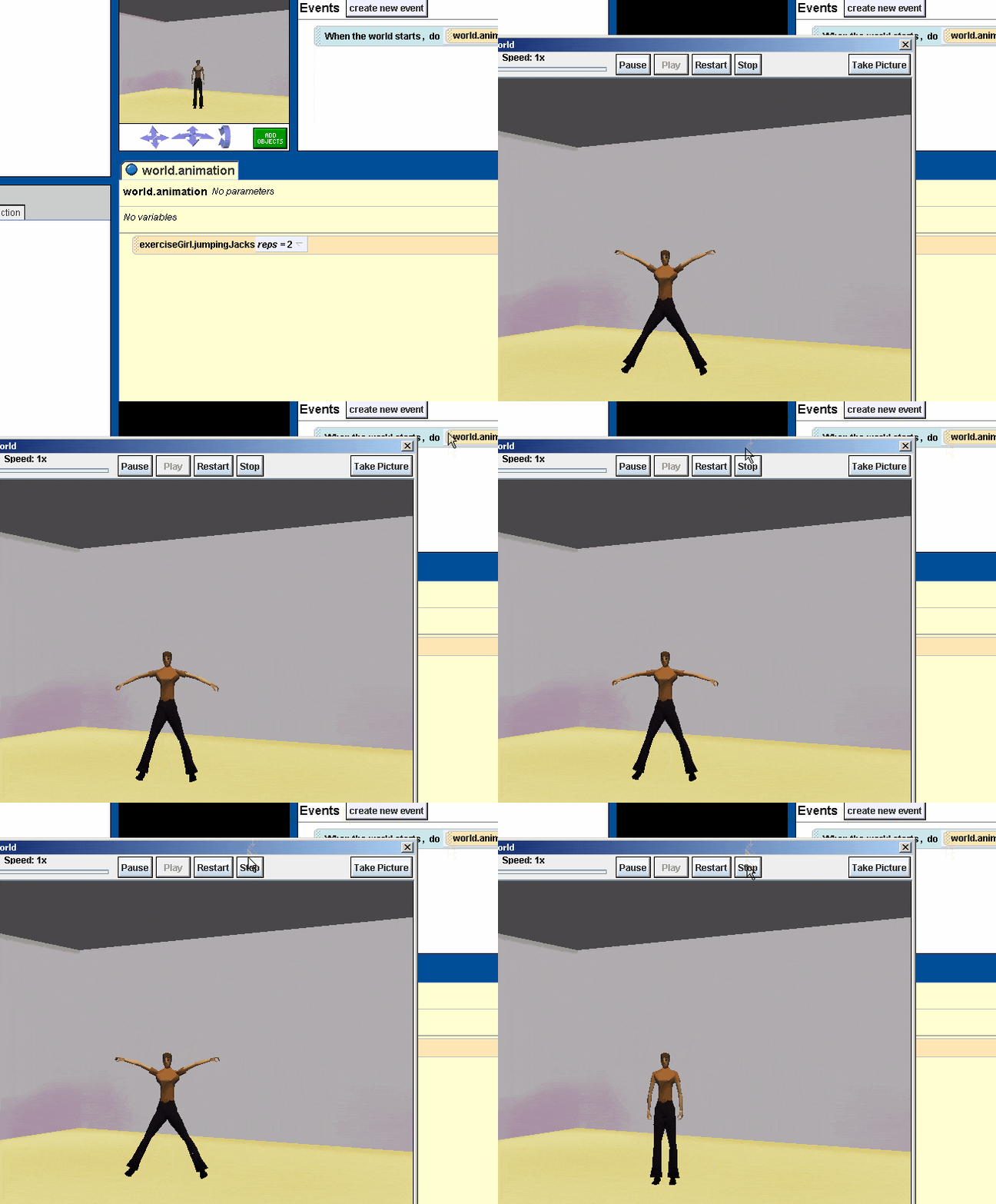
Animated Gif showing the whole process of asking user for a number and then saying that number (using what as a String)