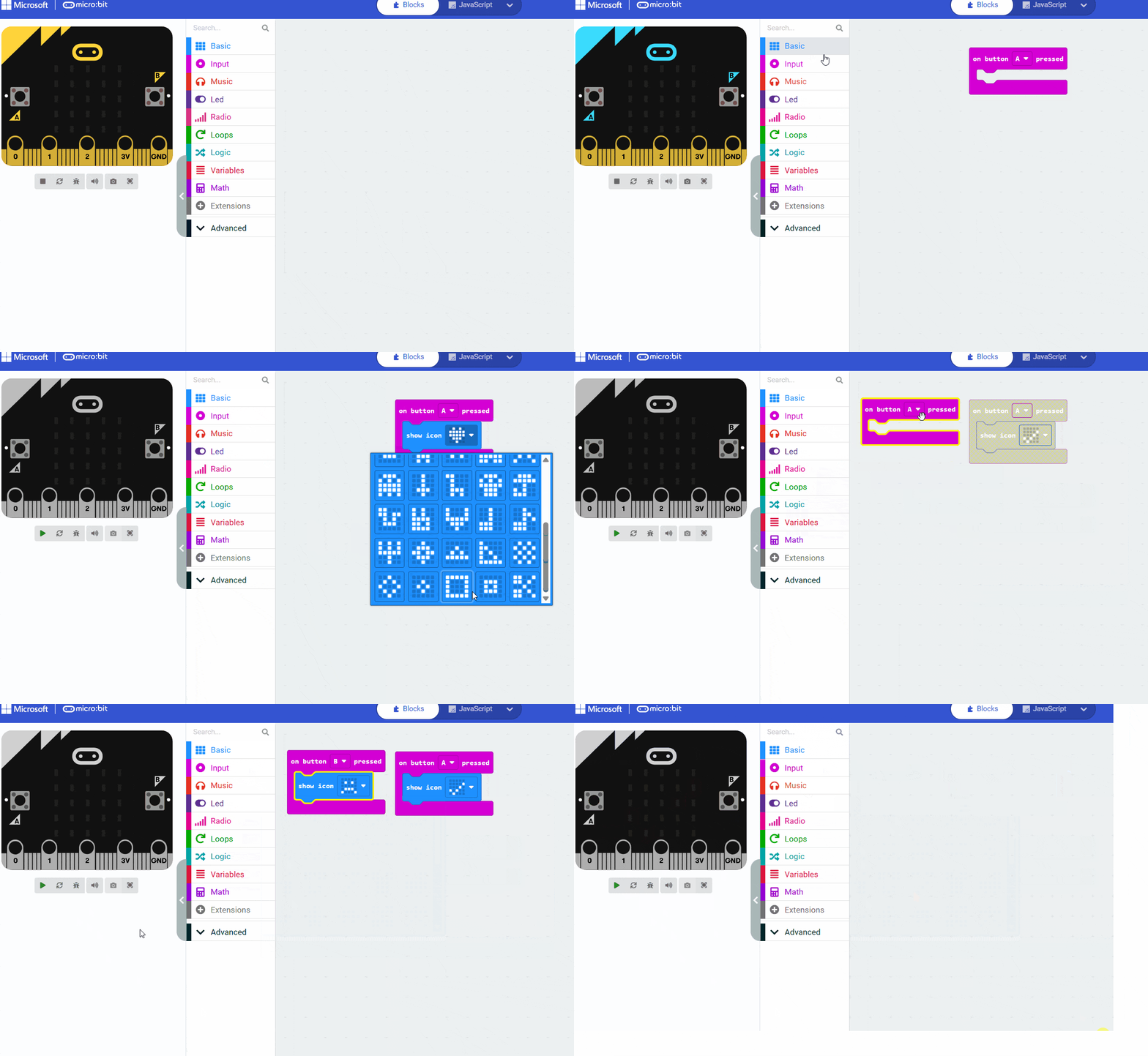
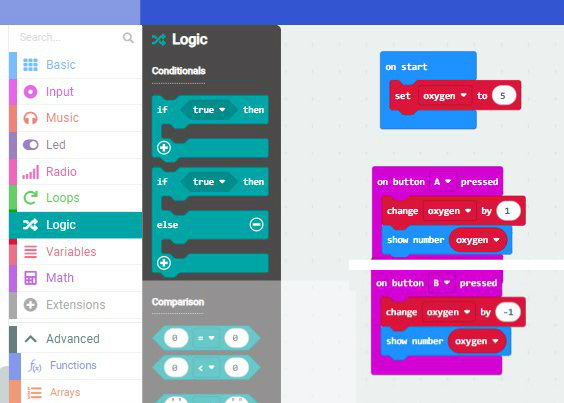
How to make a variable and assign it a value
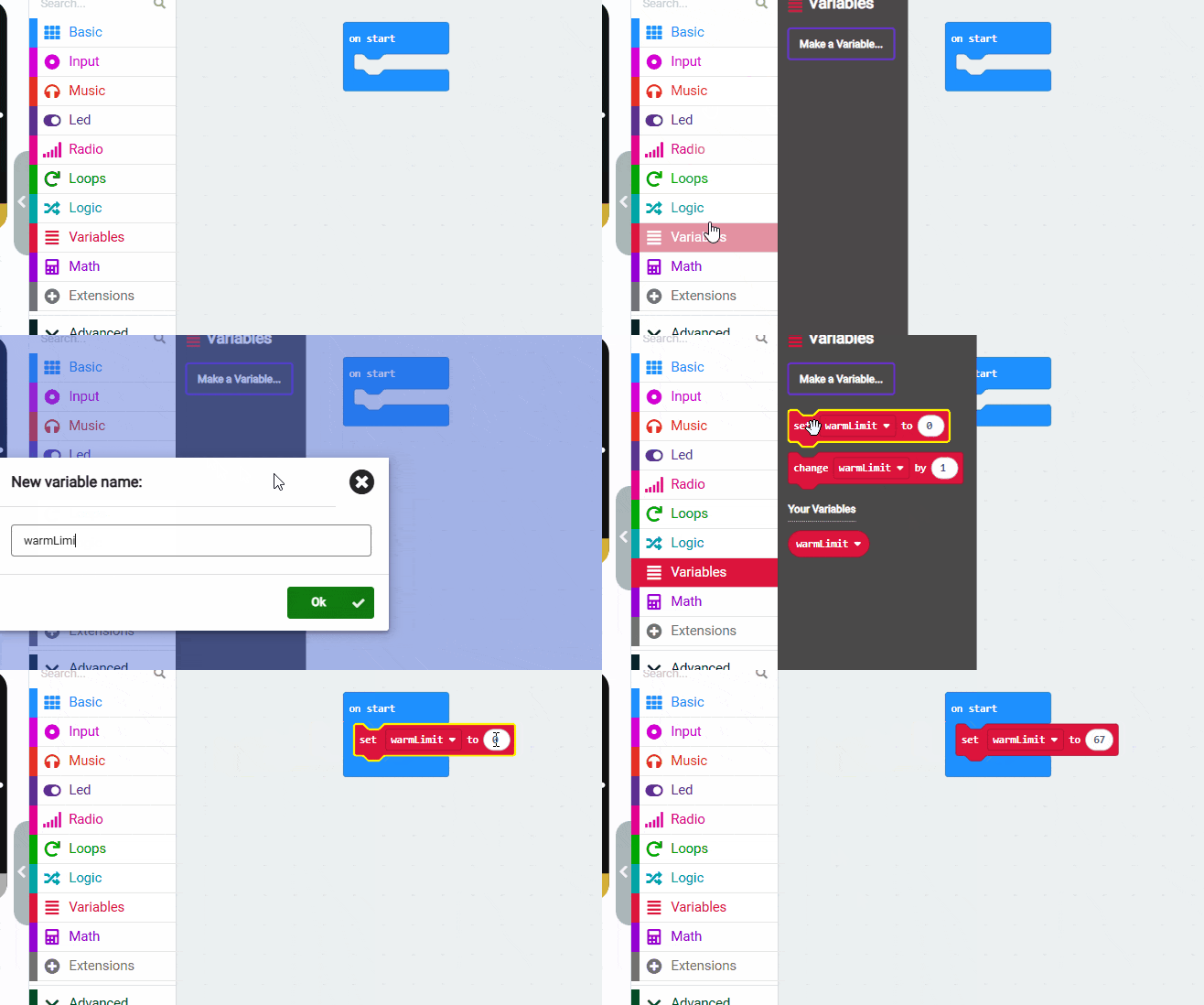
If/else if / else with a variable
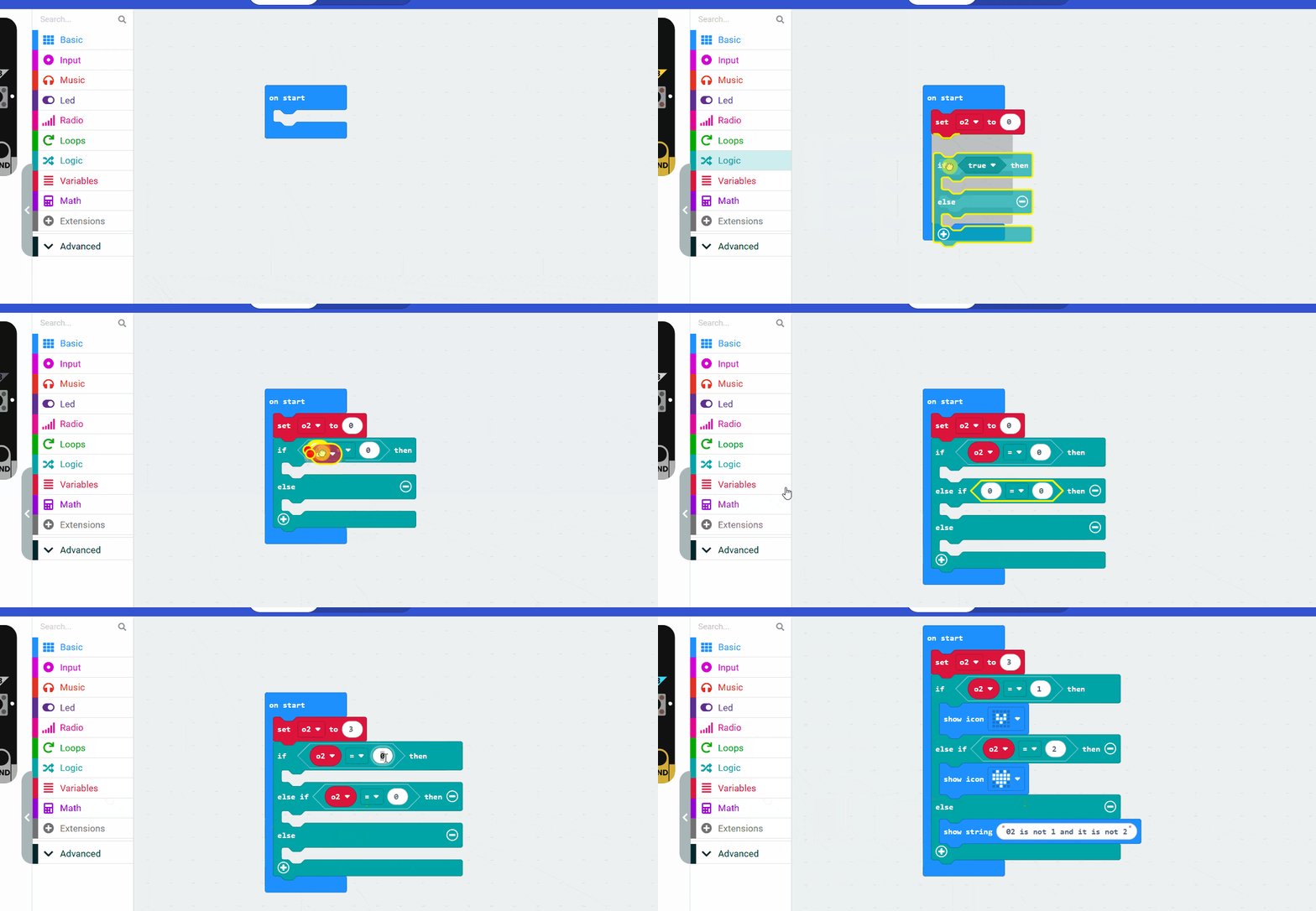
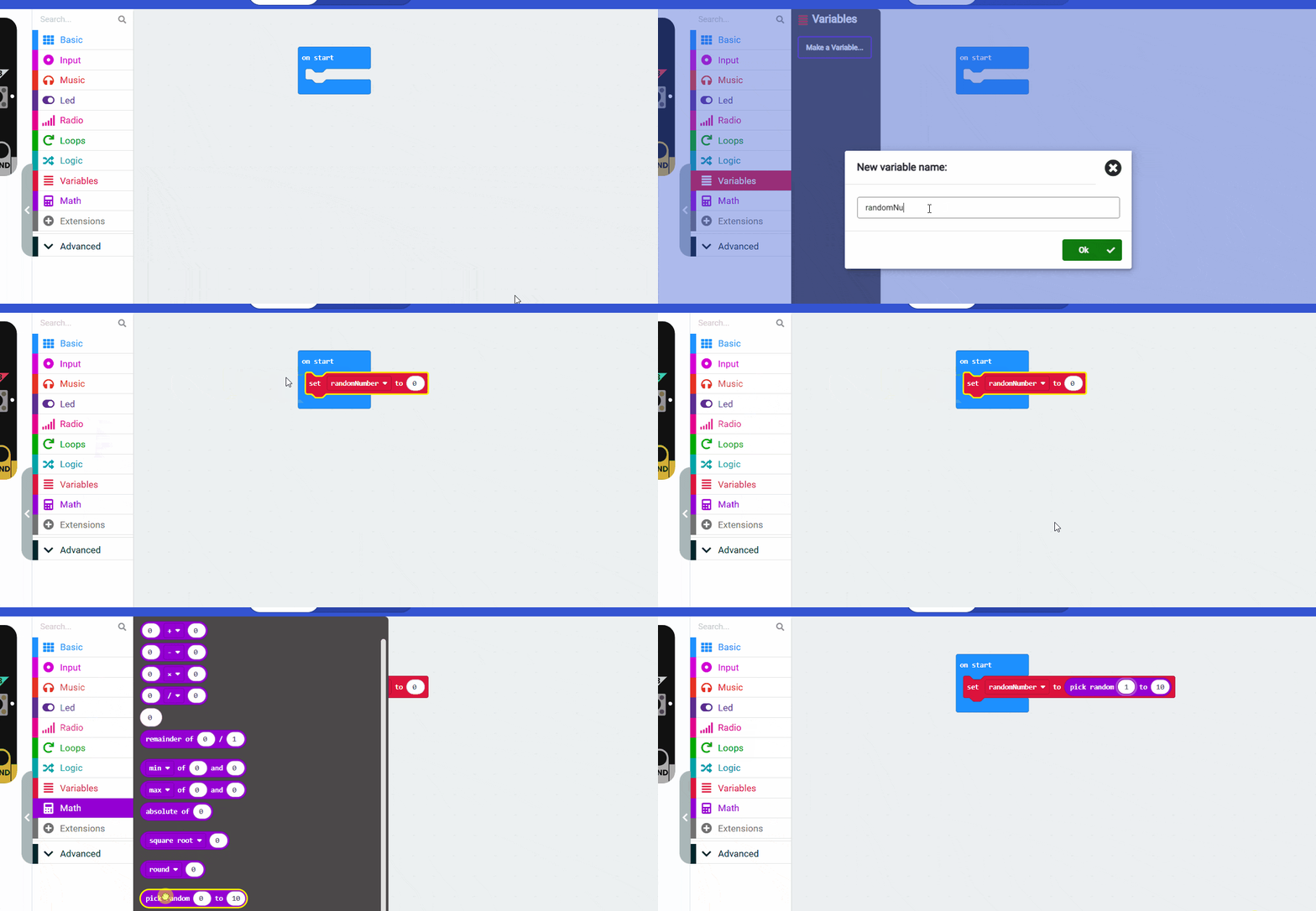
Create a variable and set it to a random number:
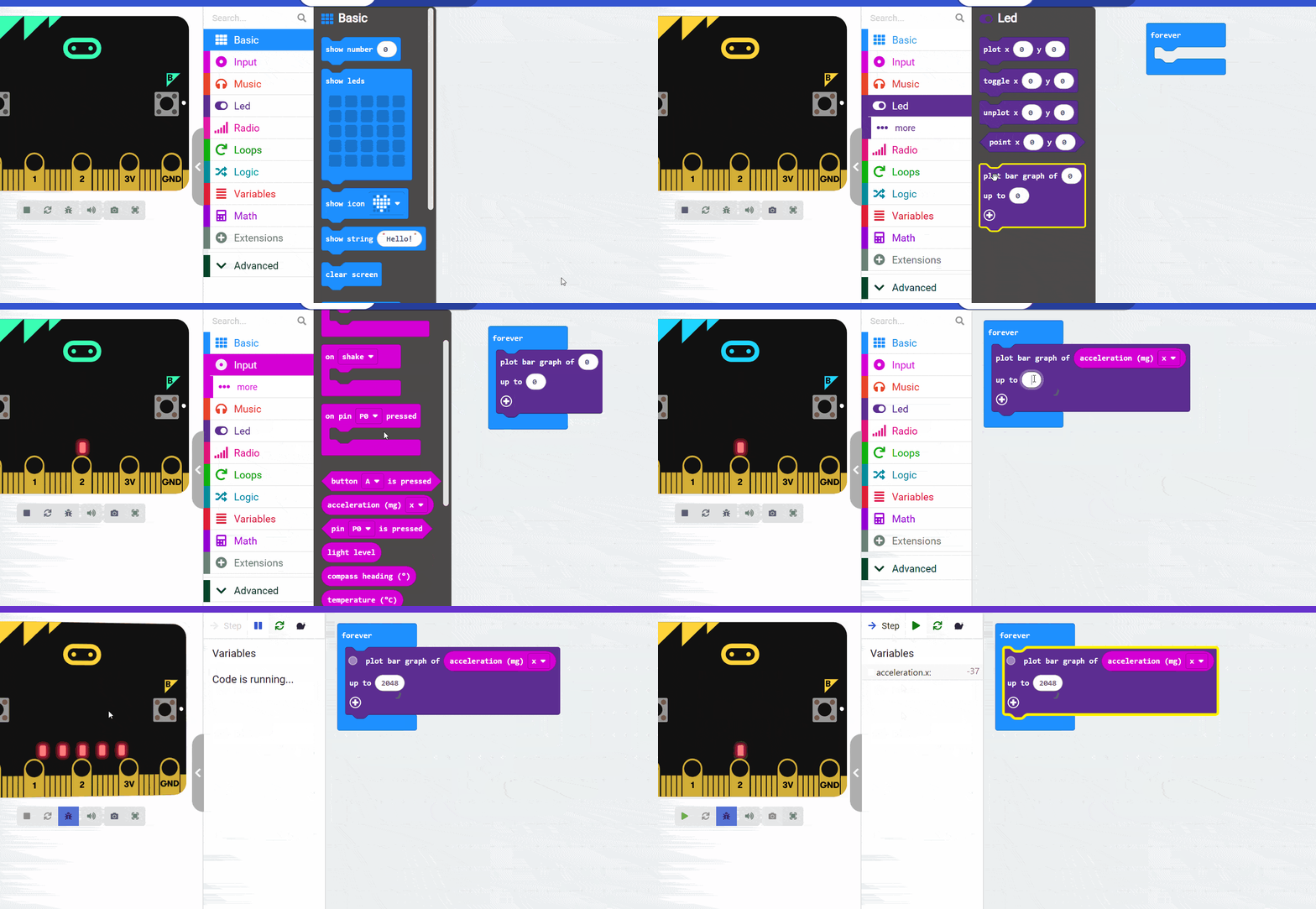
Plot Bar Graph
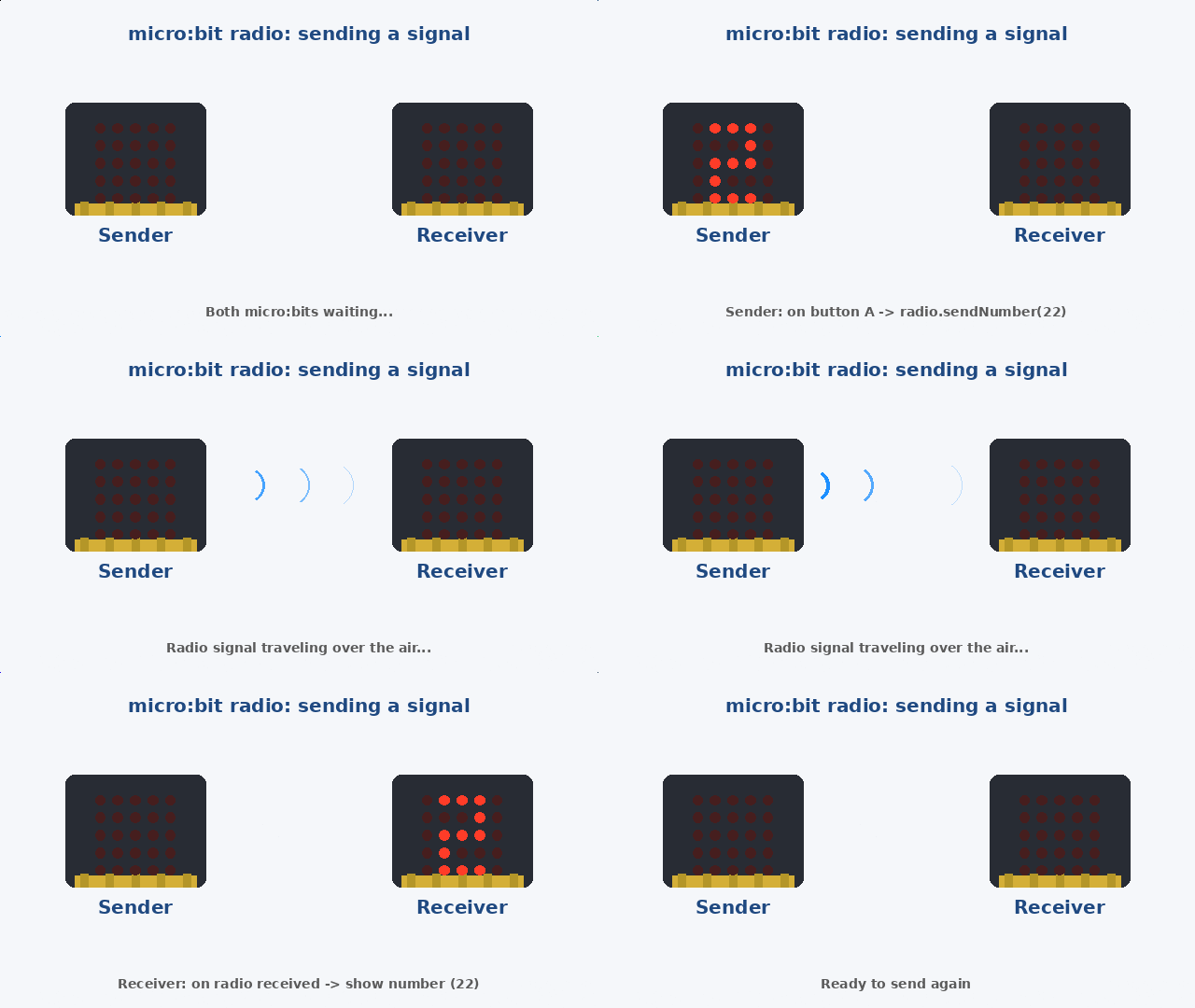
Radio Communication . Read the Tutorial Here
Coming soon…Next how to
How to make a variable and assign it a value
If/else if / else with a variable
Create a variable and set it to a random number:
Plot Bar Graph
Radio Communication . Read the Tutorial Here
Coming soon…Next how to
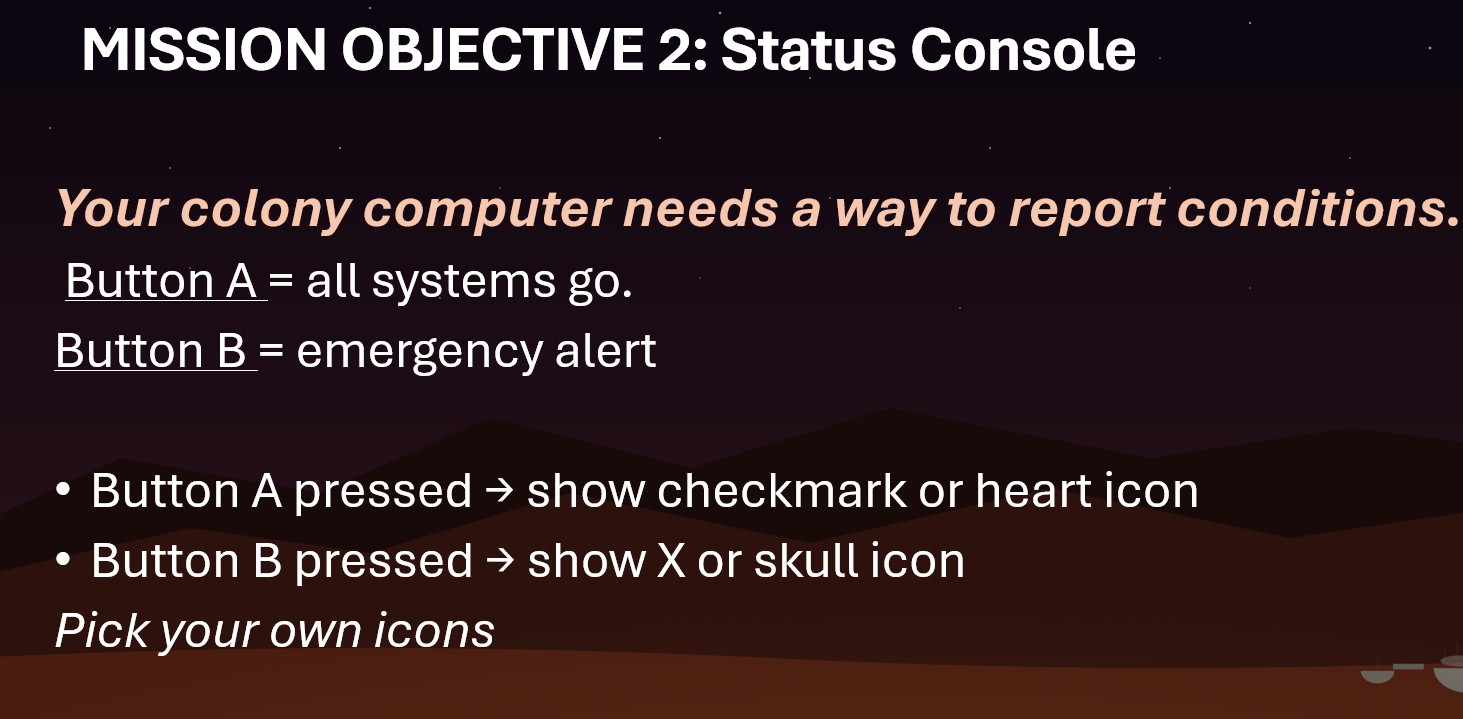
How to do common stuff with MakeCode

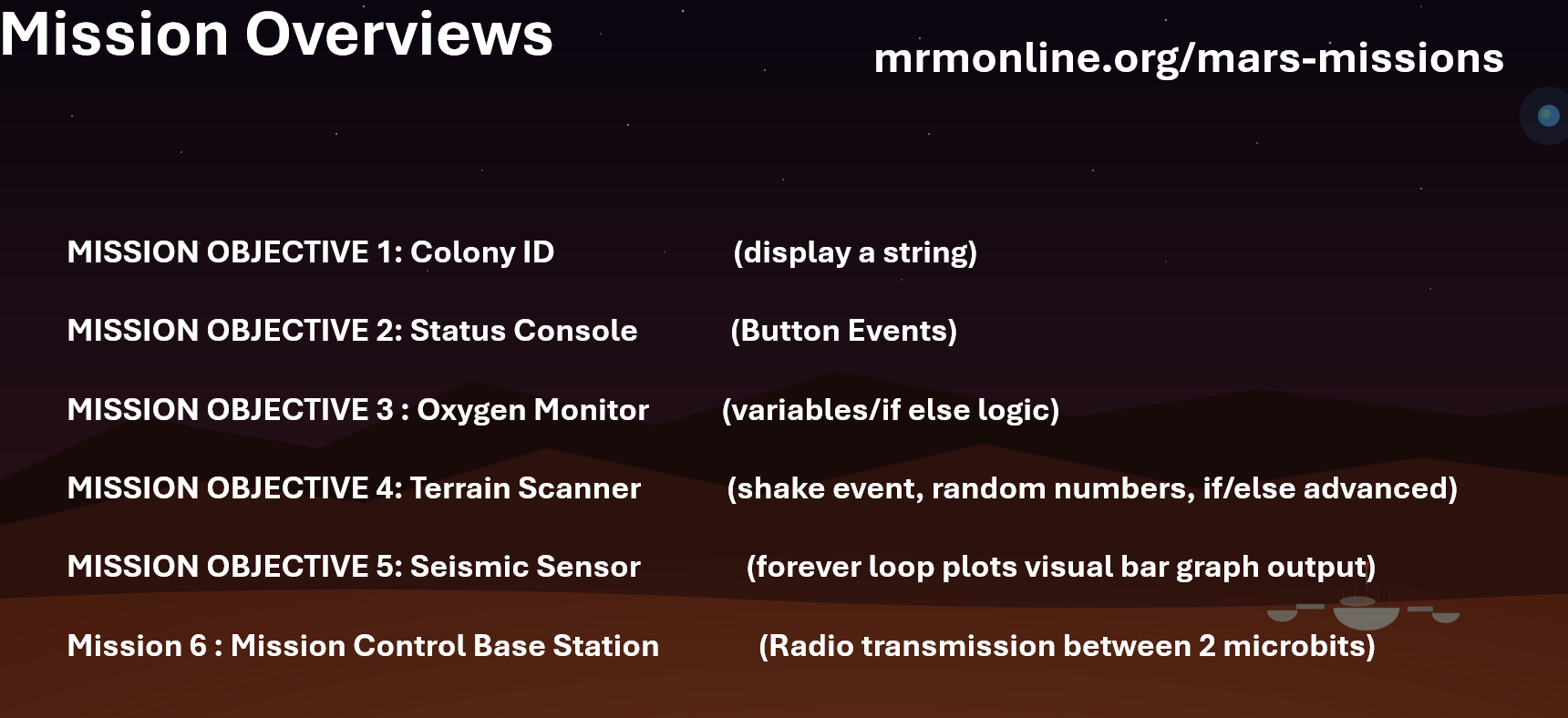

Topics/Links : On Start Show String
Stuck? Check out this code
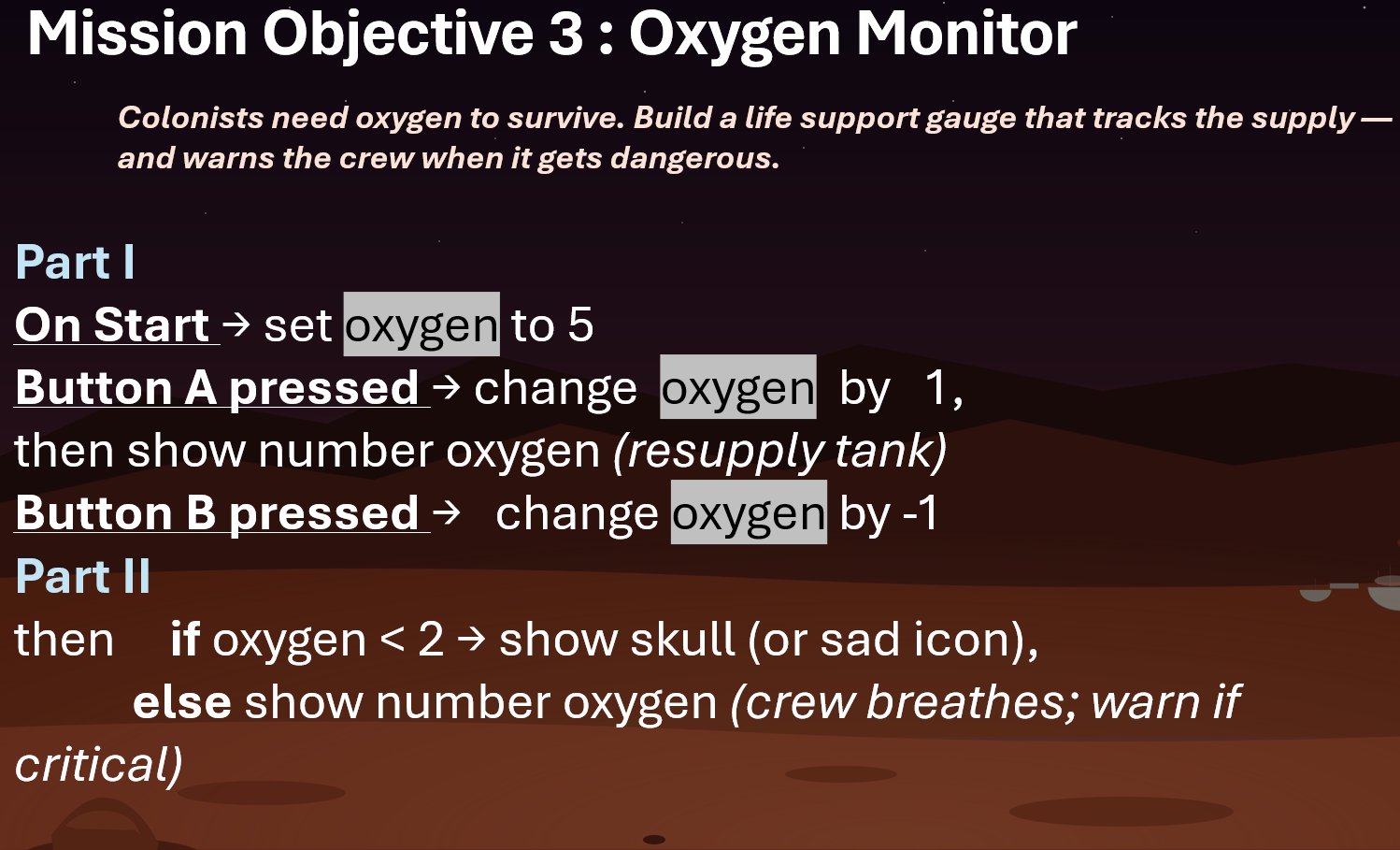
Topics/links : Button A
Stuck? Check out this code
Topics/links : Button A , if / else , set variable
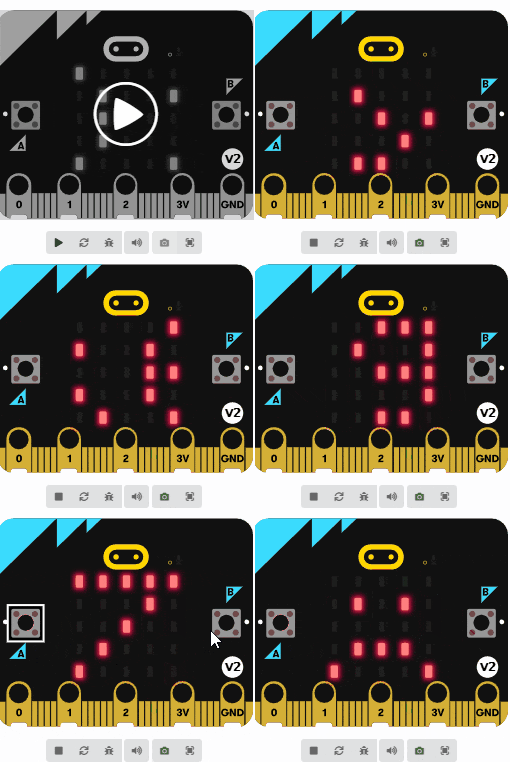
Stuck? Some of the code

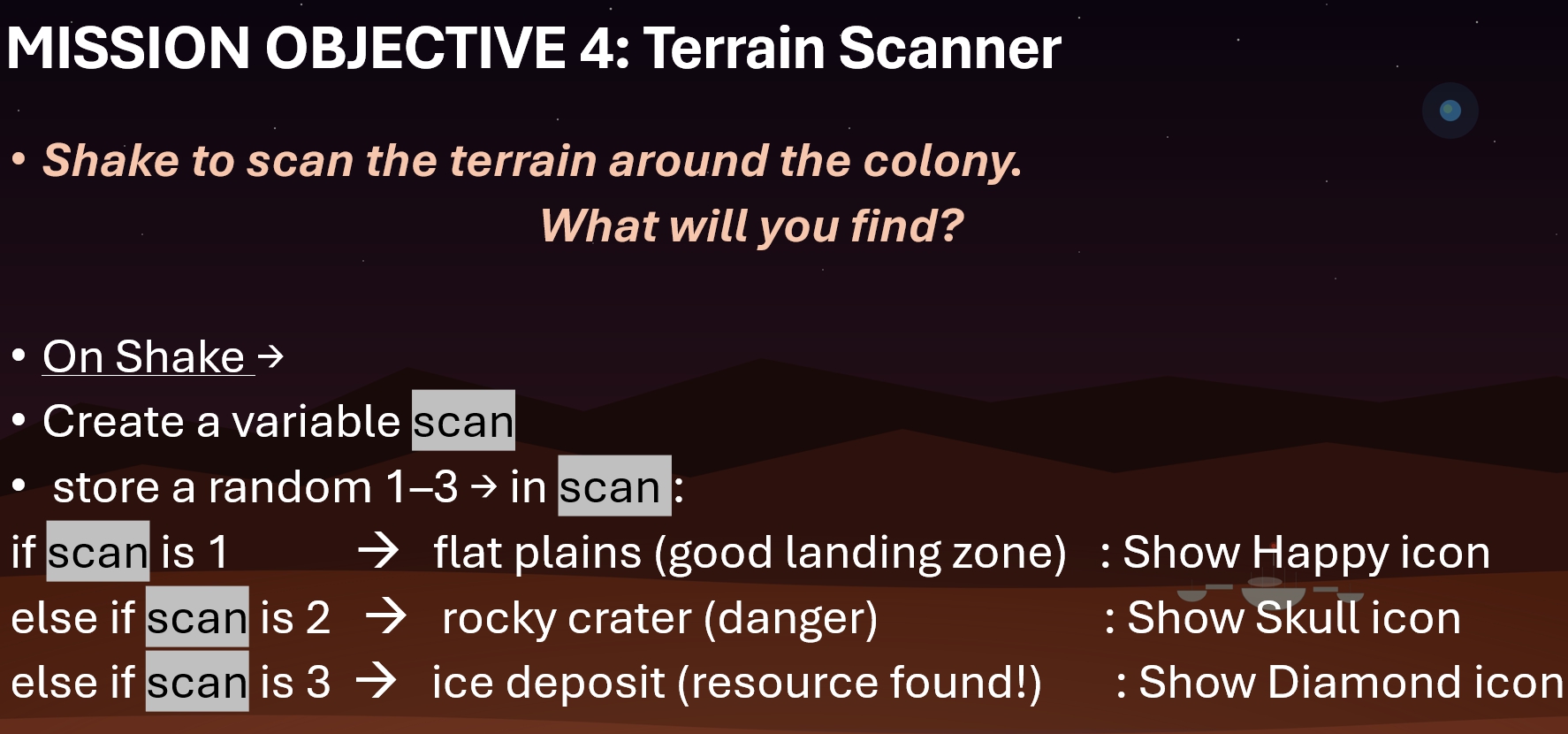
Topics/links : Shake Event, if else , set variable to random ,
NOTE: Please make sure you save a copy of Mission 4. Don’t lose it! (We might use it later)
Result :
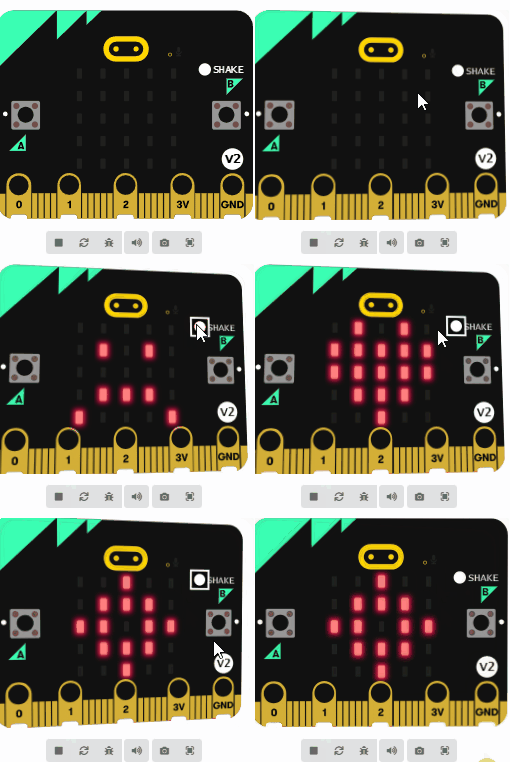

Code for Forever loop/ plot bar graph/acceleration
This is a 2-parter. Part I involves upgrading the Mission 4 scout
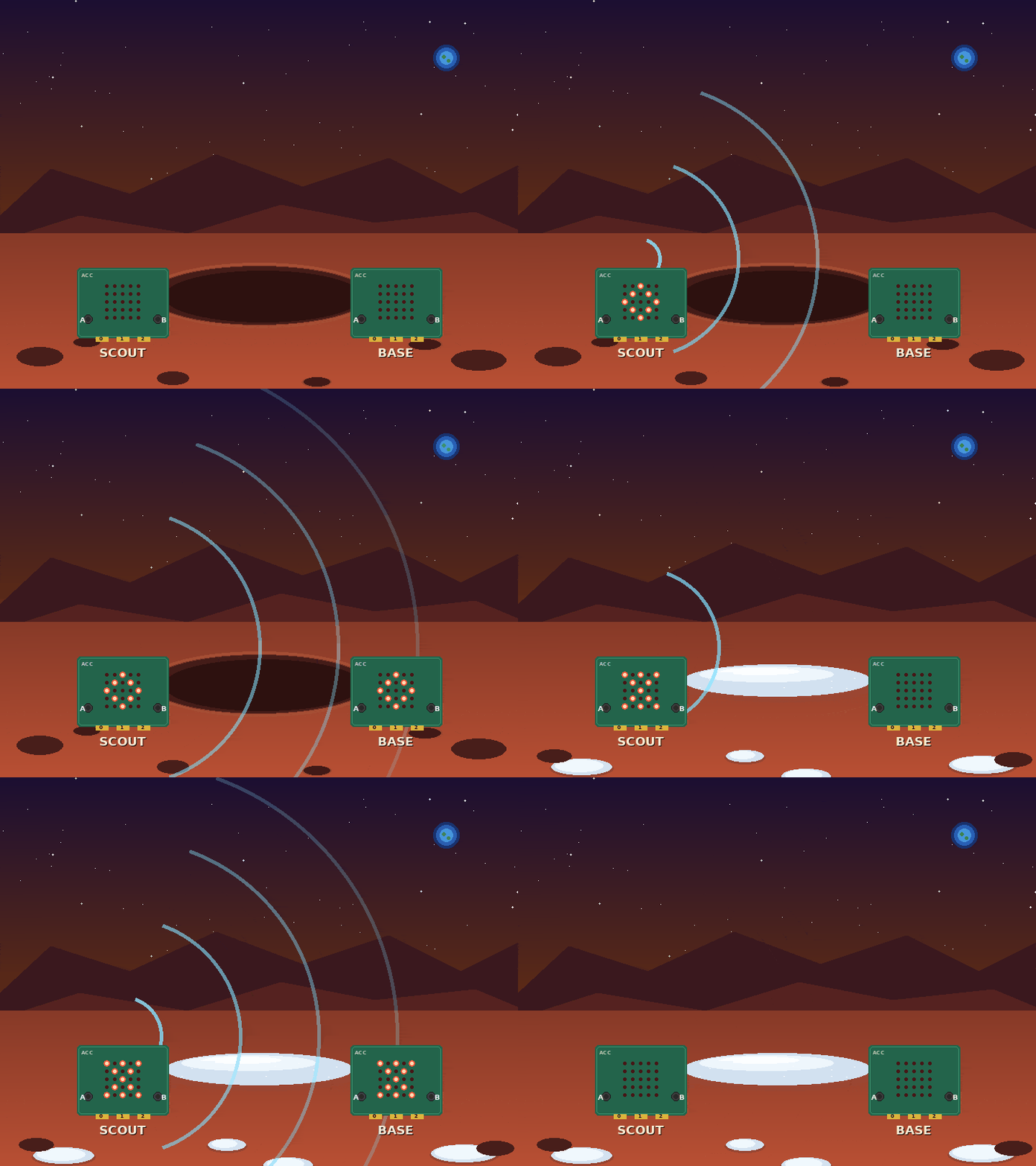
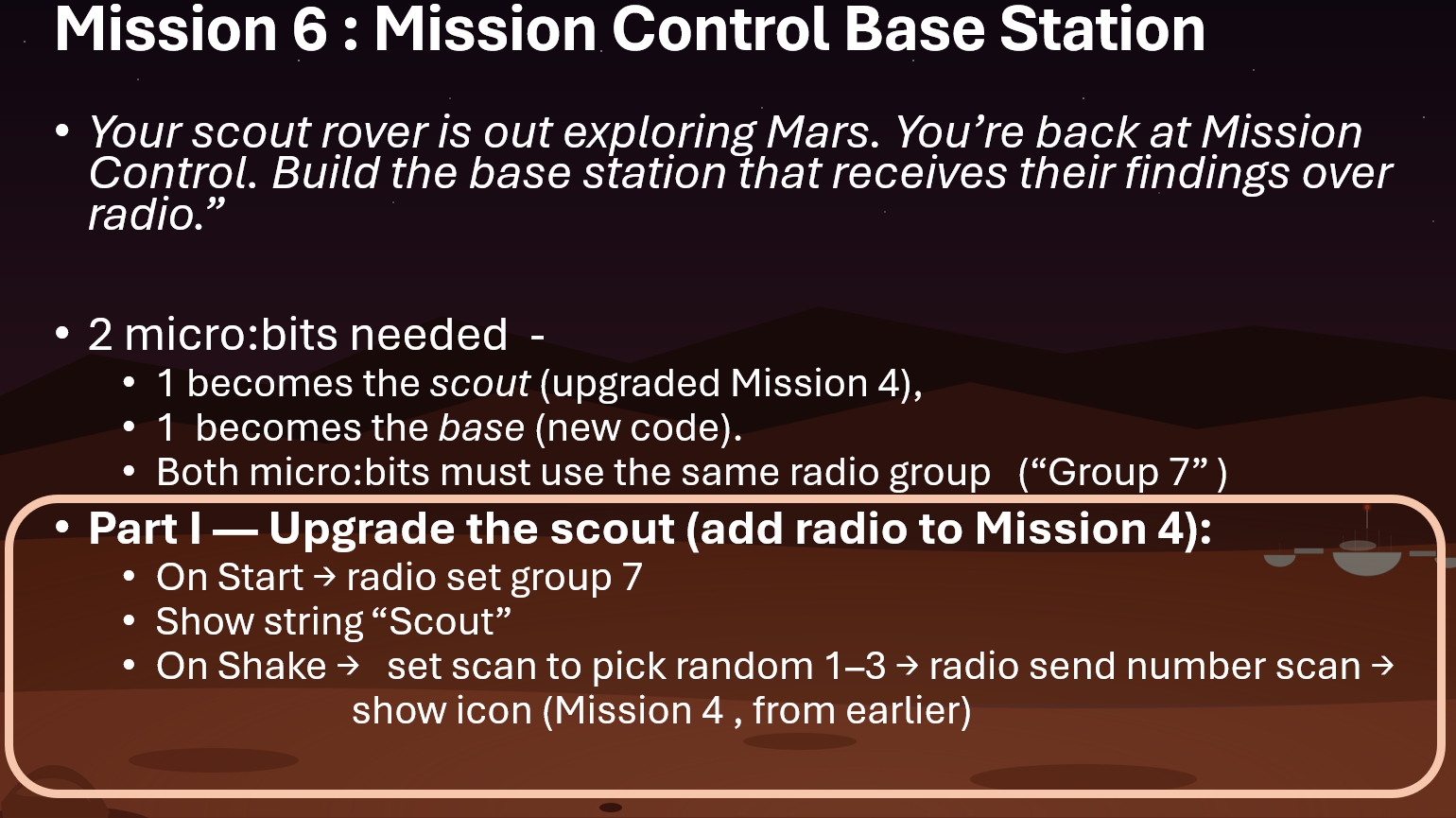
Topics/links for Part I : Shake Event , Radio Communication Full Example
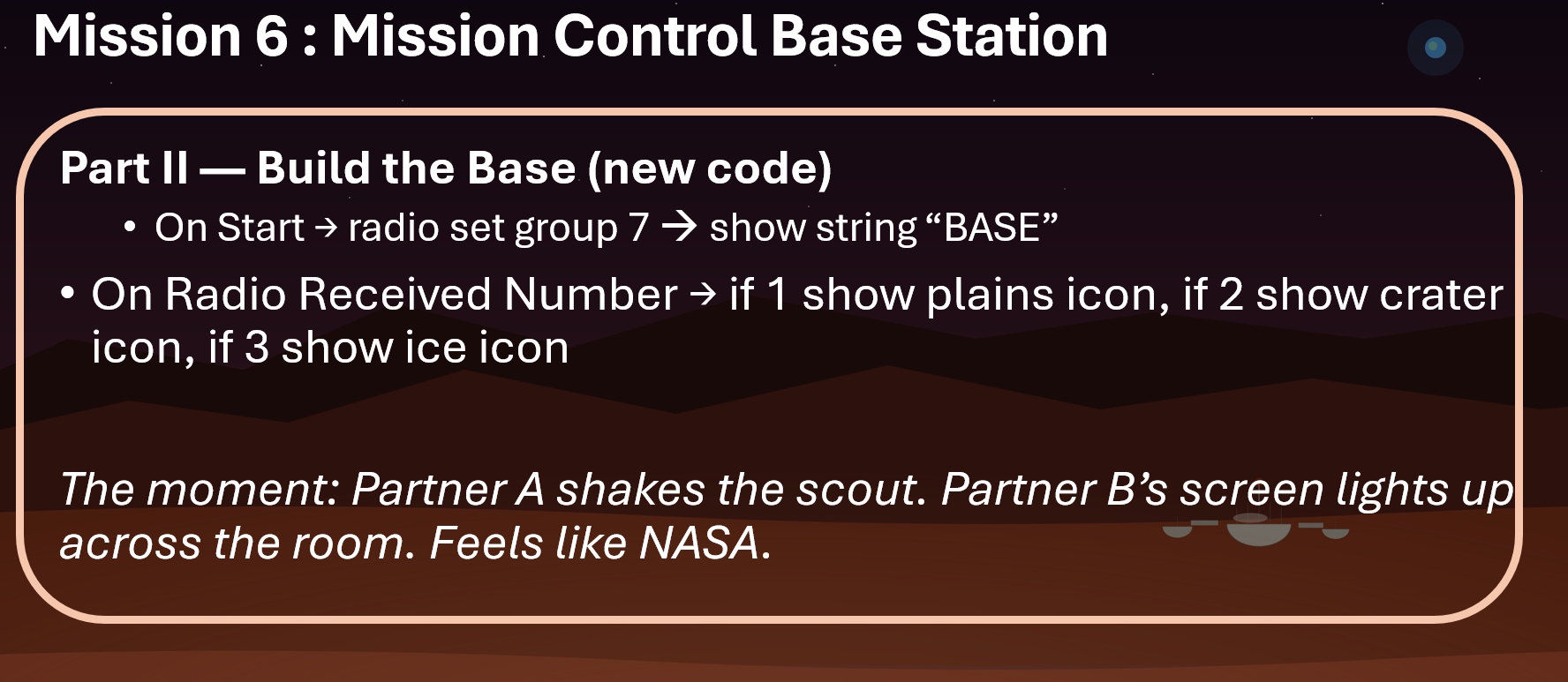
Topics/links : Shake Event , set radio group, on radio receive , on radio receive number if/else Radio Communication Full example
Some Examples of what people have done before:
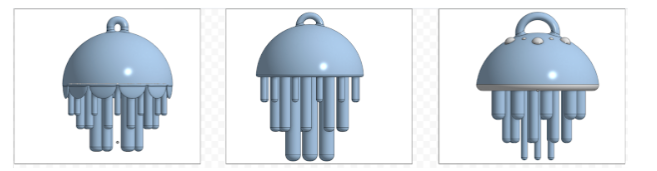
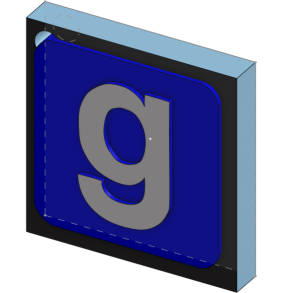
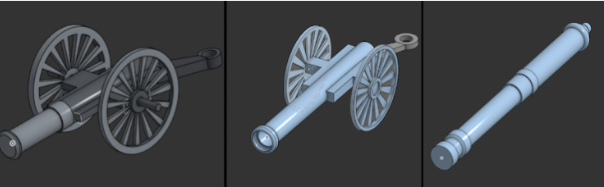
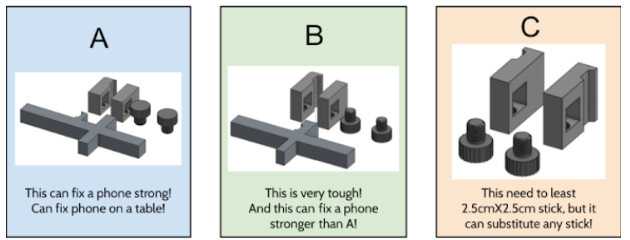
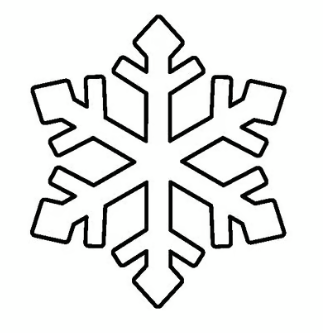
Use onshape to generate a winter themed 3-d drawing. The more complex, the more points.
Ideas include : snowflake, snowman, Hanukkah candles, christmas tree with presents
Example of 5 out of 5 initial outline

Example of 3 out of 5
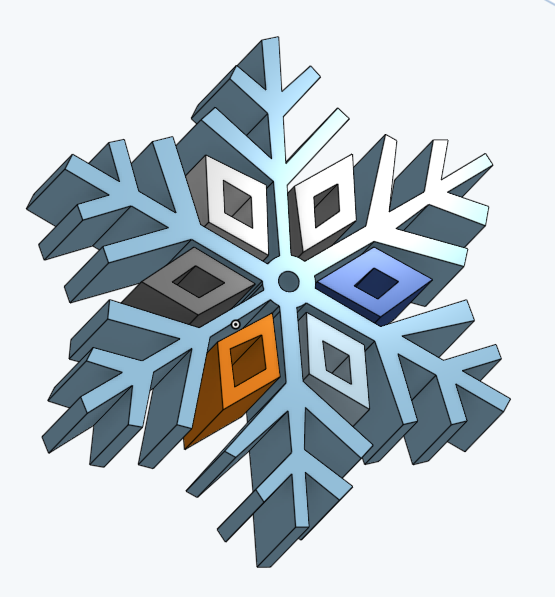
Some good actual examples of completed projects
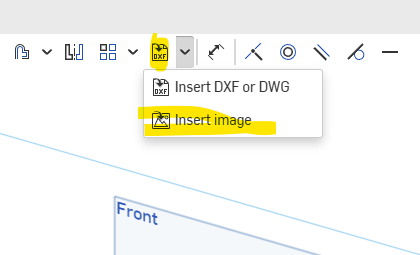
That’s it, no extrudes or anything, just practice importing an image to onshape and tracing it.
Units : MM
Step 1) Inscribed Triangle . Dimensioned to 22. Centered at origin
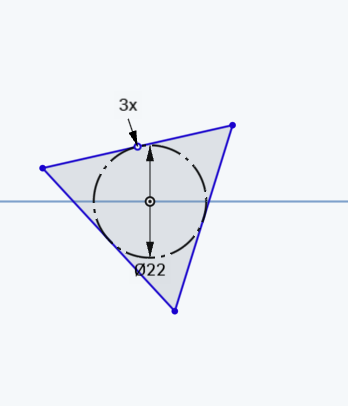
Step 2) Make 1 vertex of triangle vertical with the origin. This will define the shape

Step 3) This is what your shape should now look like :
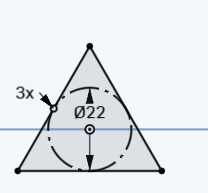
Step 4) Use the scissor tool to delete the top 3rd of the circle
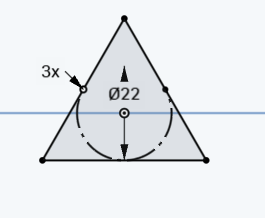
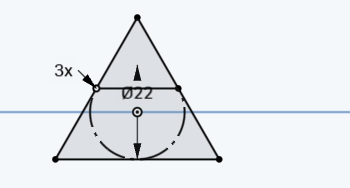
Step 5) Connect the 2 points (make sure it’s defined)
Step 6) Perform 2 extrudes (25 and 35). :
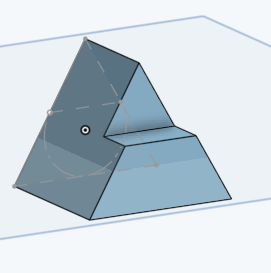
Step 7) Fillet as shown:
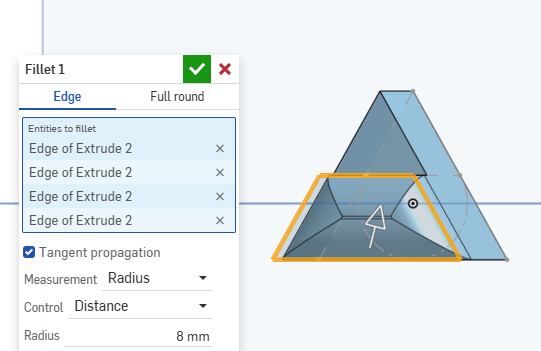
Step 8) Add a shell:
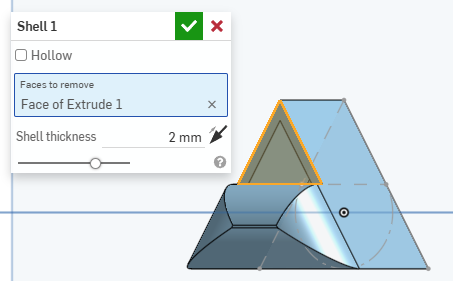
Step 9) Final product:
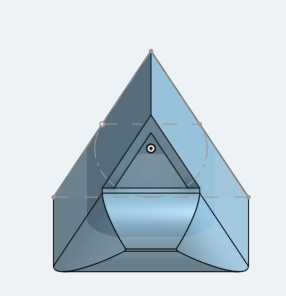
Workspace Units: MM
Step 1) Create a new sketch on the front plan and create the following sketch. All share centered at the origin:
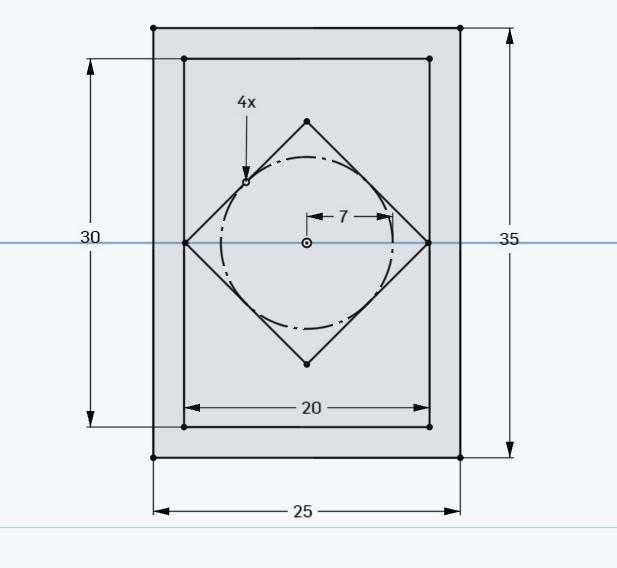
(Click image to enlarge)
Step 2) Extrude 1:
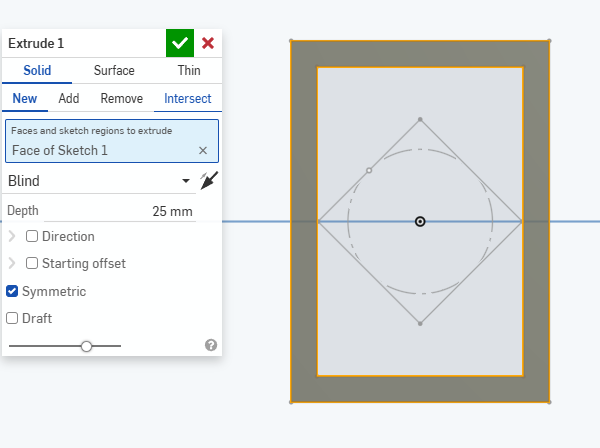
Step 3) If sketch 1 is hidden, make sure to show it
Step 4) Extrude 2:
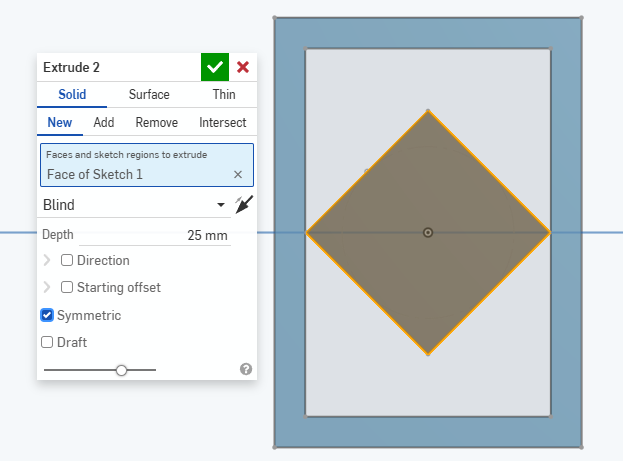
Step 5)Fillet :
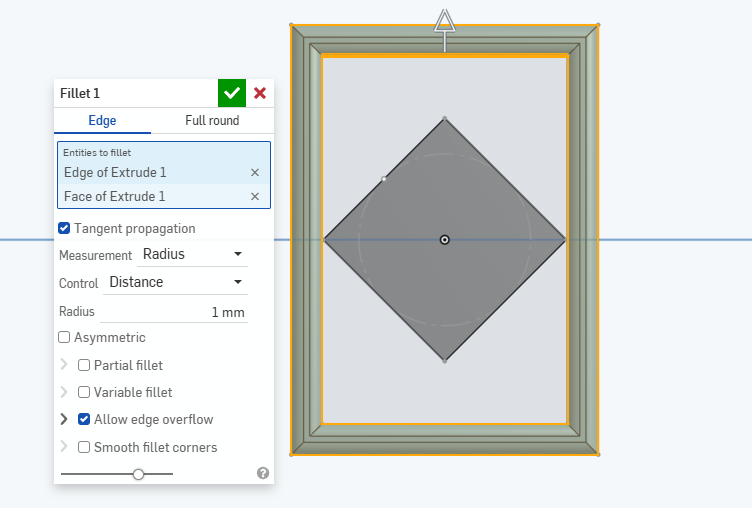
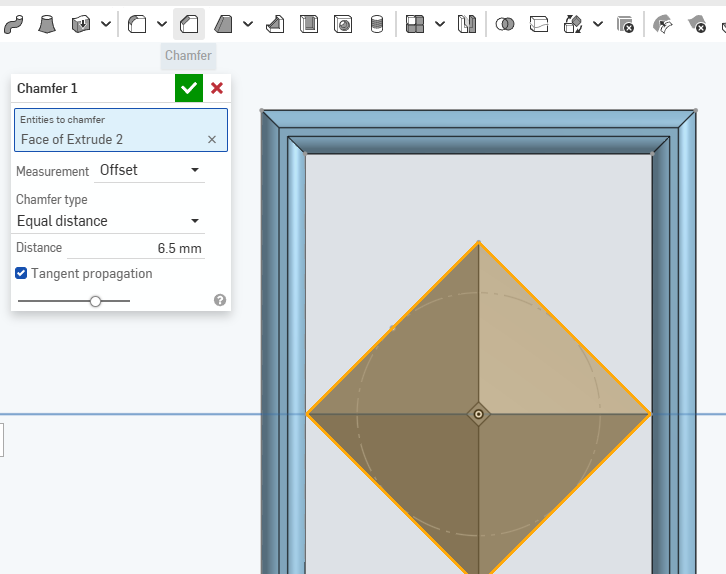
Step 6) Add a chamfer:
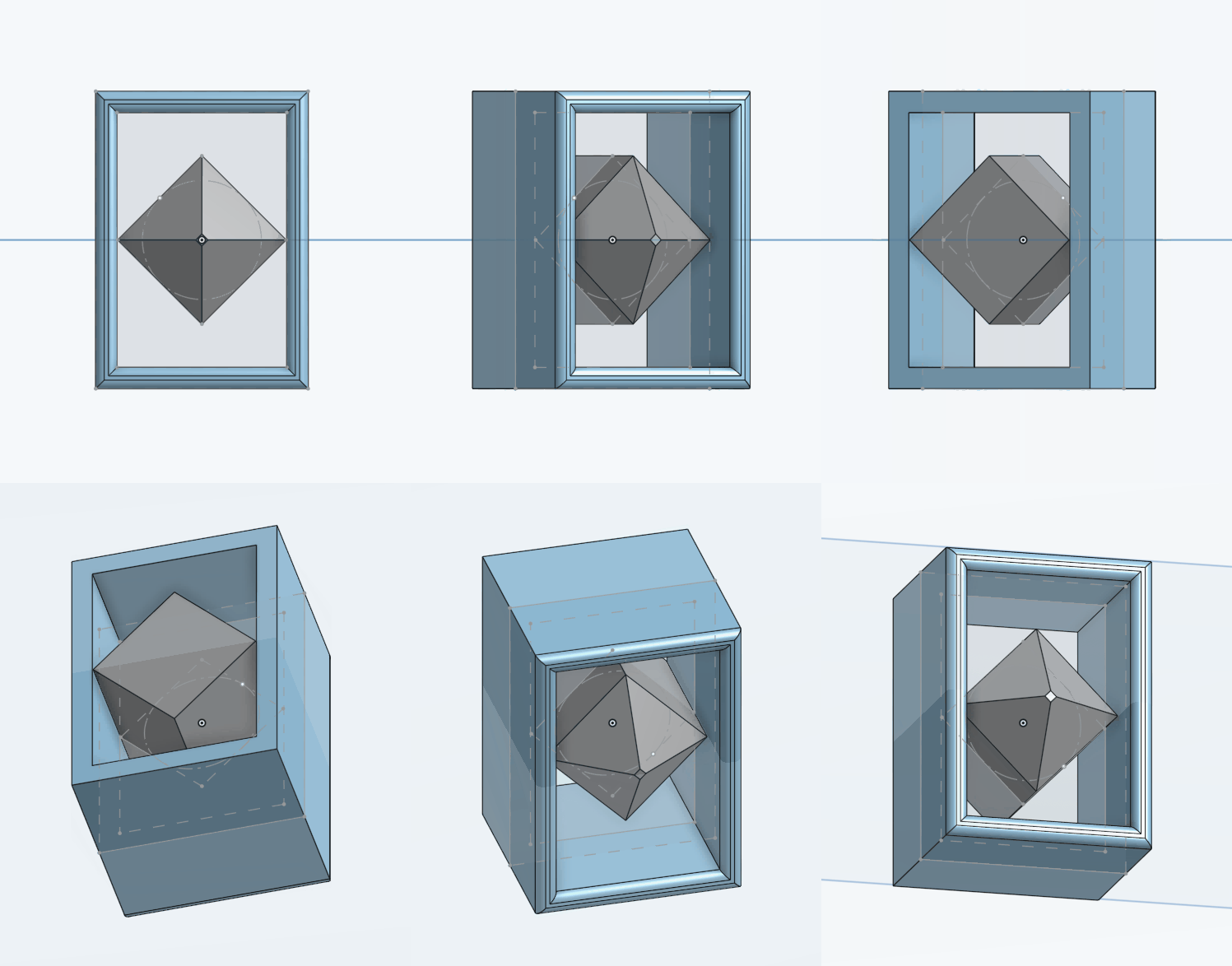
Result
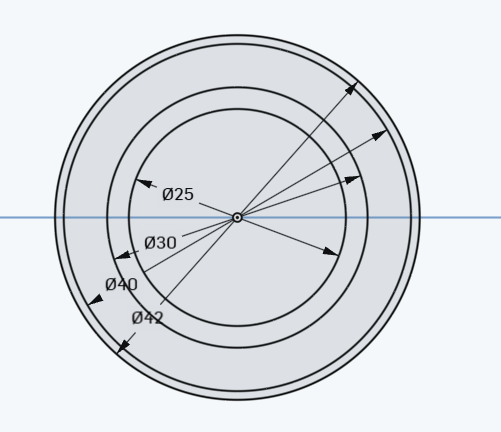
Step 1) Create a 25, 30 , 40 and 42 MM circles all centered at the orig
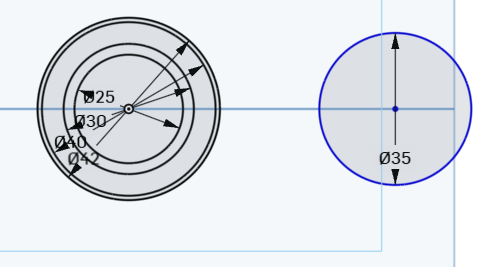
Step 2) Add a single circle on the right that has a radius of 35.
Step 3) connect centers with construction line. Make sure that the blue lines are coincidental to the circles
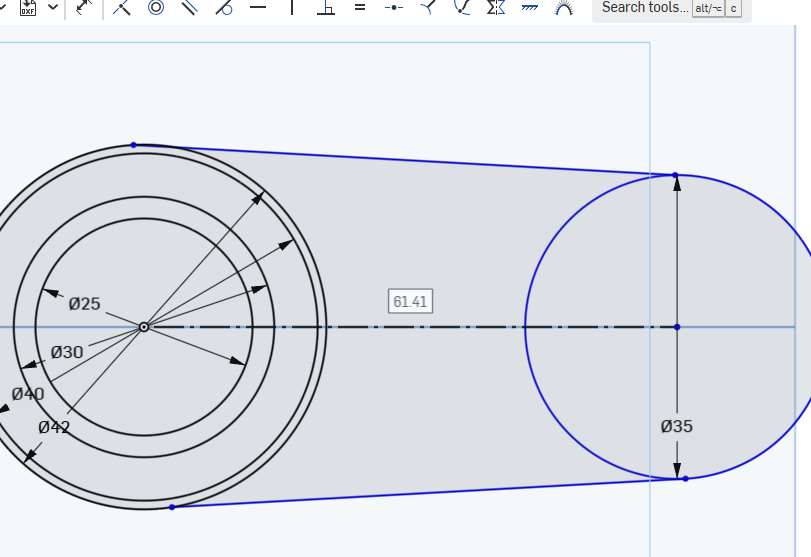
tip: if you draw a line , you can use the ‘q’ button to change it to a construction line!
Step 4) Make the blue lines symmetric to the construction line and at a 9 degree angle
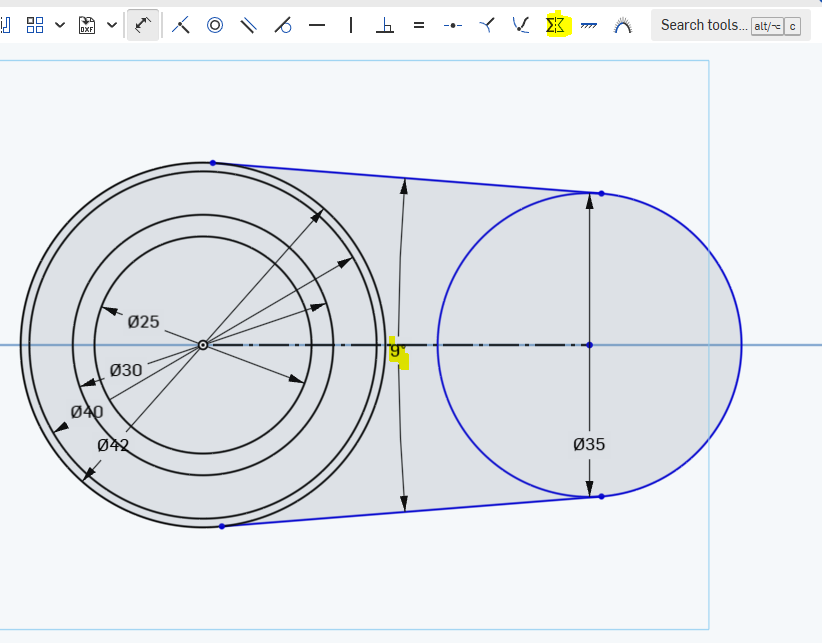
Step 5) The center of the circles should be dimensioned to 44:
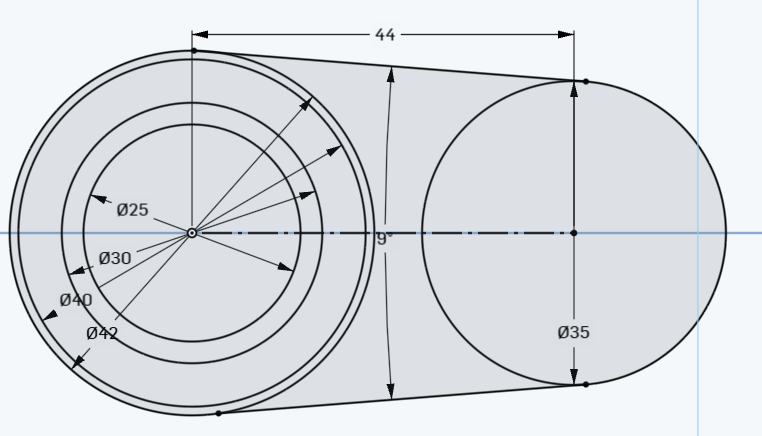
Step 6) Each part of the circle on the left should be an extrude. The outermost starts at 10MM, then 15MM, 20, 25 MM:
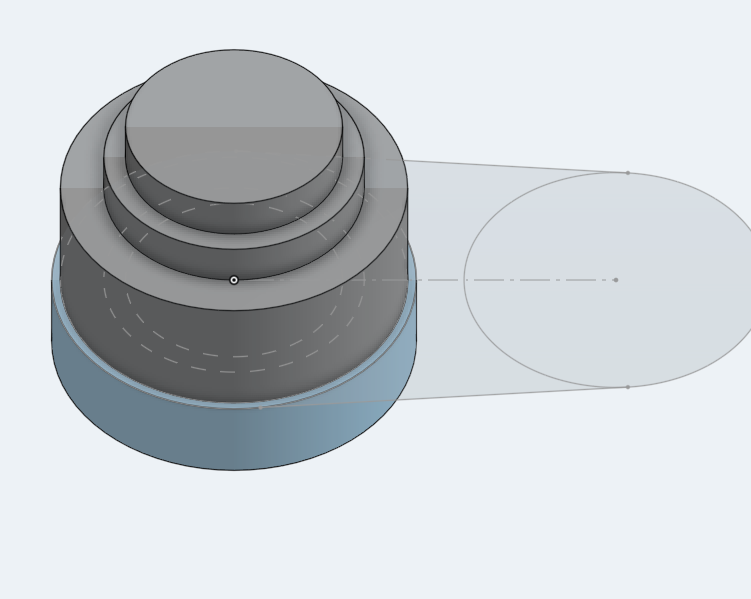
Step 7) Connect the two end circles with a 2 MM extrude. The right side is 25 MM:
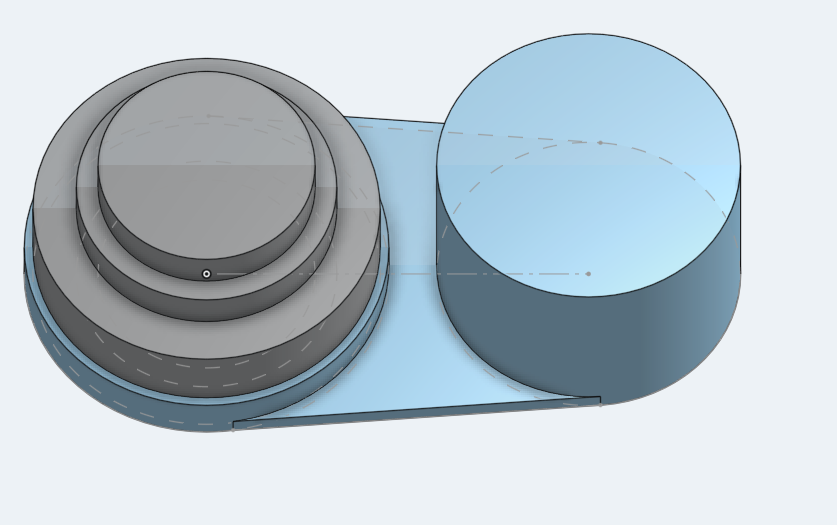
Step 8)create the variable as shown below: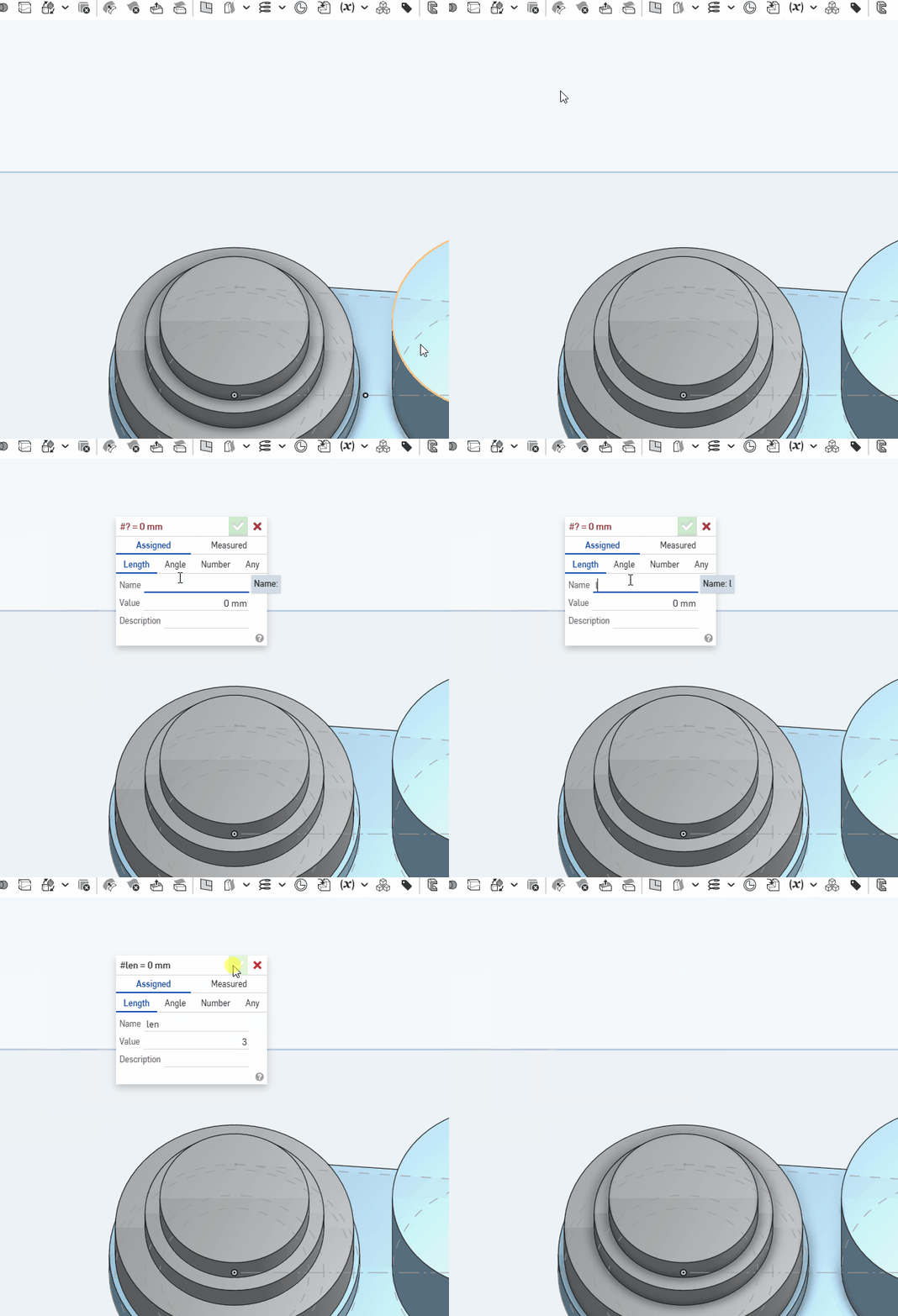
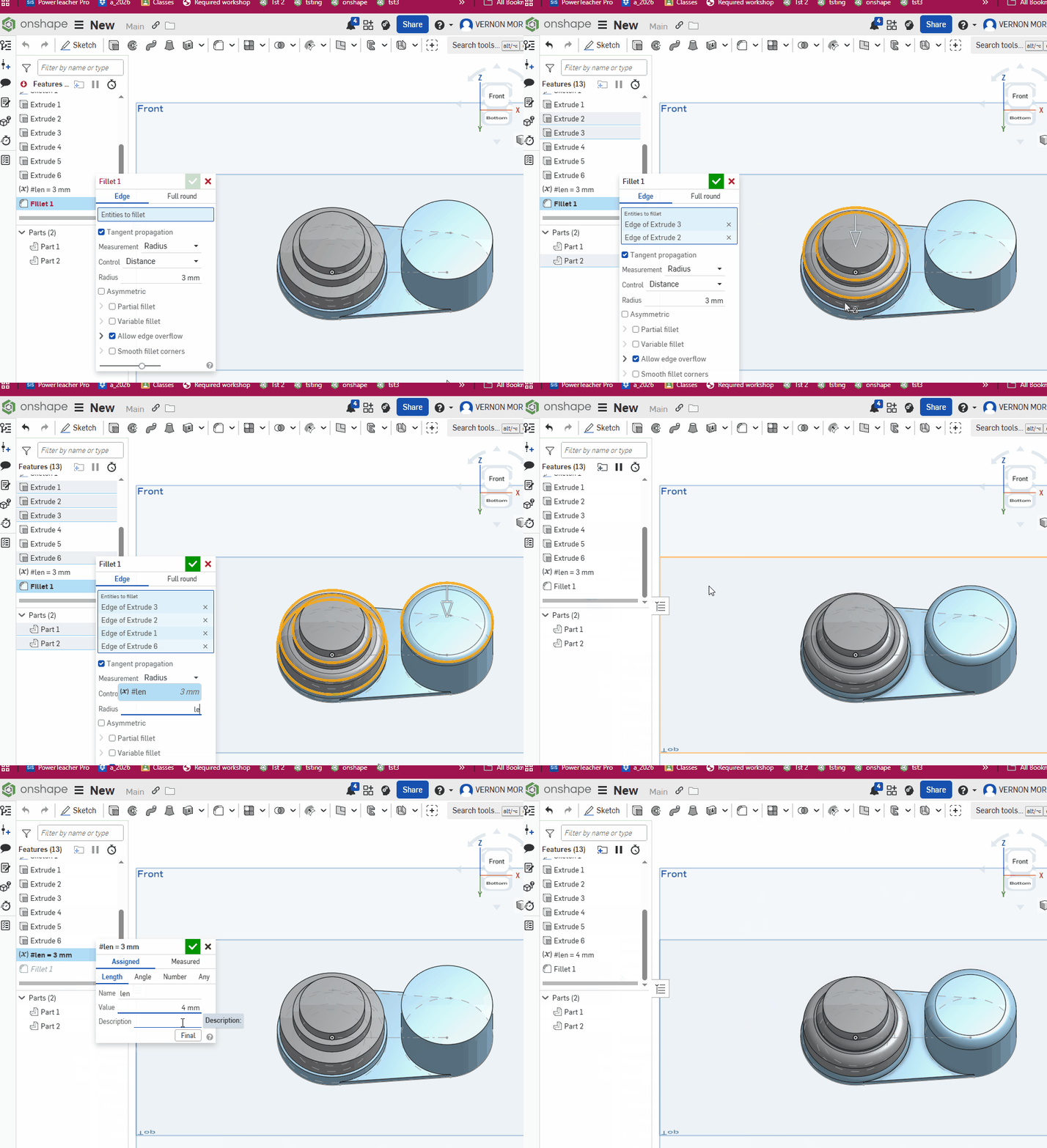
Step 9) Add a fillet to all the circles edges. Set its amount to the variable len as shown. This video shows you how to use a variable and then change the variable:
Set document to MM
Step 1) Make a circle, centered at origin with a diameter of 30. Then create a circle with a diameter of 20 to its right.
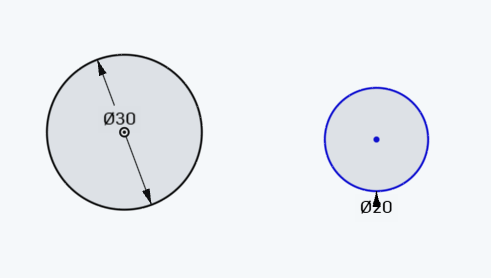
Step 2) Connect the 2 circles with 2 lines coincident on to both circles. You should see the highlighted constraints when you mouseover either of them:
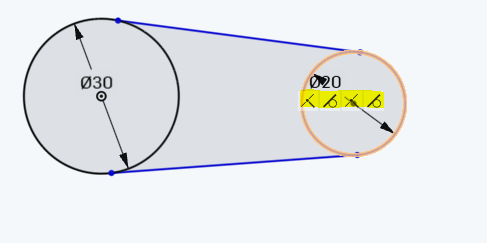
Step 3) Dimention the angle between the 2 lines to be 12 degrees. Make sure it’s the ANGLE , not the distance. If you’re not sure how to do that, watch this short animation.
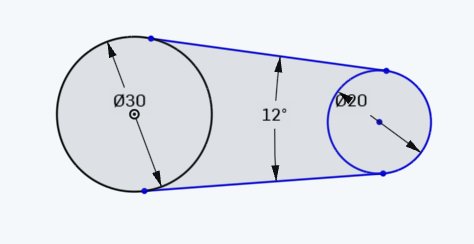
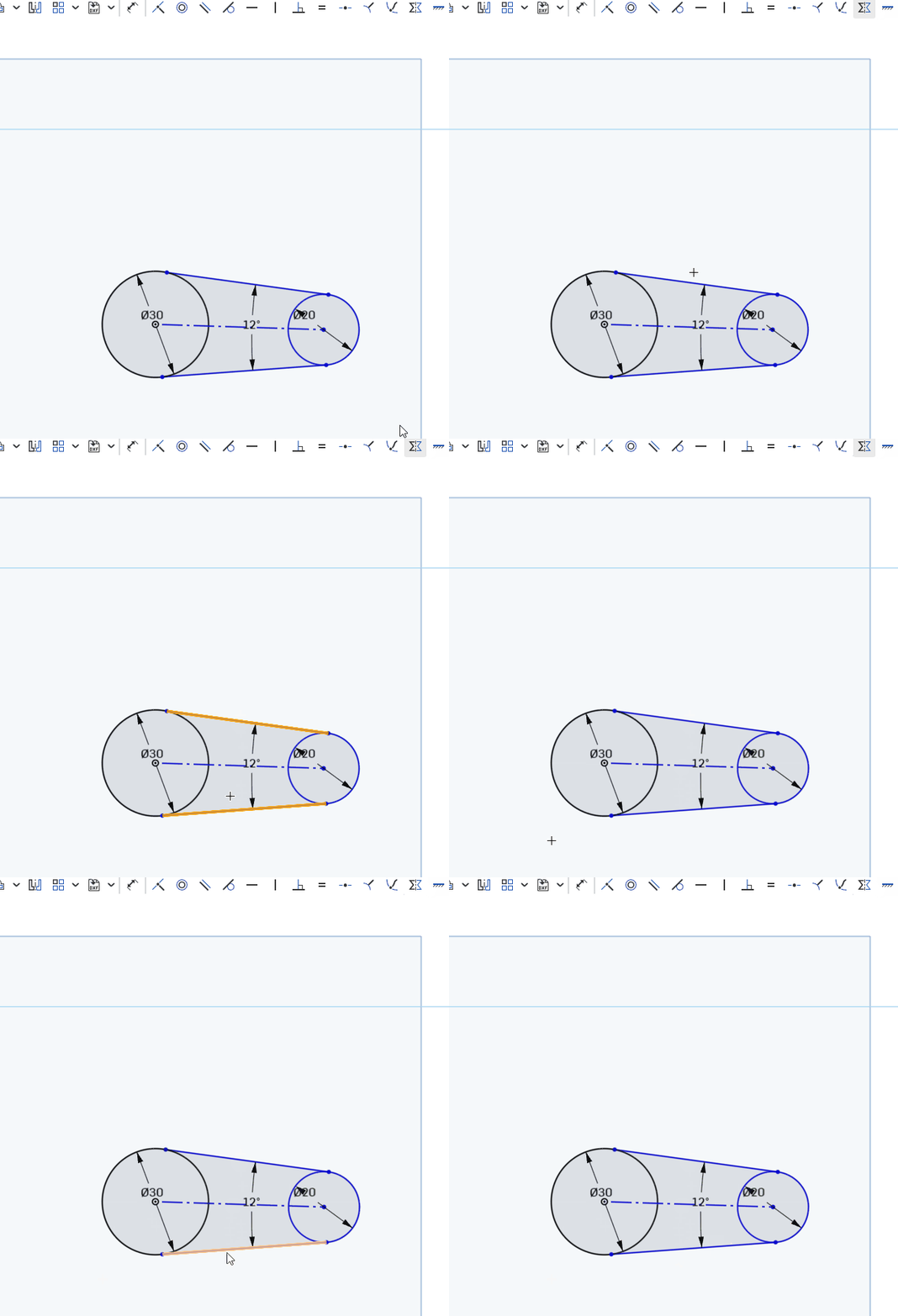
Step 4) Create a construction line connecting centers, then make the two lines symmetric to that line:
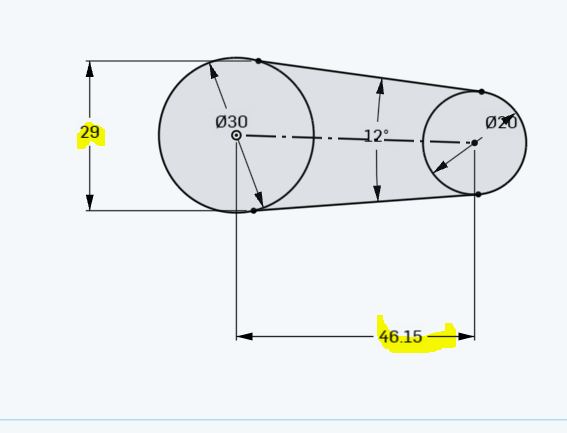
Step 5) Add the 2 dimensions shown . The shape should now be fully defined (all black)
Step 6) Extrude the middle part by 15 . Symmetric extrude and then add a 1 MM Fillet:
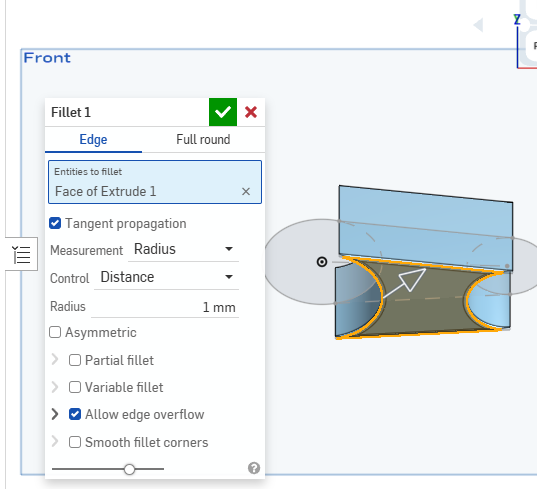
Step 7) Extrude th e2 circle by 30 MM (no pic. You should be able to do this on your own)