Category Archives: Computer Science

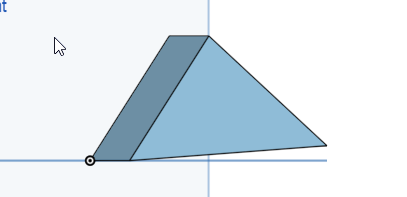
30 degree angle in triangle

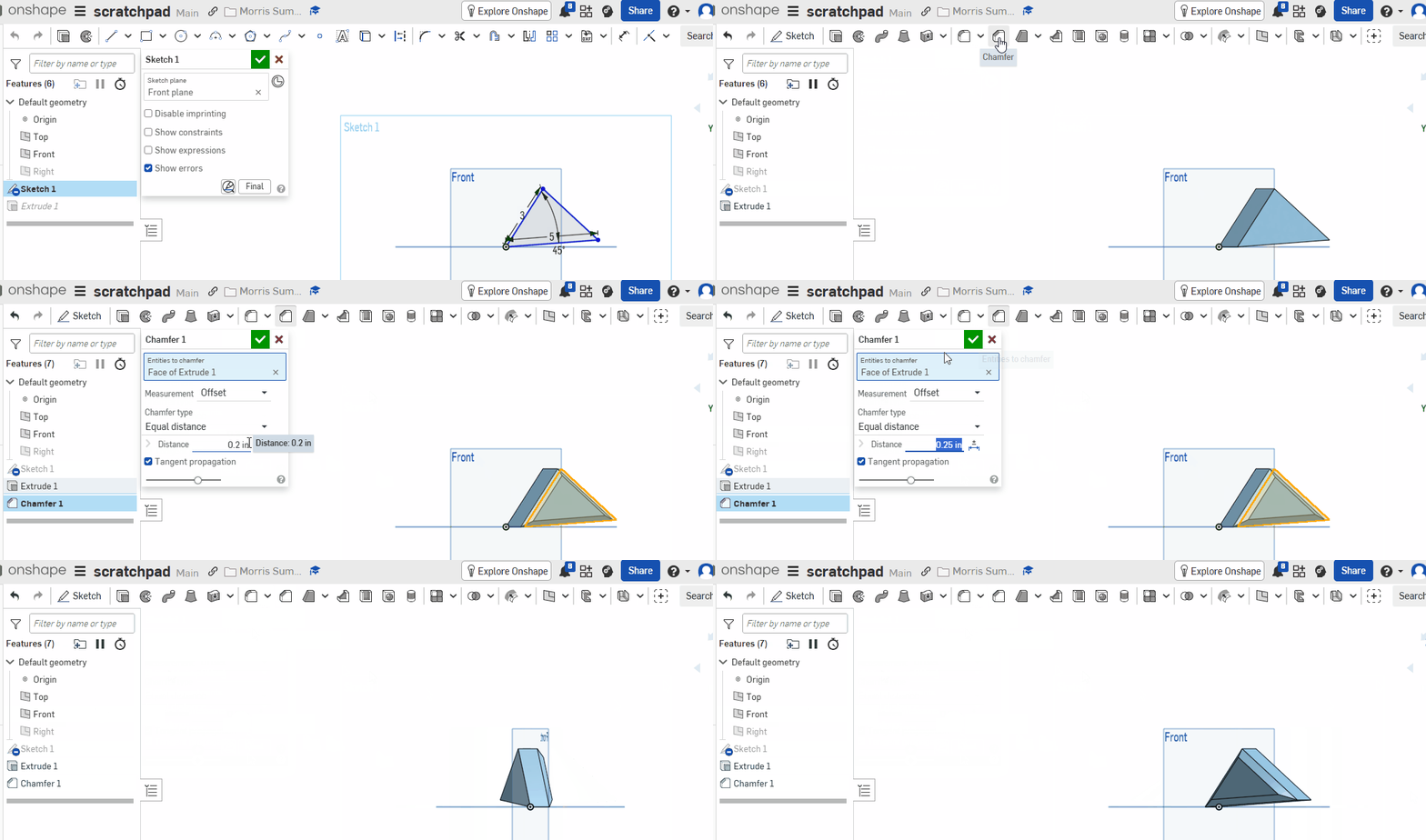
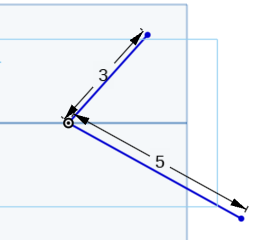
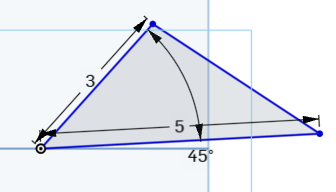
Step 1) Create a new empty sketch and draw 2 lines that meet. The lines should be 3 and 4 in length and should connect at one point. They should be dimensioend to be 3 and 5 but they will be blue and that is ok

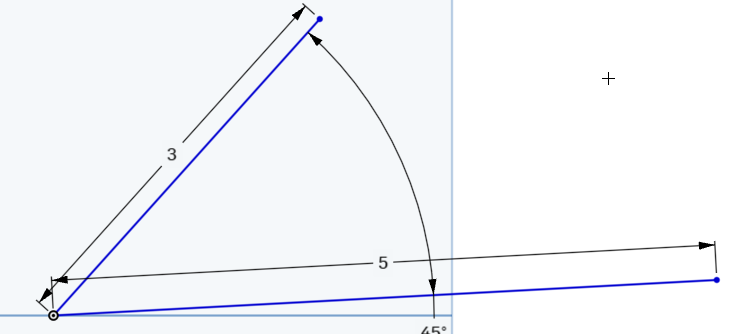
Step 3) Dimension the angle to 45 degrees. Link . You shoul dhave something liek this (your orientation/angle might be different)

Step 4) connect the vertices to make a triangle. Picture:

Step 5)

Step 6) Add a chamfer. Take a screenshot and submit on classrom

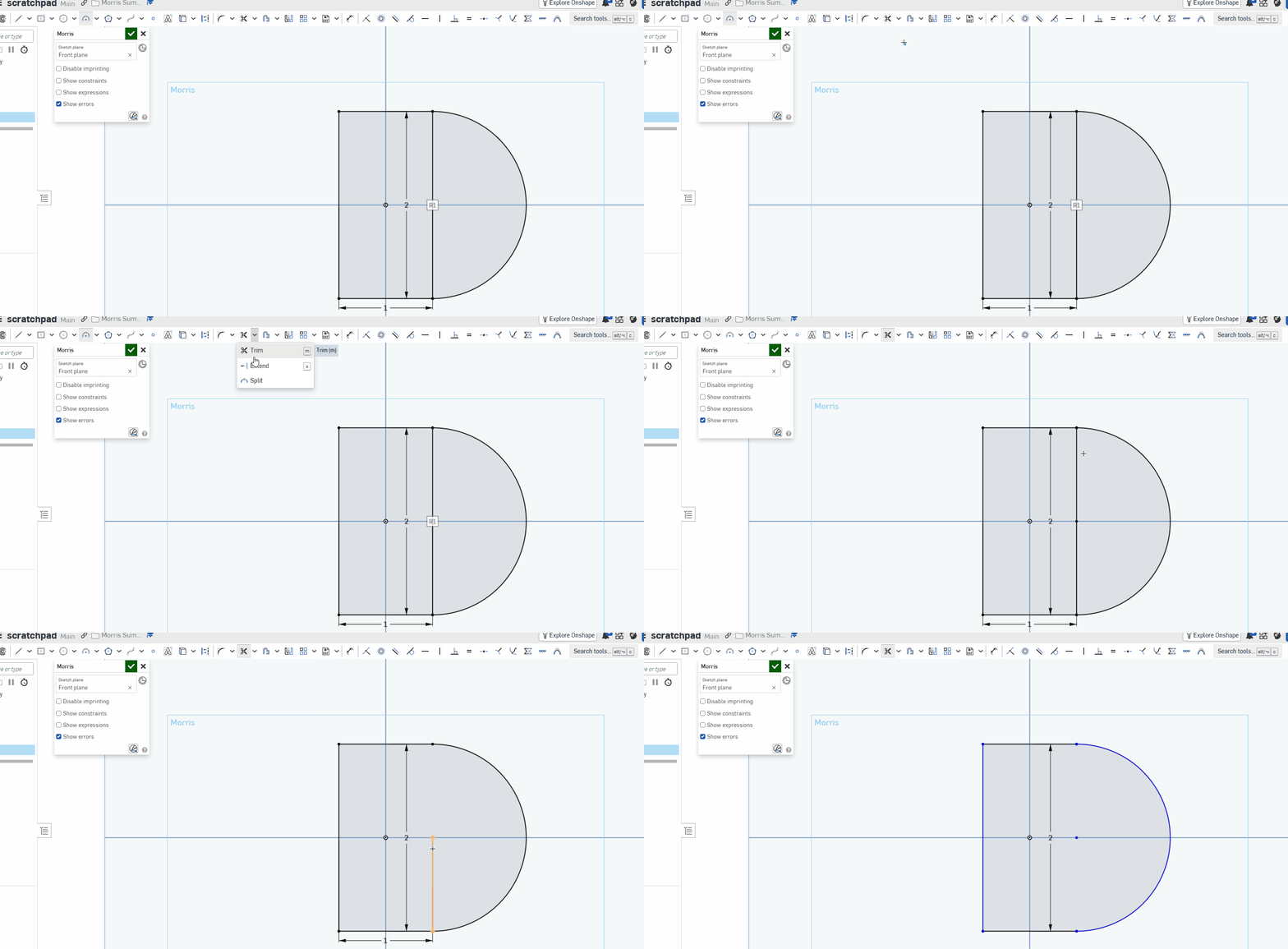
Circle Over Mirror Line

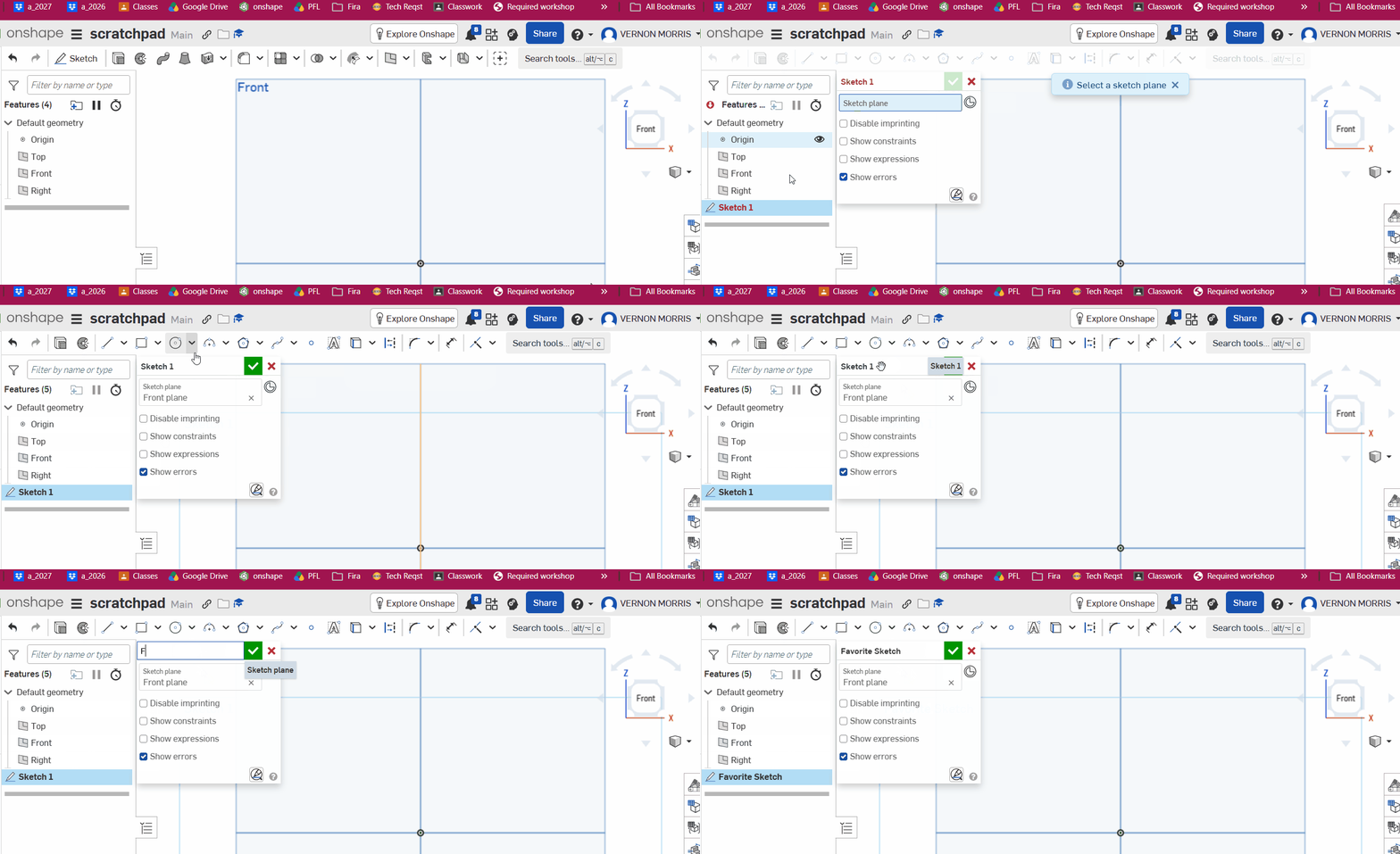
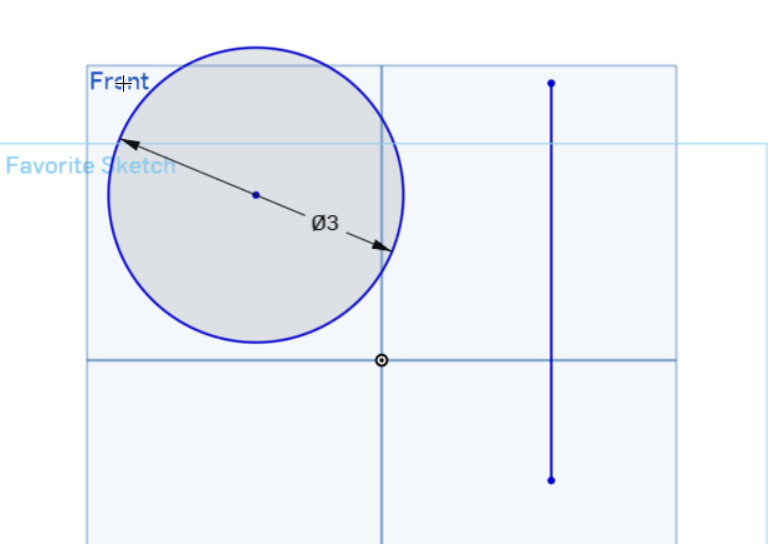
Step 1) create a sketch called “Favorite Sketch” on the front plane:

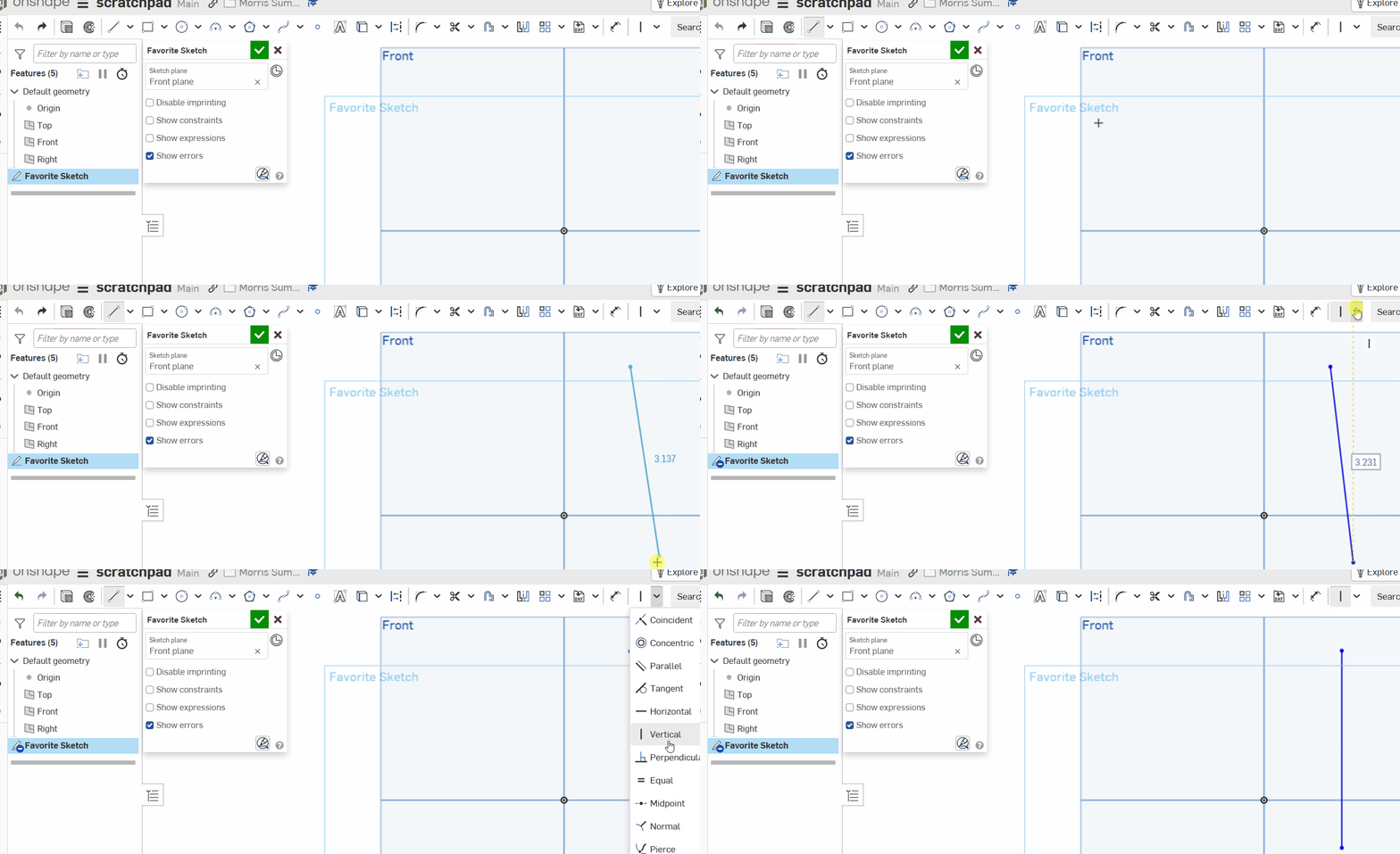
Step 2) Draw a line then ensure it’s vertical : (doesn’t have to be exact but about this size and location)

Step 3) Draw a circle , radius of 3. blue is fine. Just make its radius dimensioned to 3

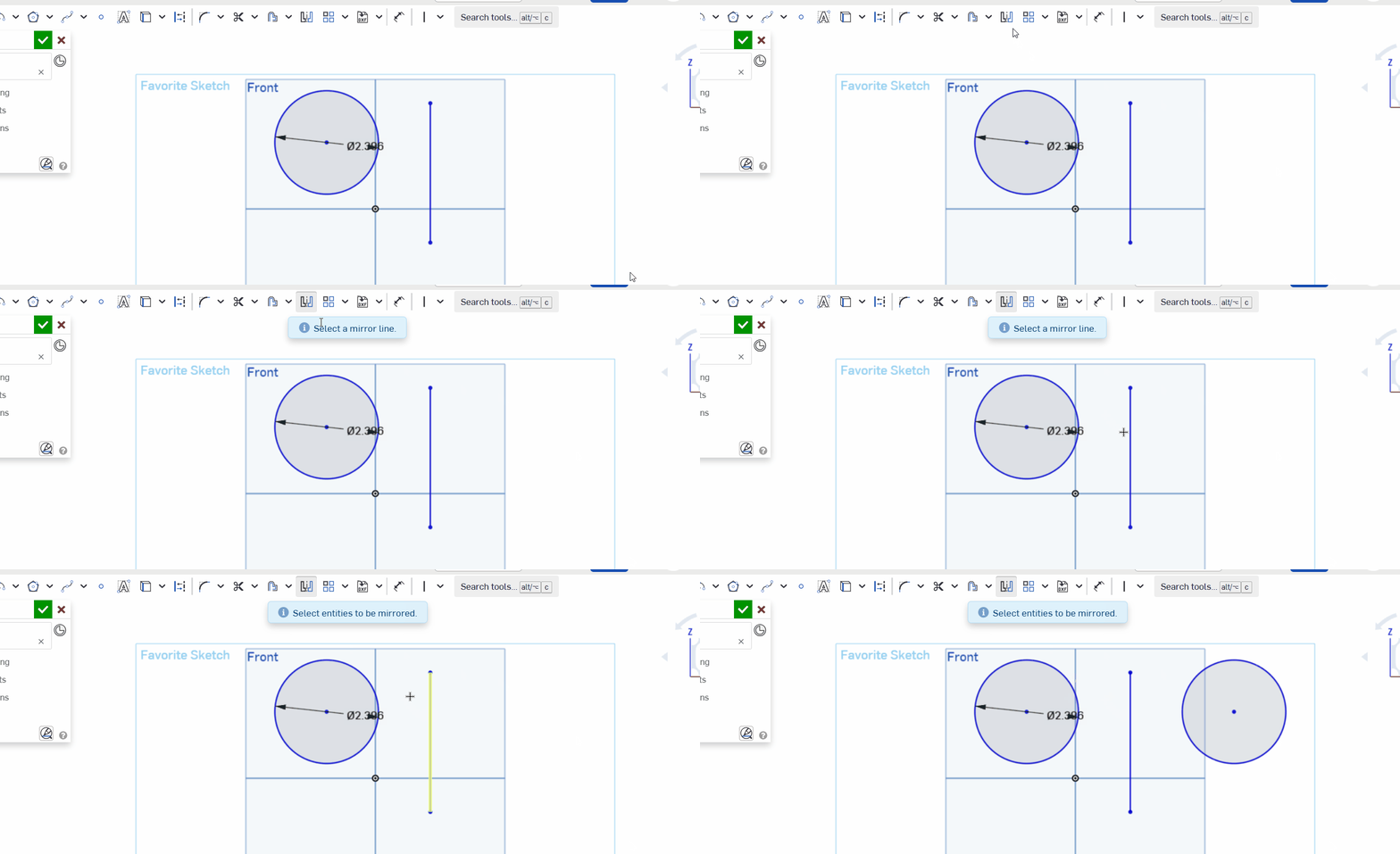
Step 4) Make the line a mirror line and reflect circle over it :

Step 5) N ow, extrude the circle. What happens to the other circle? Does it matter which circle you extrude? Paste the final photo with the extrude in the assignment

Microbit Makecode Temperature Measurement

Activity (Lower Computational Thinking)

Step 1 : build forever → show number → temperature. ( how to link)

Flash to device (link).

Step 2 : Scavenge Hunt Battery pack on, roam the room. Record on a paper table. Write each number

  • by the window,
  • near a laptop,
  • in a cupped hand,
  • on the floor. 4–5 spots write the number each time..

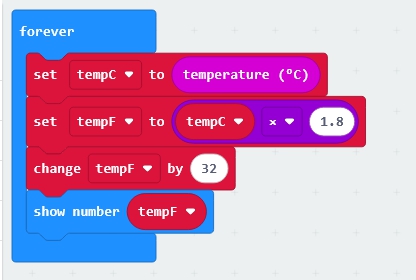
Extension: The micro:bit thinks of temp in Celsius. Convert that reading into Fahrenheit for display and your logs; the micro:To do this, you must be able to make a variable and then implement the conversion formula. Here’s one way: (how to )
Activity (Upper Computational Thinking)

Step 1 : Two Numbers 1 Device : button A → temperature, B → light level (how to link)

Two sensors, one device.

Flash once .

Step 2 : Scavenge Hunt Battery pack on, roam the room. Record on a paper table. Log both temperature and light at each spot, and record a second reading at each spot 30 seconds apart to see if it drifts. 4–5 spots

  • by the window,
  • near a laptop,
  • in a cupped hand,
  • on the floor. 4–5 spots write the number each time..

Extension: The micro:bit thinks of temp in Celsius. Convert that reading into Fahrenheit for display and your logs; the micro:To do this, you must be able to make a variable and then implement the conversion formula. Here’s one way: (how to )
Make Code Radio Communication

Every microbit has a 2.4 GHZ radio module bulit into the CPU.

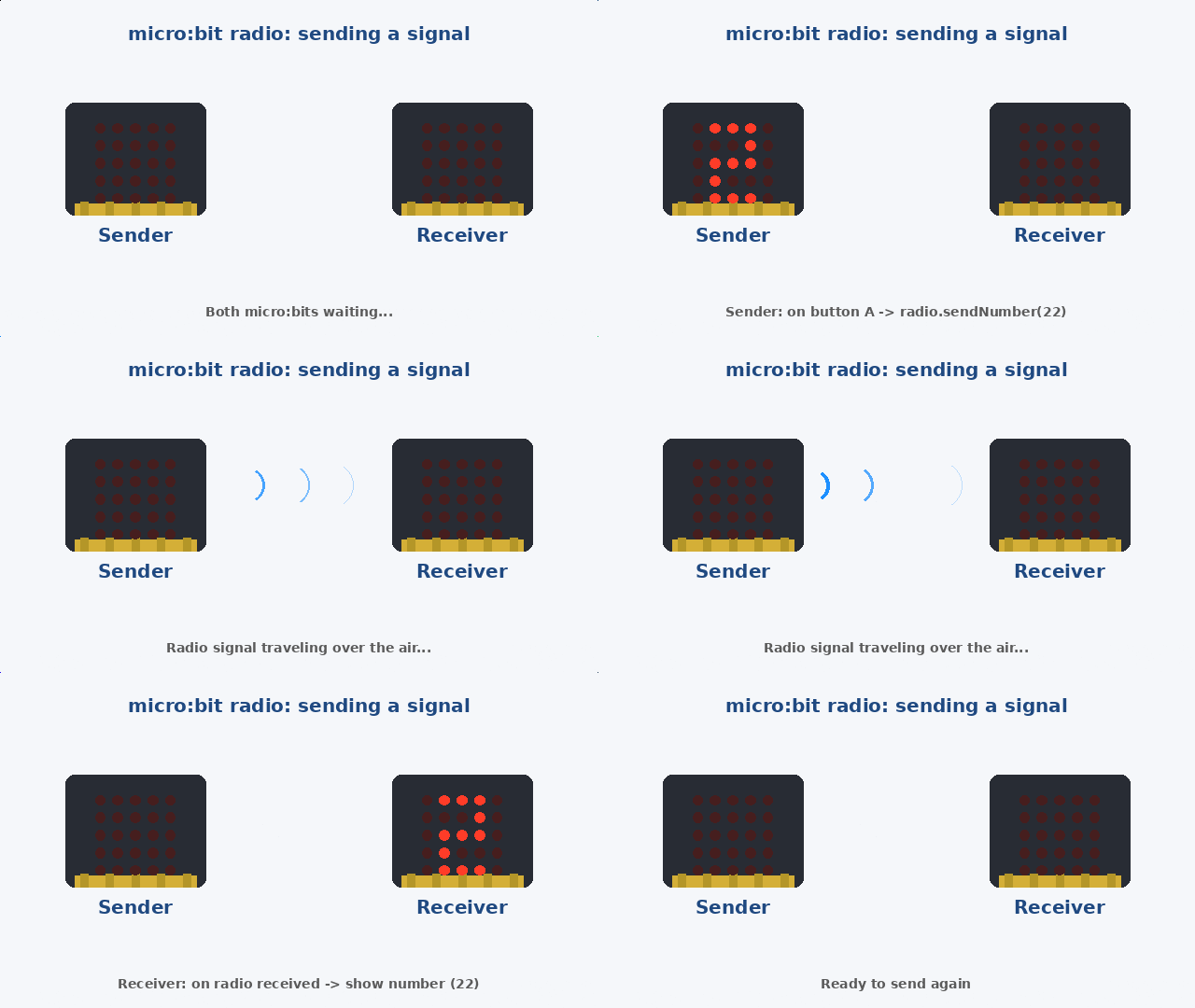
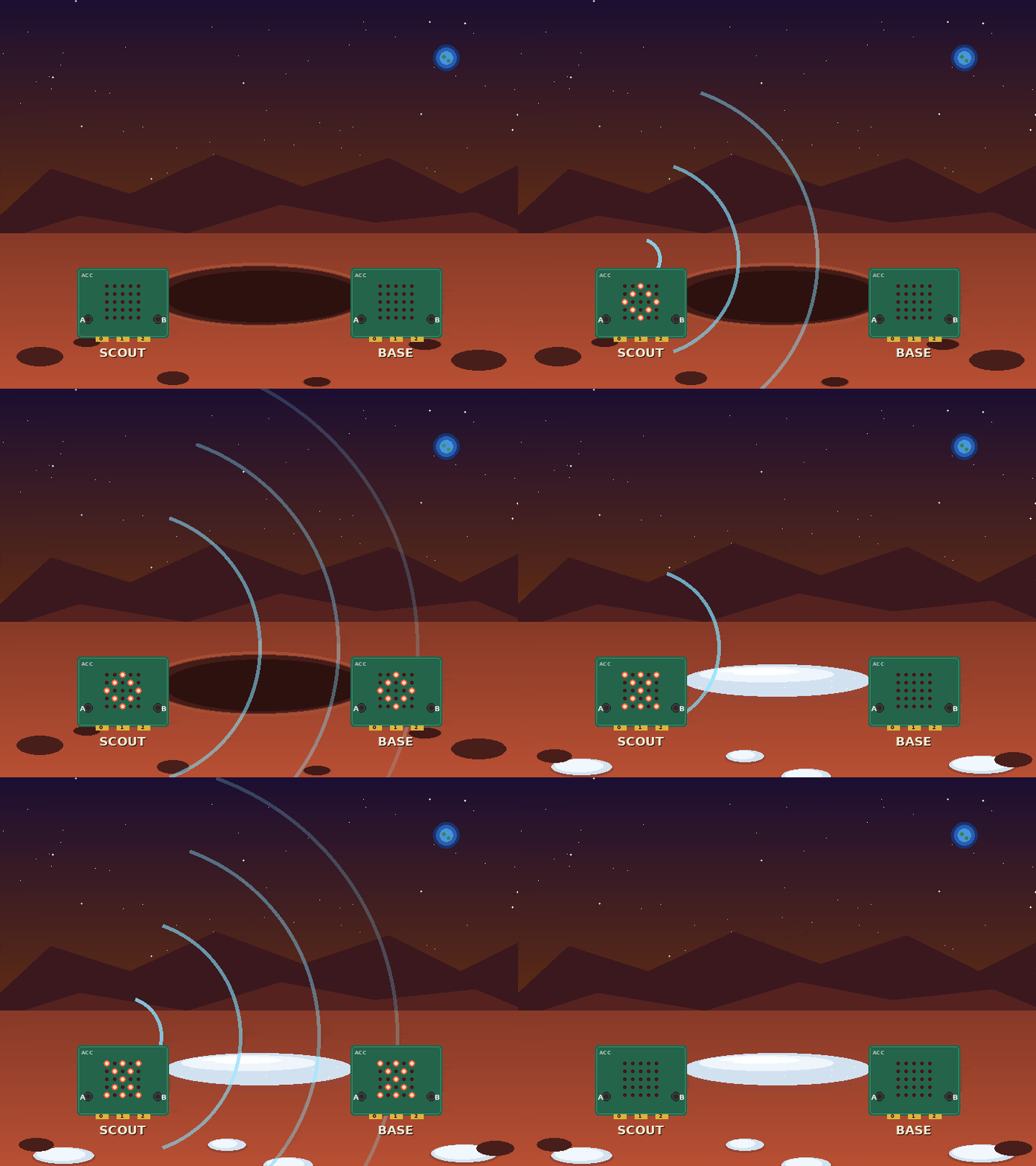
Below is demo of what we are going to do in this short tutorial–send a number of radio waves from one microbit to the other:


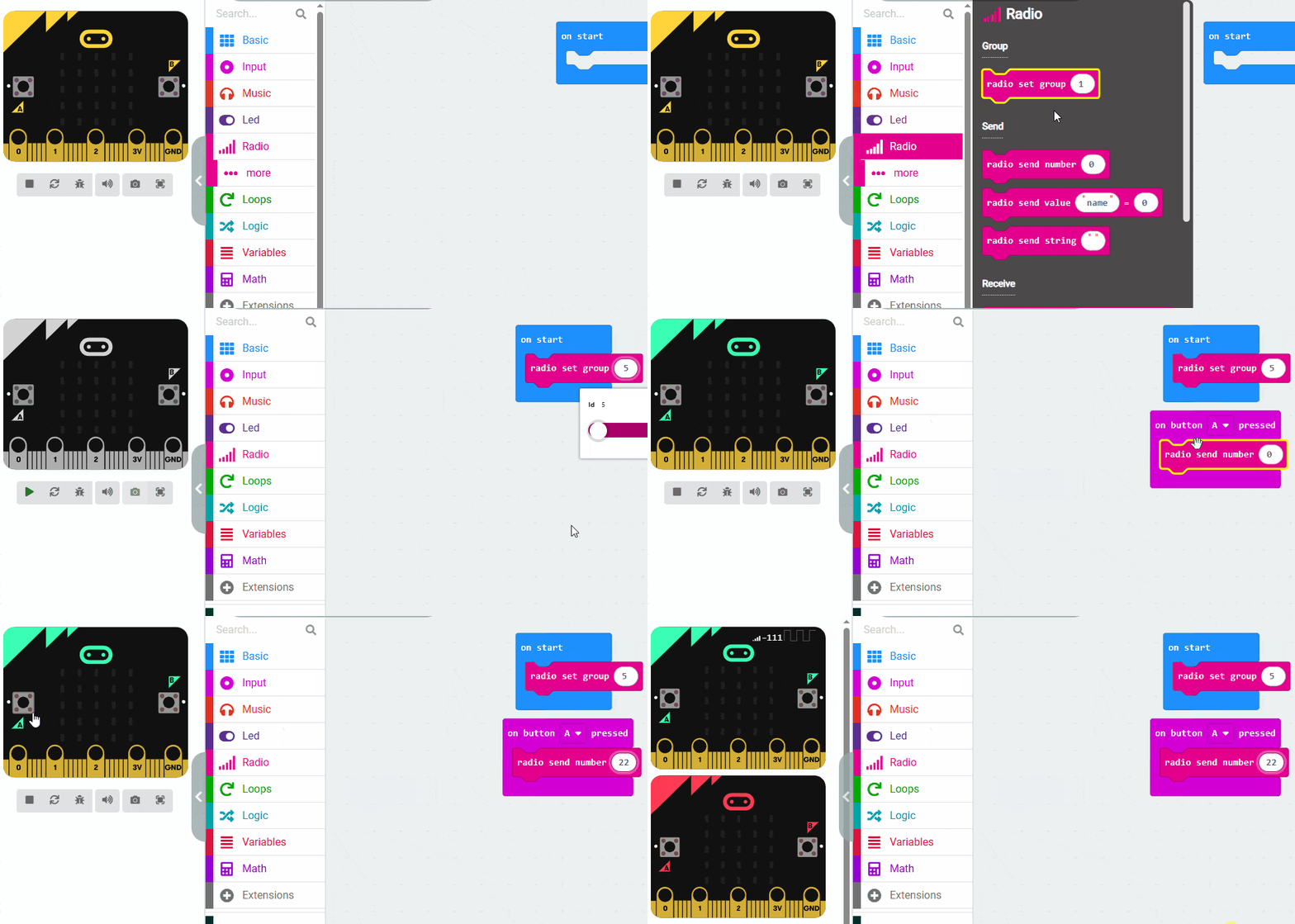
Microbit 1: The Sender

Radio Group. Both microbits must be set to the same group number. I chose the number 5. Just make sure you set that first (on start).


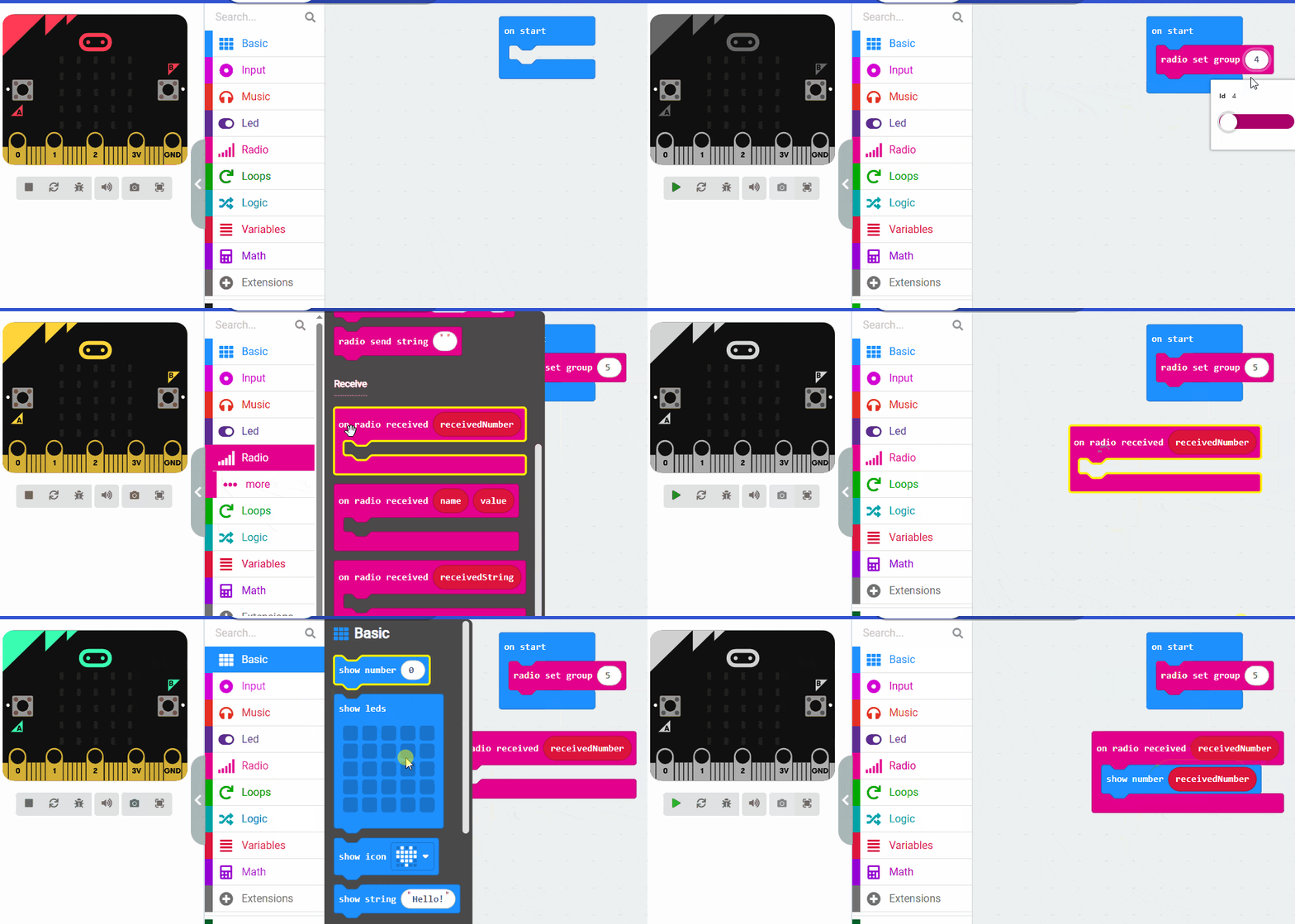
Microbit 2: The Receiver

Most common error is not setting the same radio group on both microbits.

Microbit How To’s

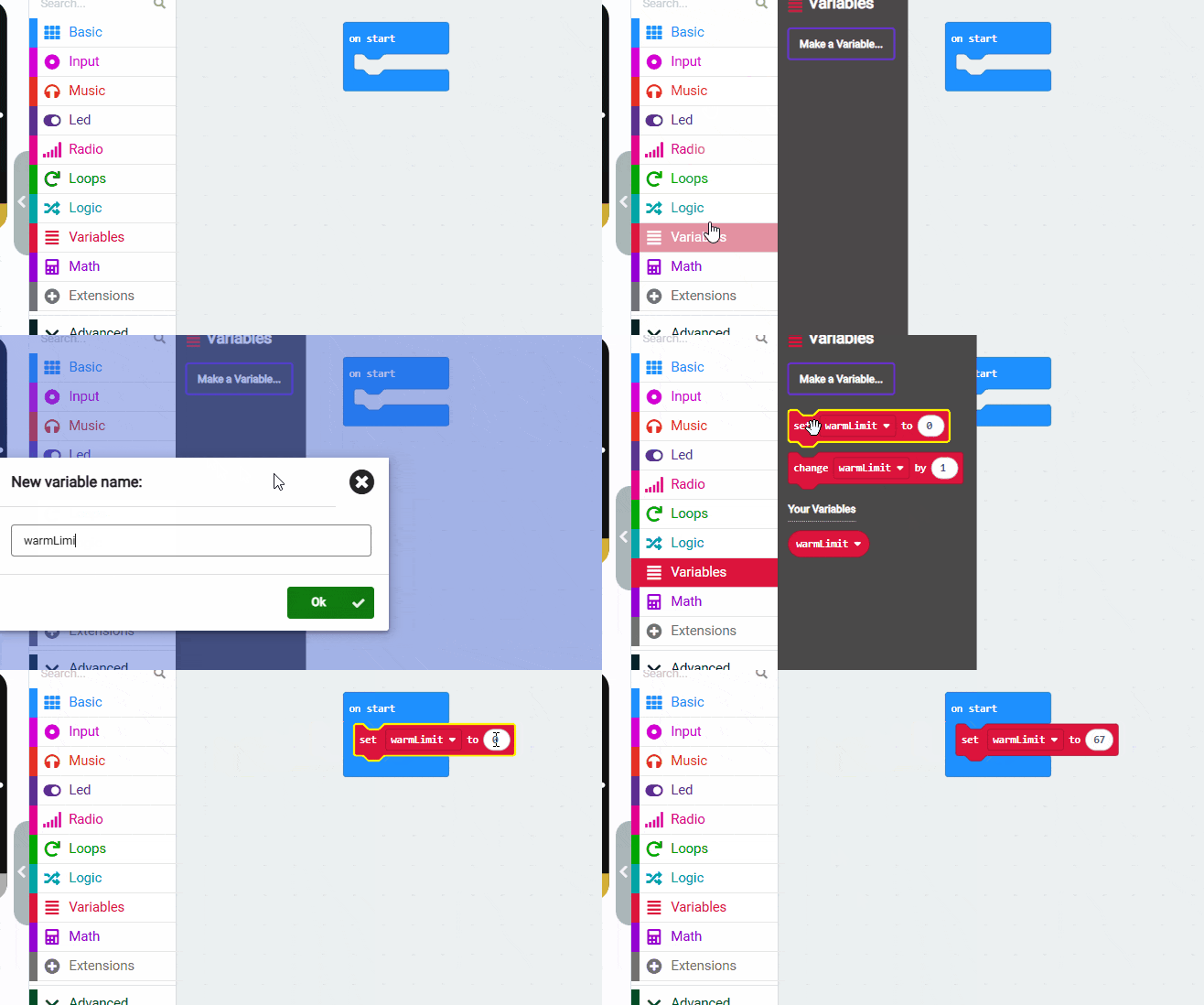
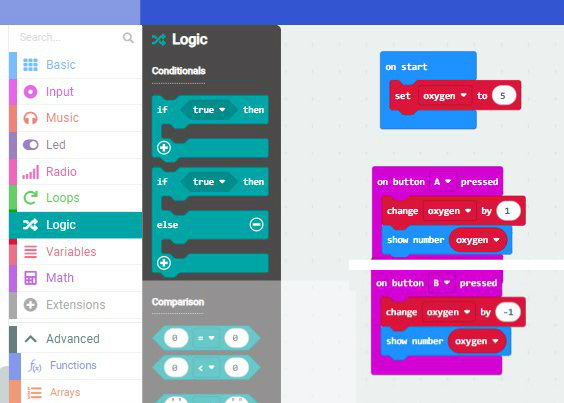
How to make a variable and assign it a value

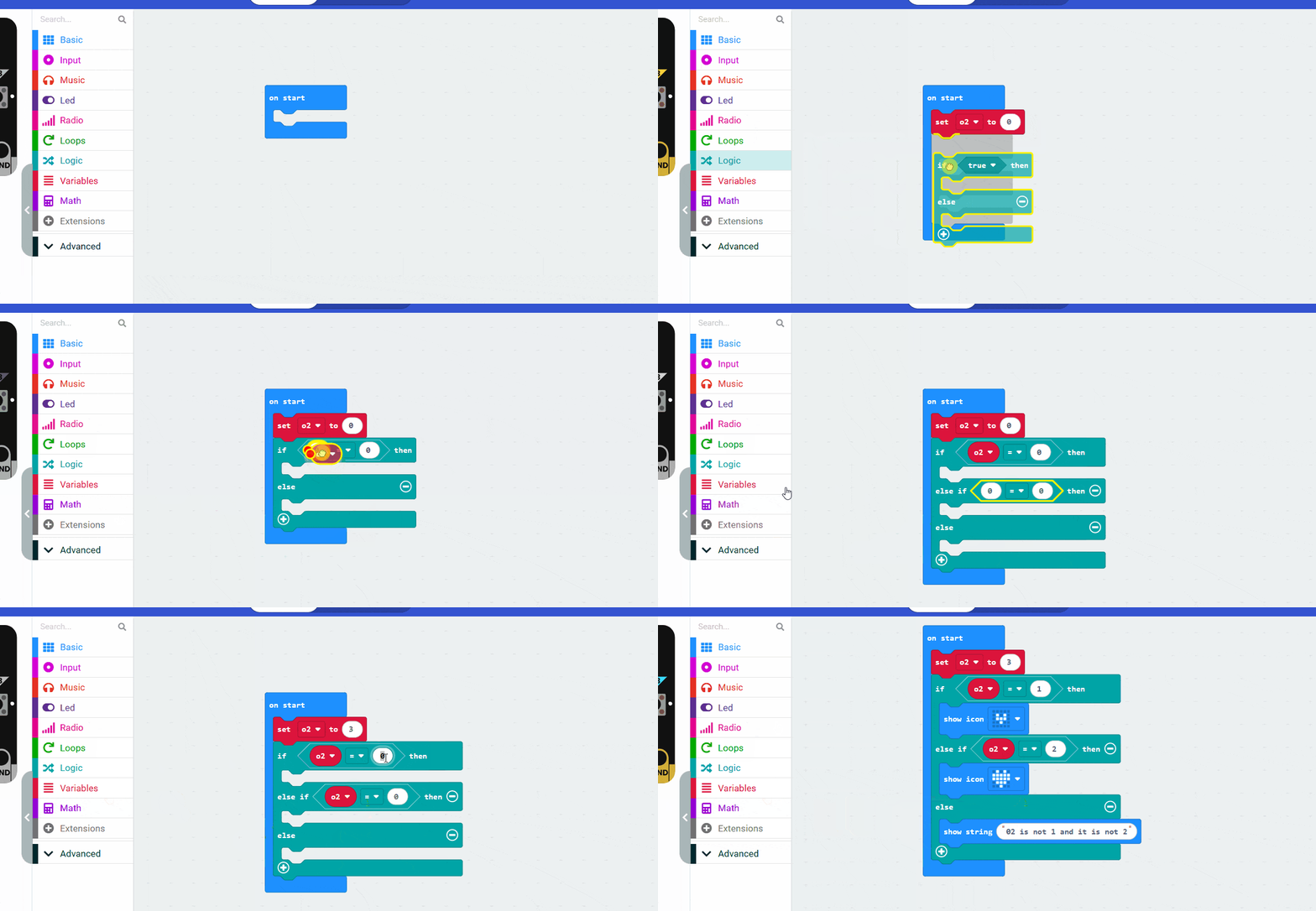
If/else if / else with a variable

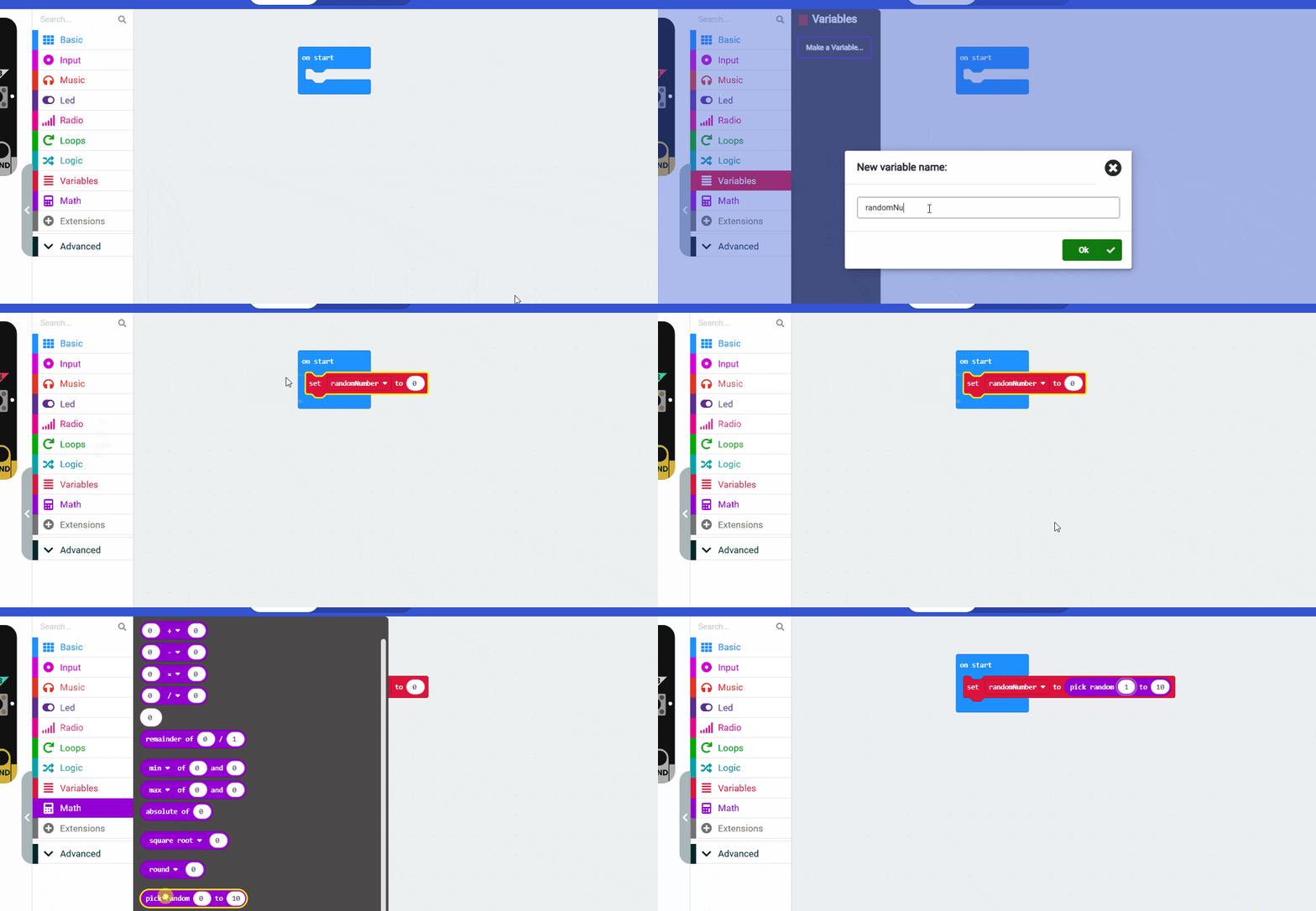
Create a variable and set it to a random number:

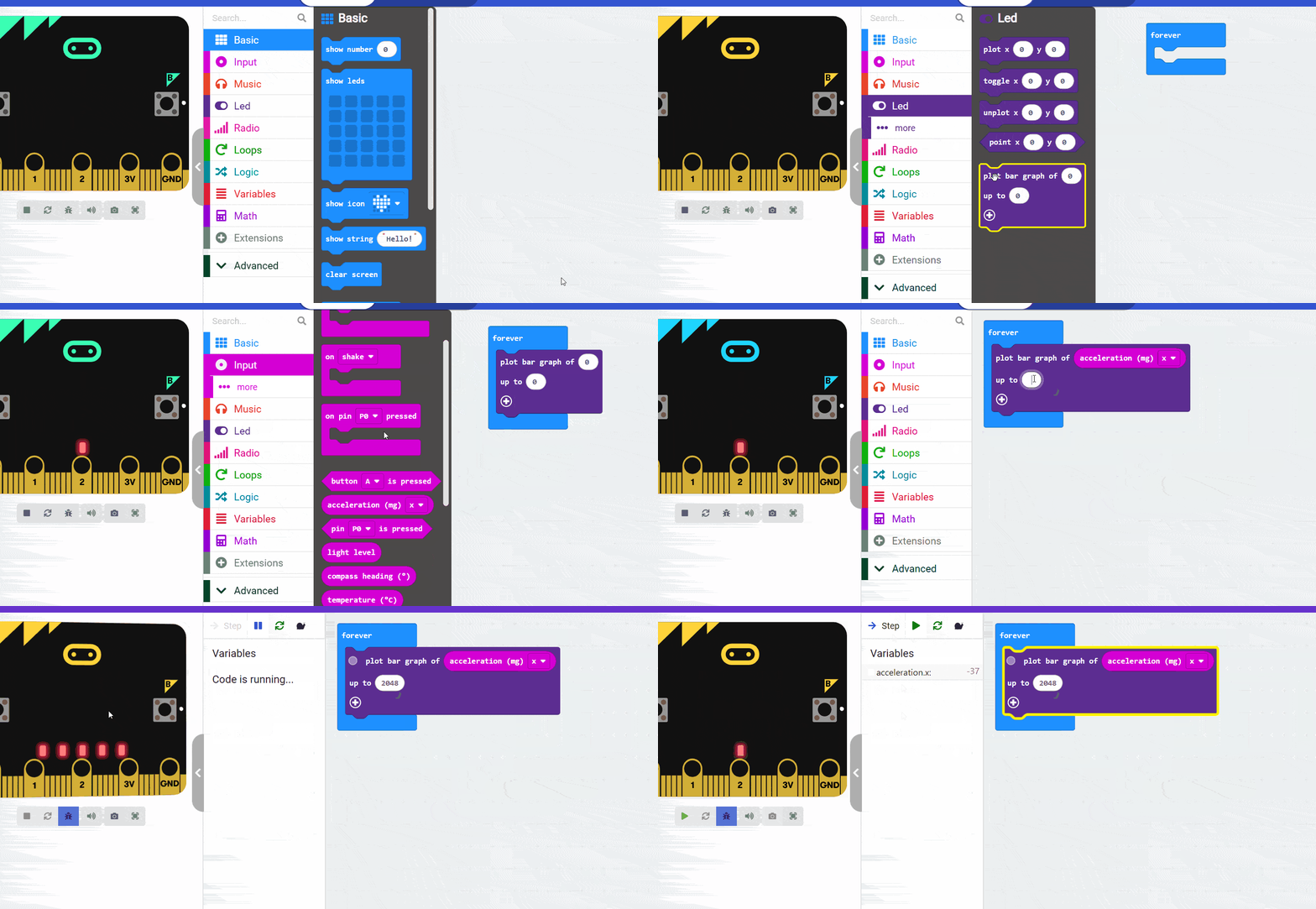
Plot Bar Graph

Radio Communication . Read the Tutorial Here

Coming soon…Next how to

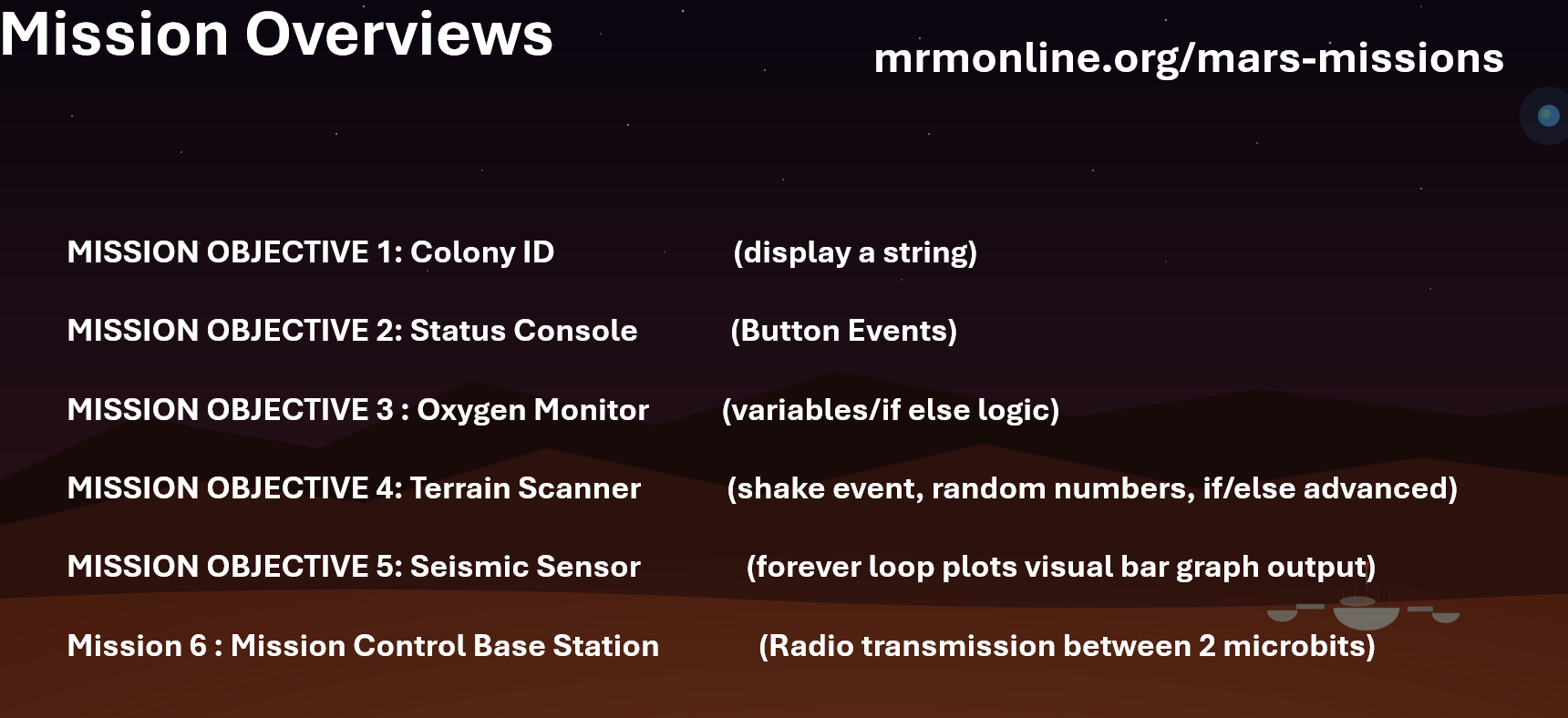
Mars : Missions

Start Coding here : https://makecode.microbit.org/

How to do common stuff with MakeCode

The Missions  

Topics/Links : On Start Show String

Stuck? Check out this code


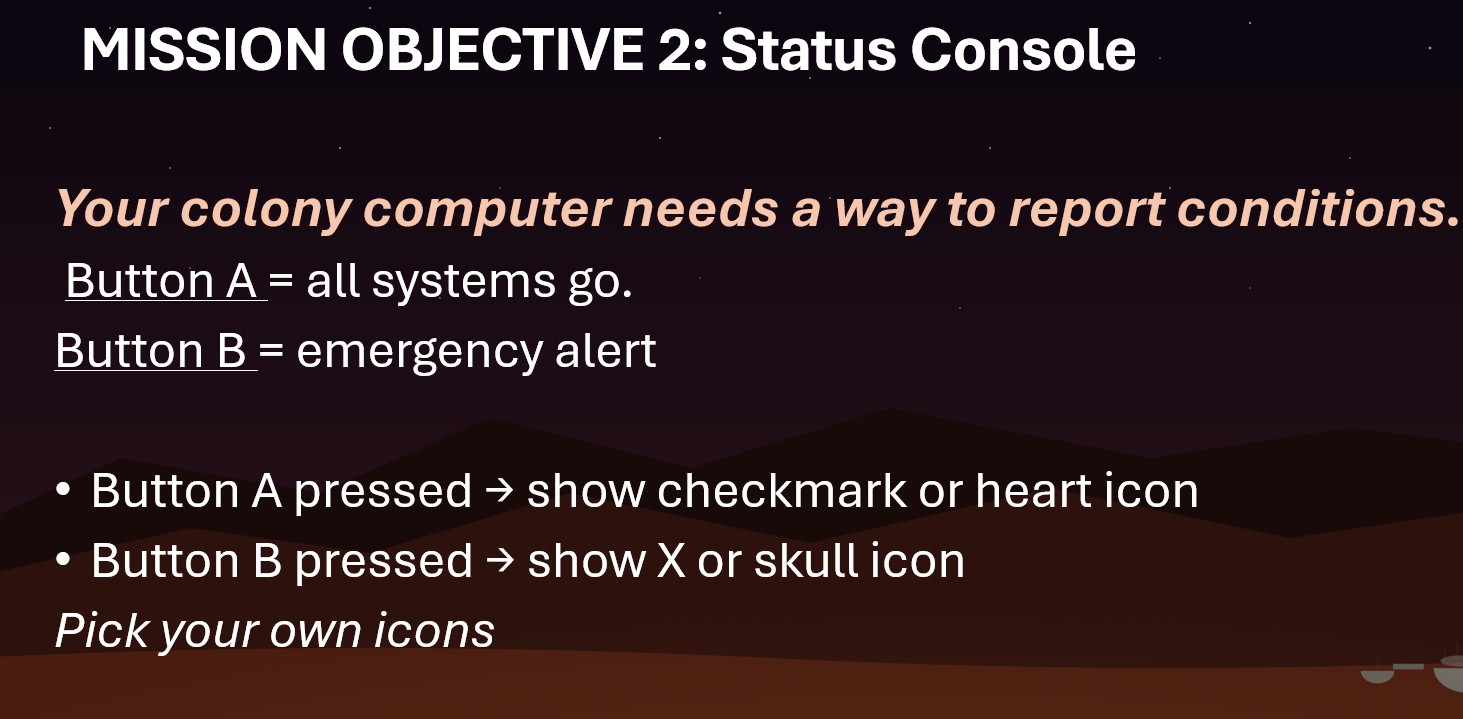
Topics/links : Button A

Stuck? Check out this code


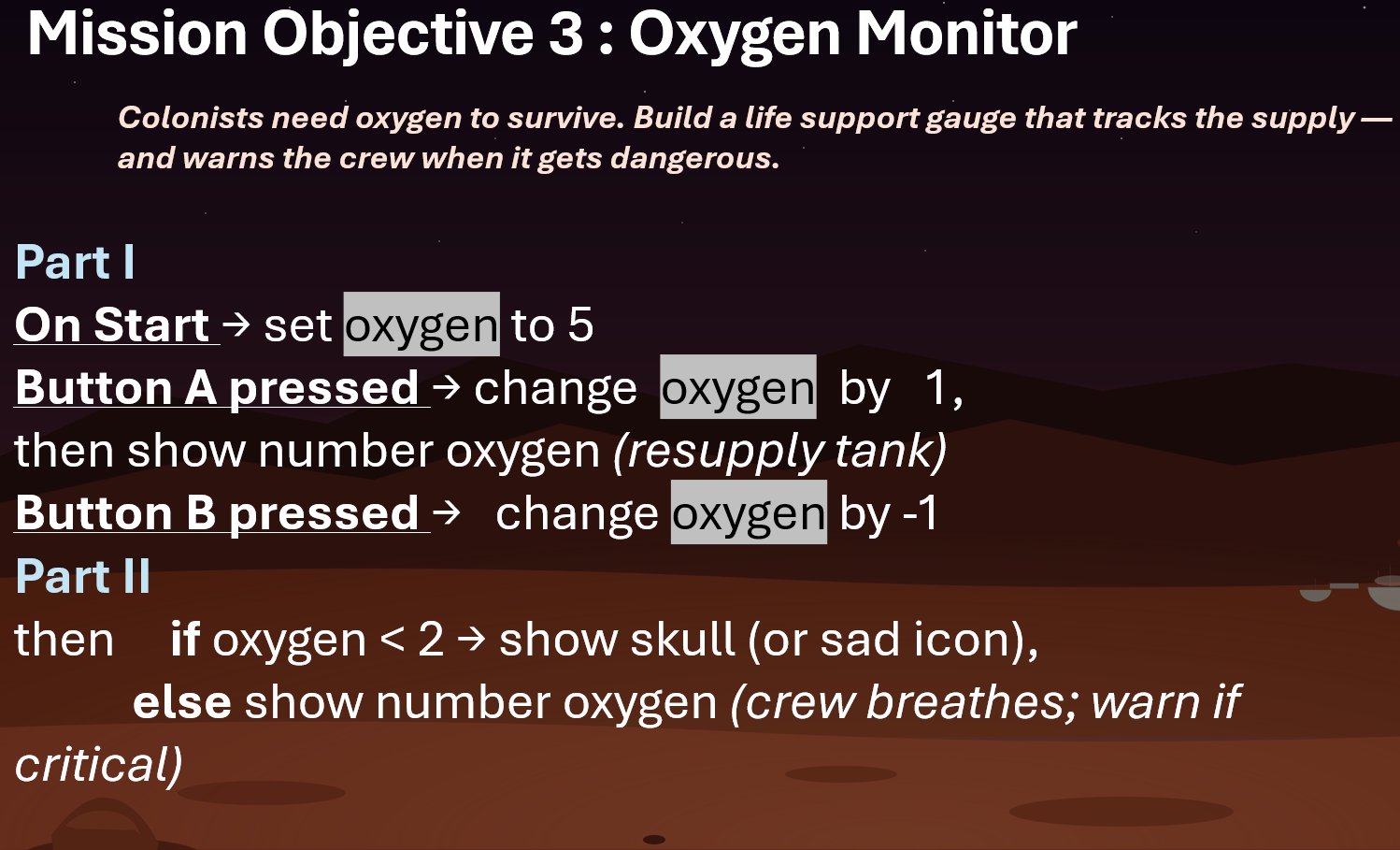
Topics/links : Button A , if / else , set variable

Stuck? Some of the code


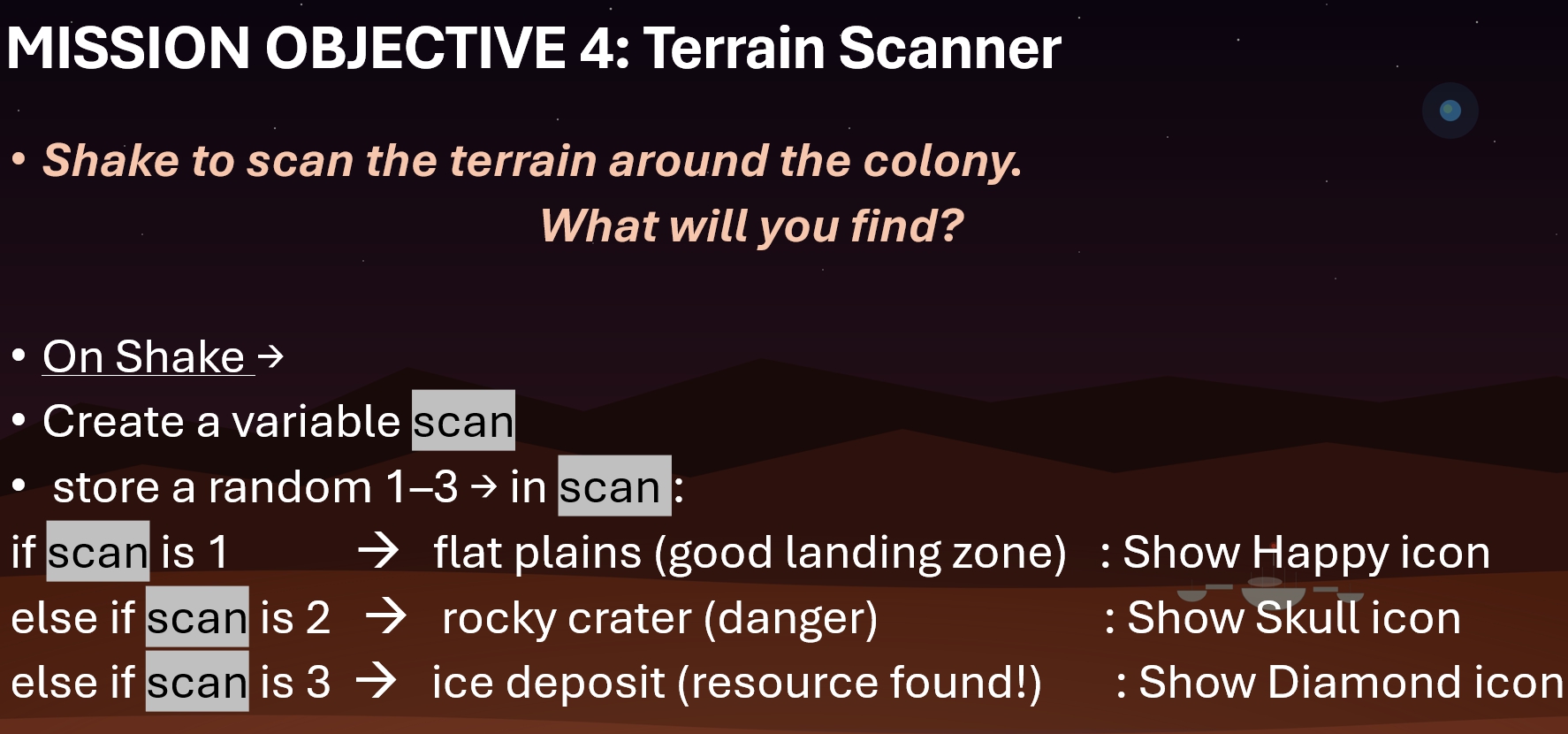
Topics/links : Shake Event, if else , set variable to random ,

NOTE: Please make sure you save a copy of Mission 4. Don’t lose it! (We might use it later)

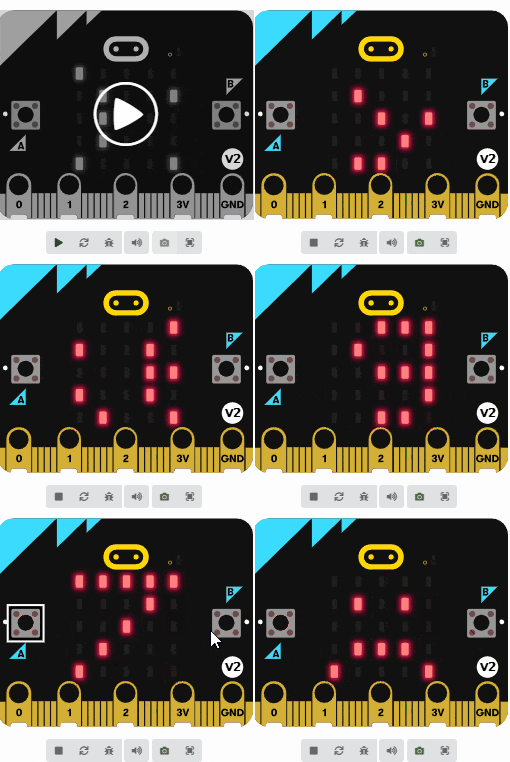
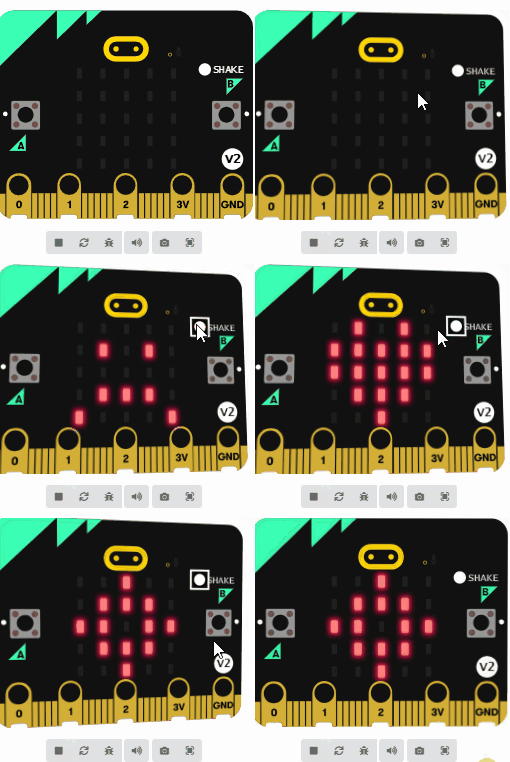
Result :


Code for Forever loop/ plot bar graph/acceleration


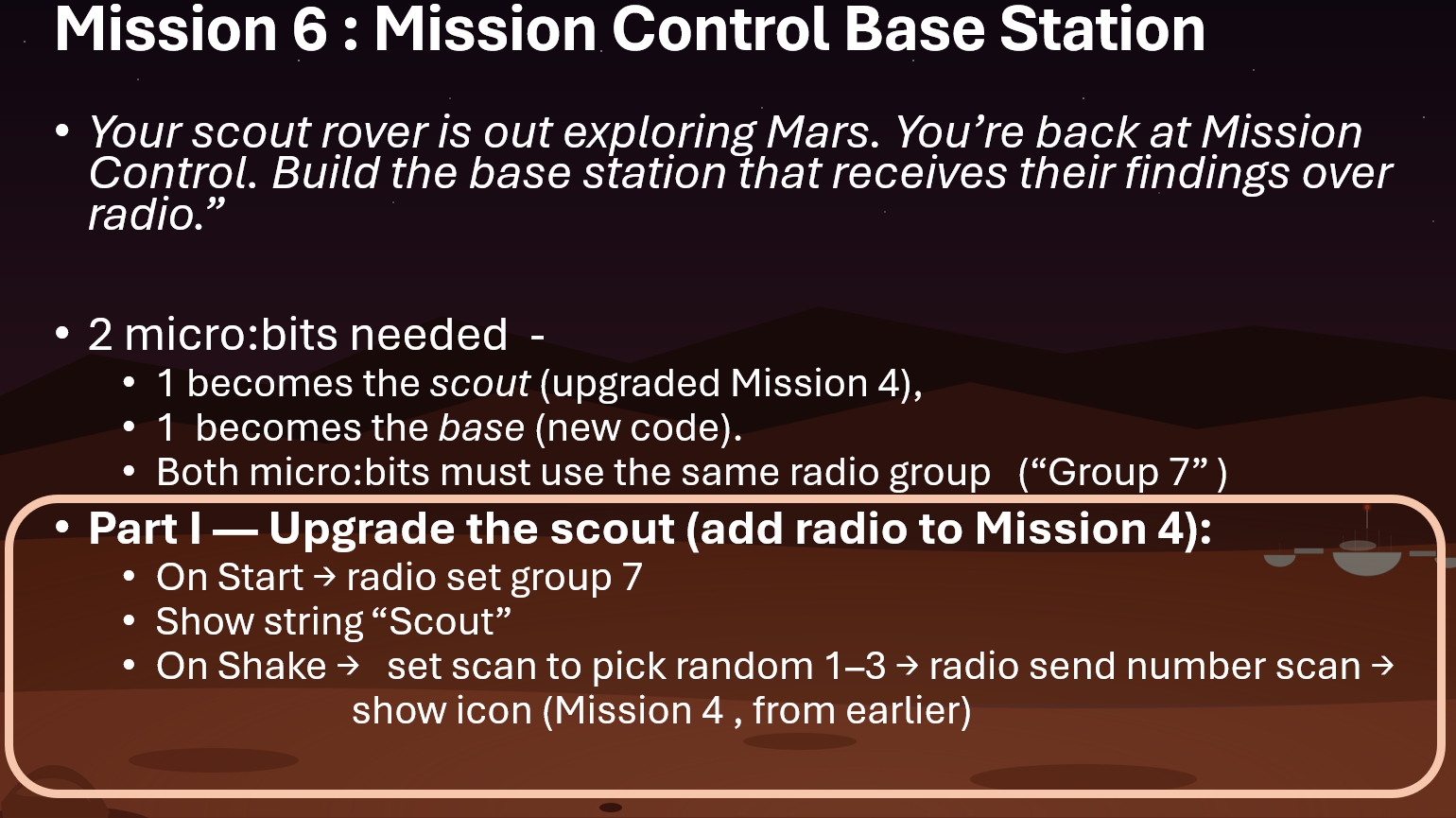
This is a 2-parter. Part I involves upgrading the Mission 4 scout

Topics/links for Part I : Shake Event , Radio Communication Full Example

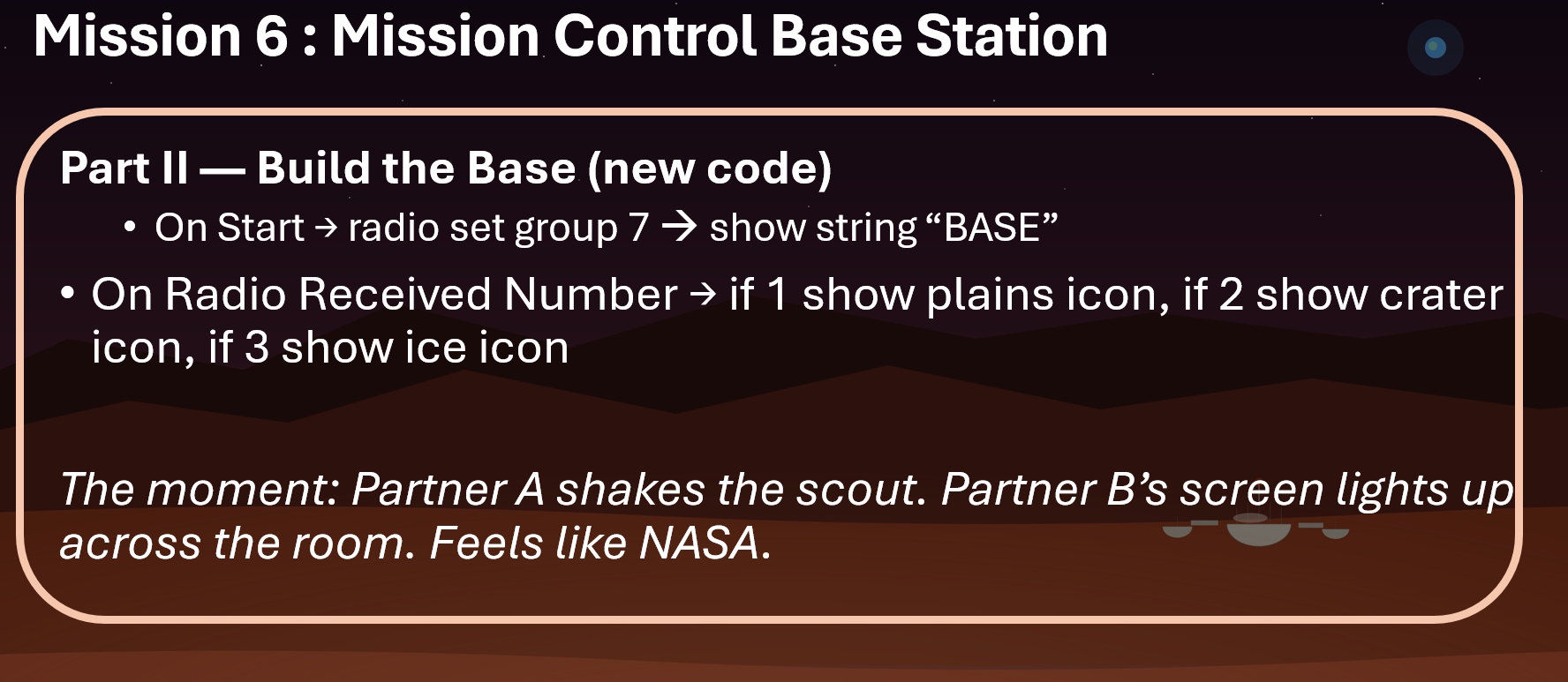
Topics/links : Shake Event , set radio group, on radio receive , on radio receive number if/else Radio Communication Full example

Winter Break Themed

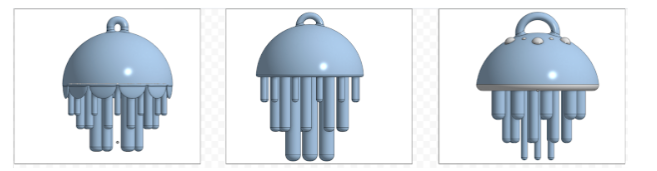
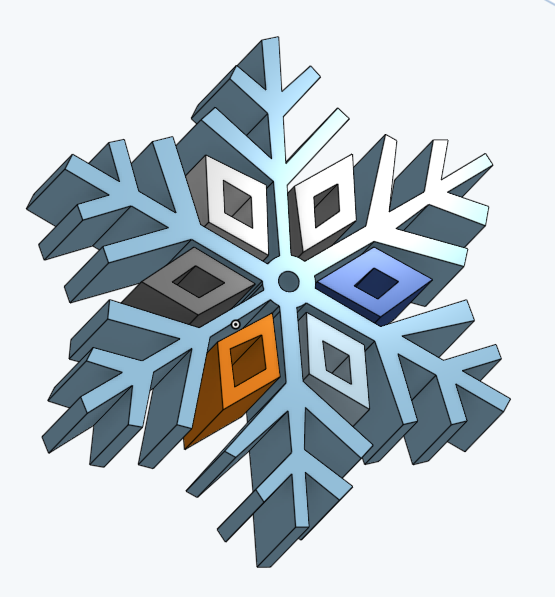
Use onshape to generate a winter themed 3-d drawing. The more complex, the more points.

Ideas include : snowflake, snowman, Hanukkah candles, christmas tree with presents

Example of 5 out of 5 initial outline

winter-themed-onshape_5

Example of 3 out of 5

winter-themed-onshape_3


Some good actual examples of completed projects

snowflake extruded