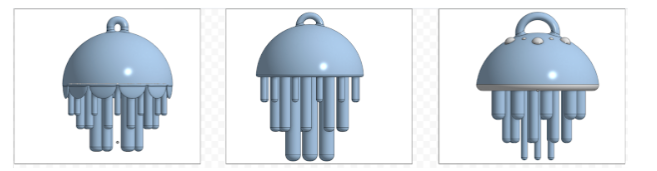
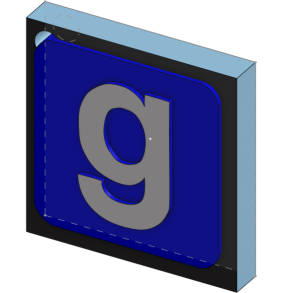
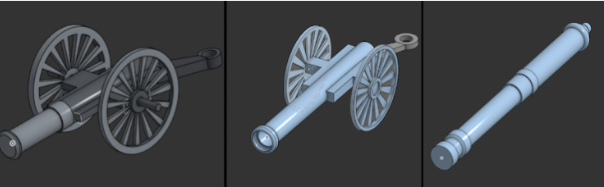
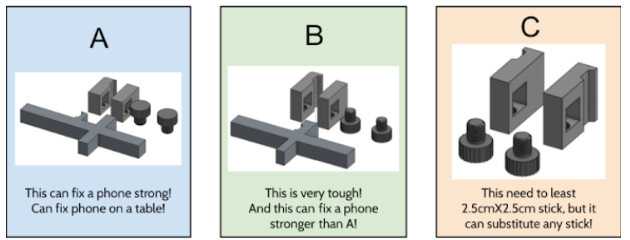
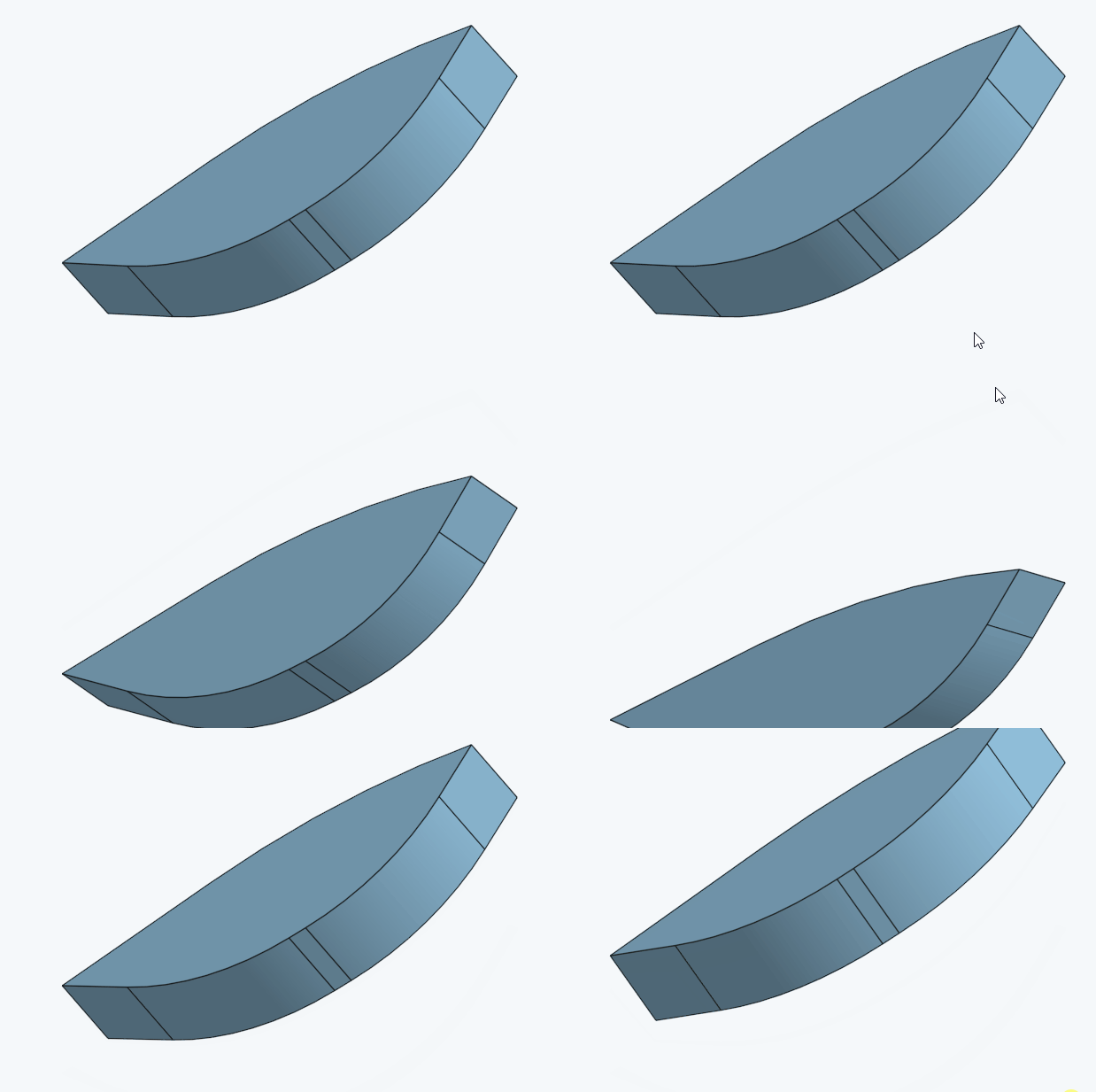
Some Examples of what people have done before:

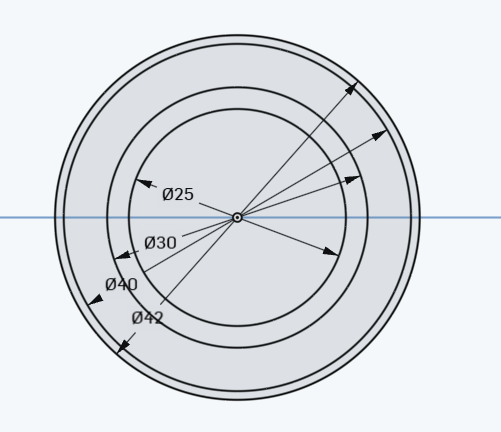
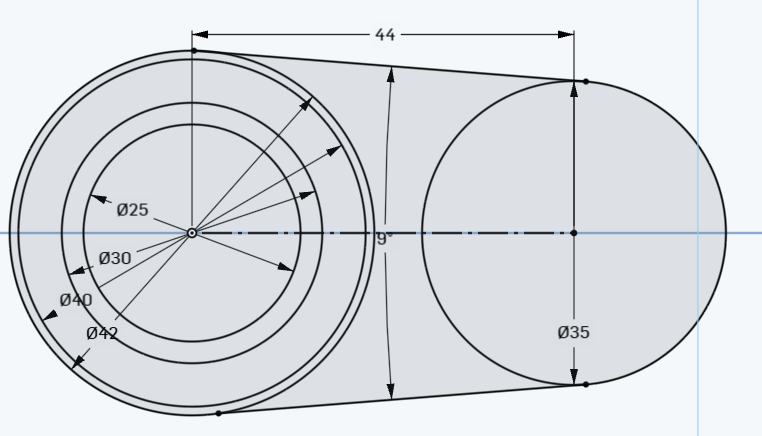
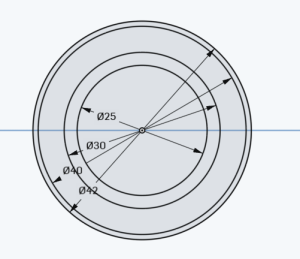
Step 1) Create a 25, 30 , 40 and 42 MM circles all centered at the orig
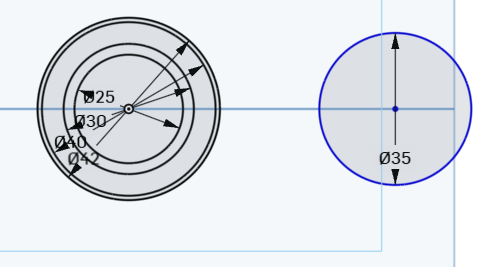
Step 2) Add a single circle on the right that has a radius of 35.
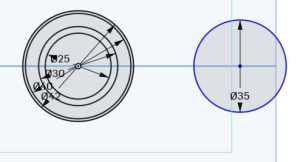
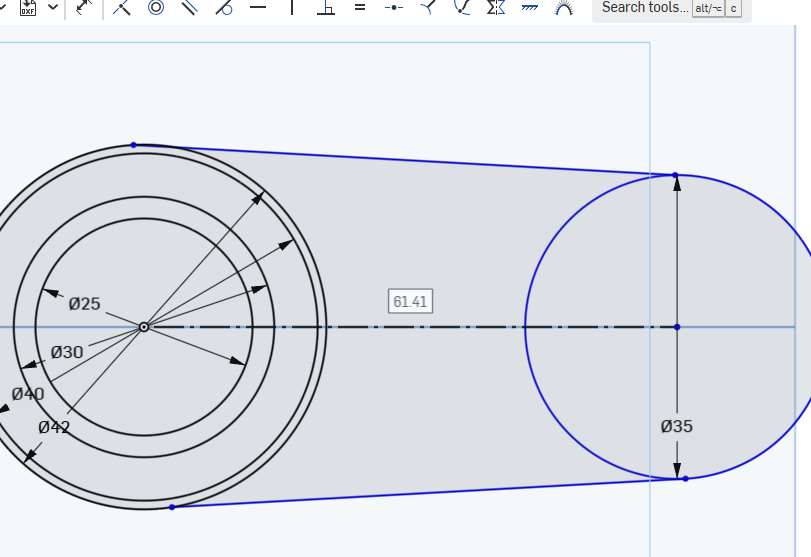
Step 3) connect centers with construction line. Make sure that the blue lines are coincidental to the circles
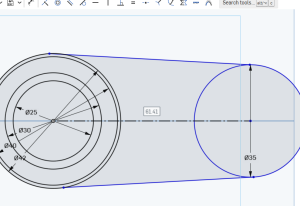
tip: if you draw a line , you can use the ‘q’ button to change it to a construction line!
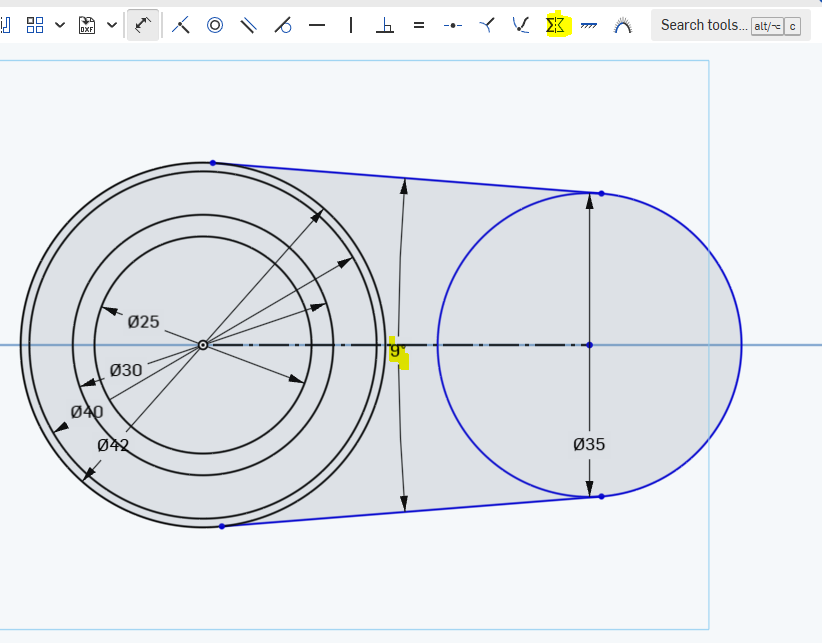
Step 4) Make the blue lines symmetric to the construction line and at a 9 degree angle
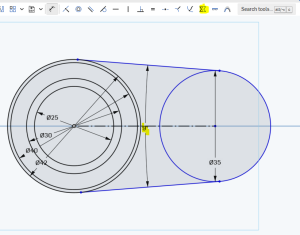
Step 5) The center of the circles should be dimensioned to 44:
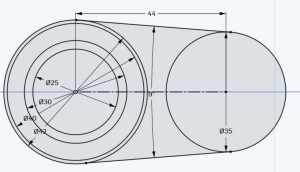
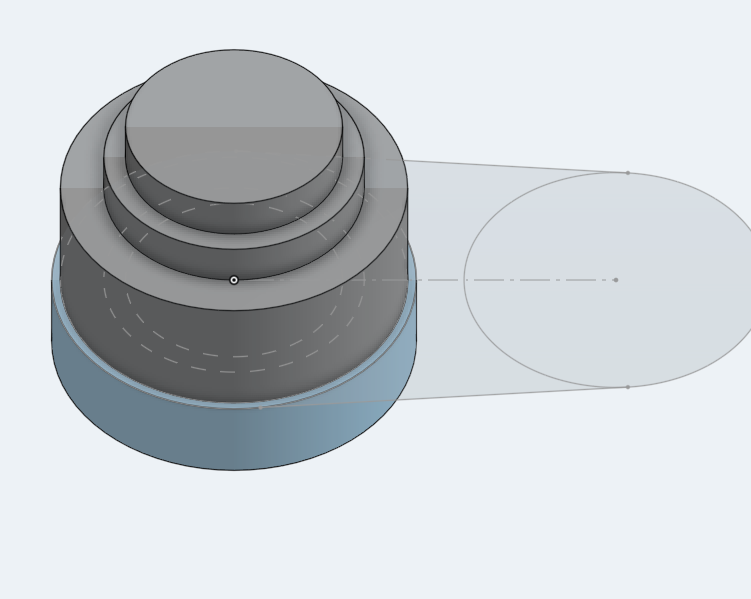
Step 6) Each part of the circle on the left should be an extrude. The outermost starts at 10MM, then 15MM, 20, 25 MM:
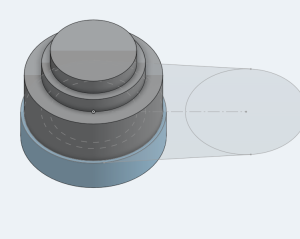
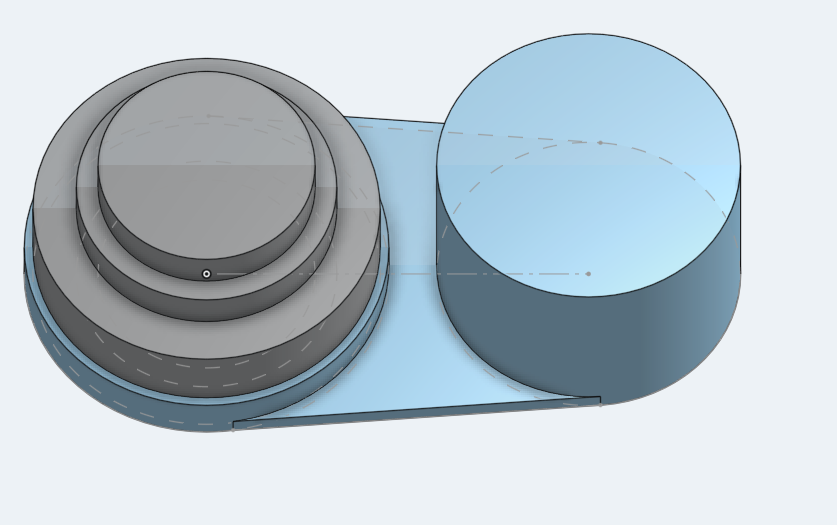
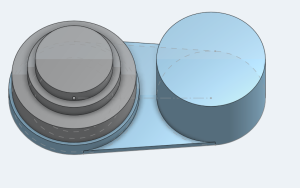
Step 7) Connect the two end circles with a 2 MM extrude. The right side is 25 MM:
Step 8)create the variable as shown below:
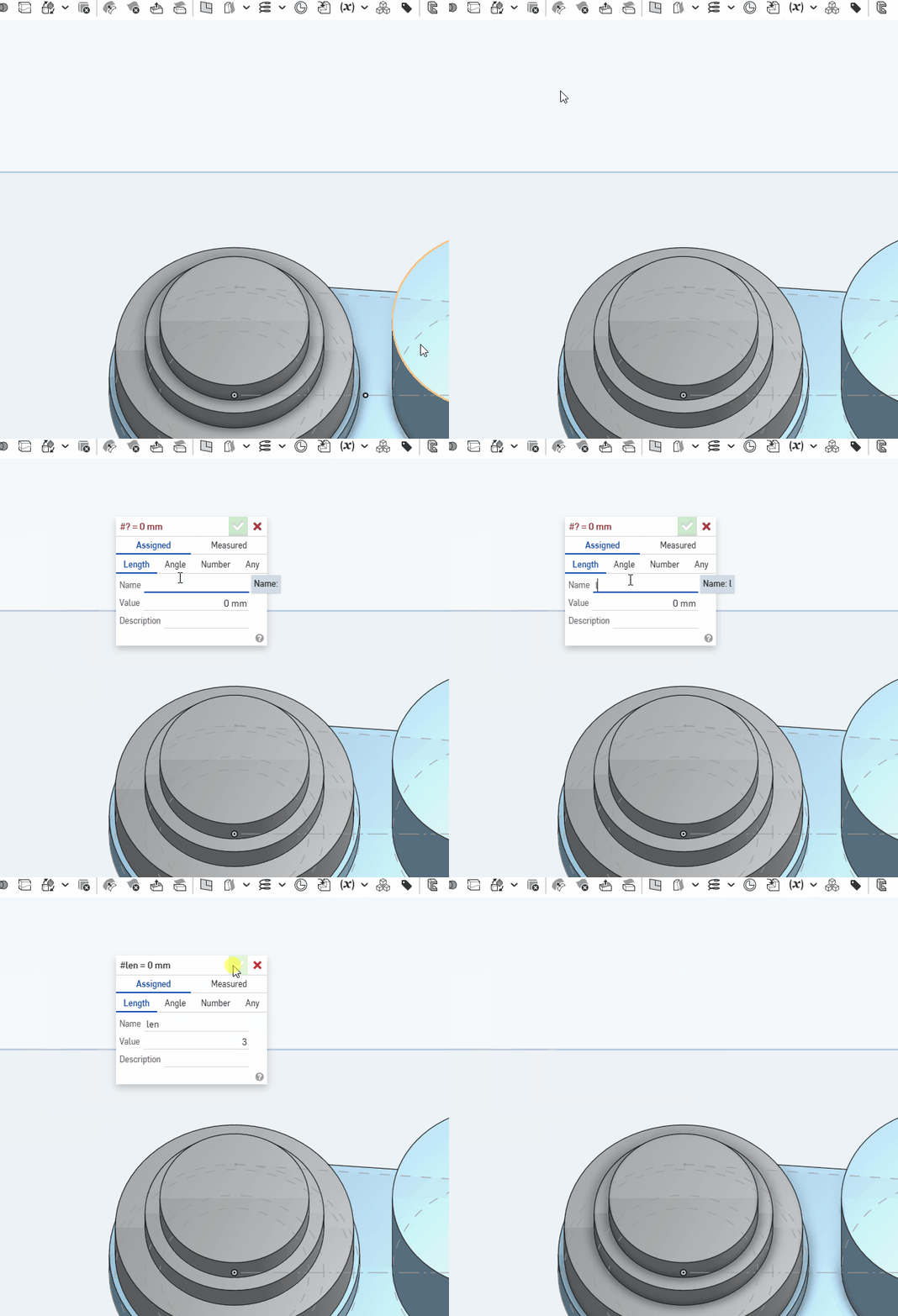
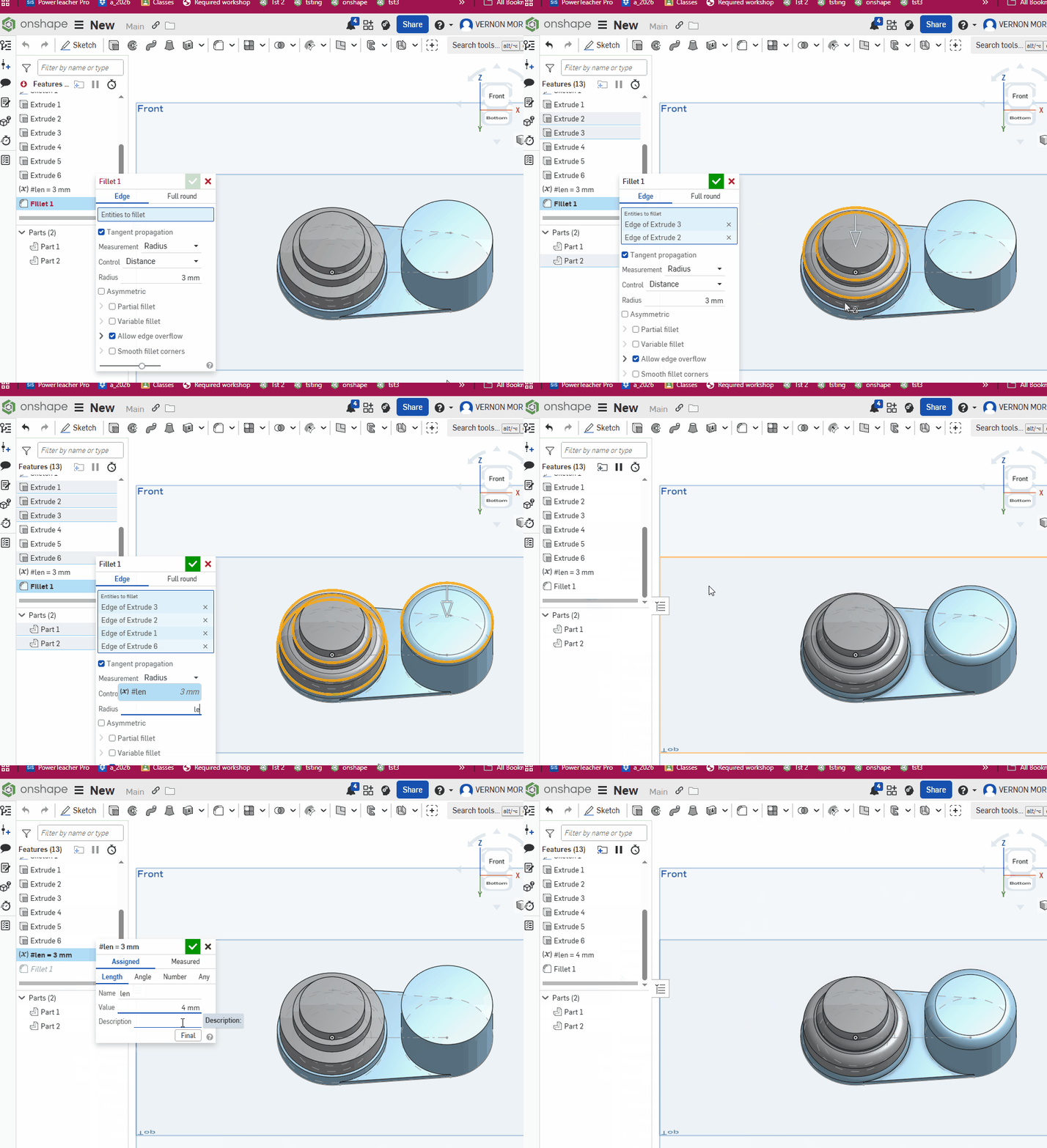
Step 9) Add a fillet to all the circles edges. Set its amount to the variable len as shown. This video shows you how to use a variable and then change the variable:
Workspace Units: MM, use the front plane
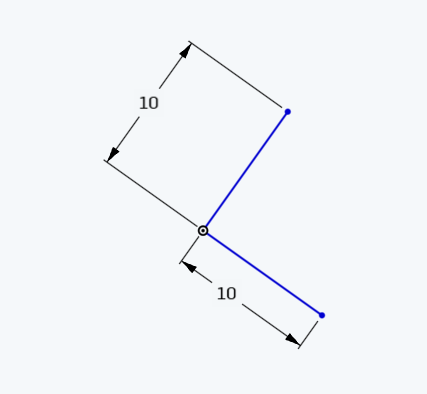
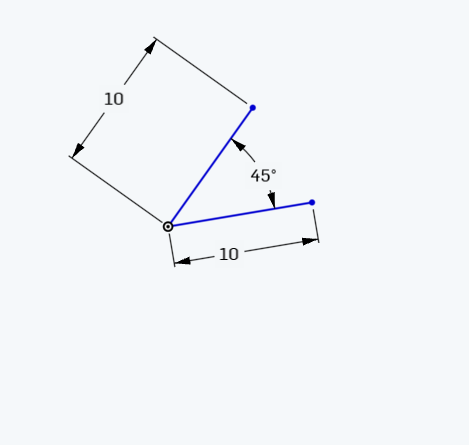
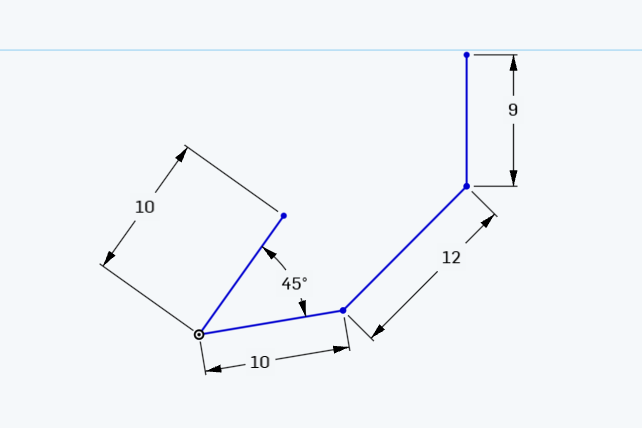
Step 1) Create 2 line segments, centered at the origin (as always) and dimension them to 10 MM each
step 2) These should be angled at 45 degrees
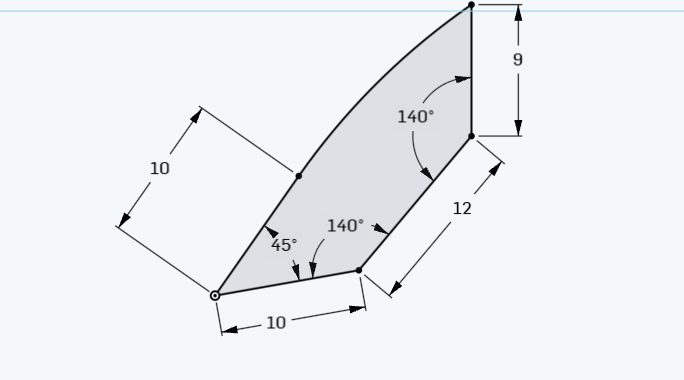
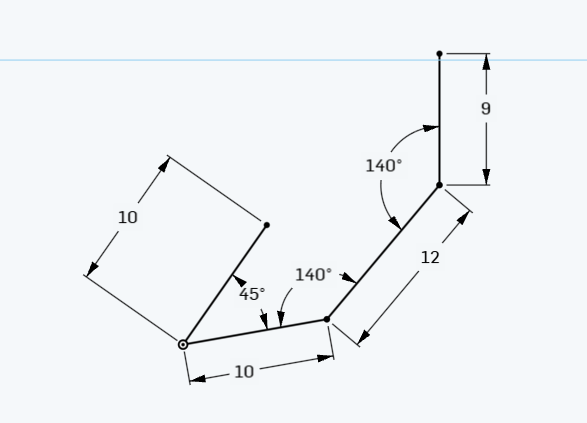
Step 3) Add a 12 and 9 MM segments :
Step 4) Dimension the 2 angles to 140:
step 5) Connect with a tangent arc
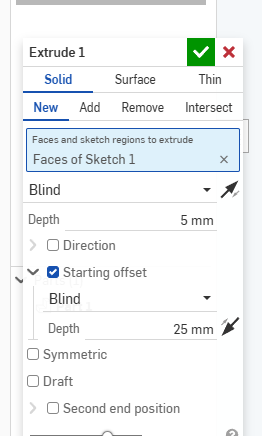
Step 6) Add a 5 MM symmetric extrude
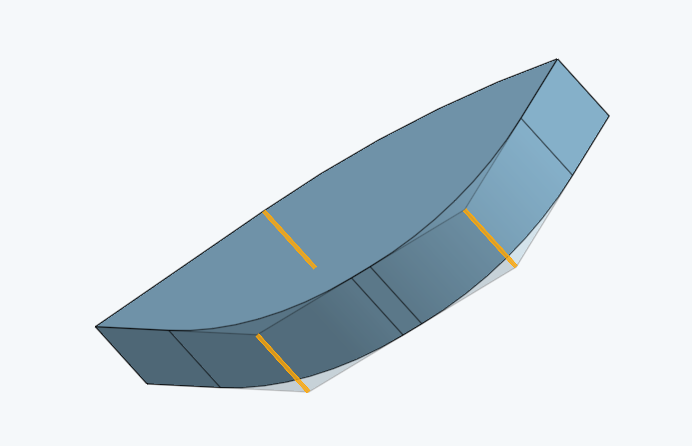
Step 7) Fillet the Edge of Extrude 1 in these 3 places:
Step 8) Final Filletted version:
Array Loops
Complete all the methods below. When you are done, copy and paste the testmethods.v5.1 into your class and run it to see if you have any obvious errors. The above code does not guarantee you a 100 but will help catch most of the common errors that students make.
Note: You may not use any external libraries (like Java.Arrays etc )or import any code. Everything can be done with just loops and variables.
int sumEveryN(int[] nums, int n)
Description:This method returns the sum of every n elements of nums ..
| Method Call | return value/output |
| sumEveryN( {1 , 2 , 3 , 4 }, 2 ) | 4( ie 1 +3) |
| sumEveryN( {13 , 42, 15, 33 , 44 , 16 , 52} ,3) | 98 ( ie 13 + 33+ 52) |
String[] doubleArr(String[] strs)
Description: This method returns a new version of strs in which each element now appears twice. This can be done with a for-each loop, which I believe is easier and more intuitive.
| Method Call | return value/output |
| doubleArr( {“a”,”b”,”c”} ) | {“a”,”a”,”b”,”b”, “c” , “c”} |
| doubleArr( {“math”,”ware”,”house”,”.com” }) | {“math”,”math”,”ware”,”ware”,”house”,”house”,”.com”, “.com”} |
int indexOf5(int[] nums )
Description:This returns the index of the first occurrence element 5 or -1 if 5 does not appear anywhere in the array.
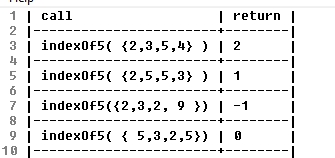
| Method Call | return value/output |
| indexOf5( { 2 , 3 , 5 , 4 } ) | 2 |
| indexOf5( { 2 , 3 , 5 , 4, 5 } ) | 2 |
| indexOf5( { 2 , 3 ,7 , 4, 3, } ) | -1 |
More Sample calls and return vals
int indexOf(int[] nums, int num)
Description: This method returns the index value of the first appearance of num or -1 if num is not an element of nums .
| Method Call | return value/output |
| indexOf( {6,4 ,7,3, 4 }, 4) | 1 |
| indexOf( {6,4 7 ,3,2,7}, 7) | 2 |
| indexOf( {6,4 ,2,3}, 22) | -1 |
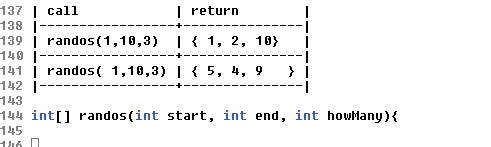
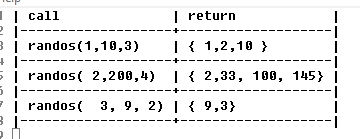
int[] randos(int start, int end, int howMany)
Description: This method returns an array of random numbers between [start,end] . Note make sure that each element in the new array attempts to make a new random int. Use Math.random() , do not use any other mechanism for finding a random number.
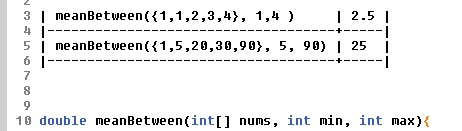
double meanBetween(int[] nums, int min, int max)
Description: This method returns the mean of nums ; however, this method only counts values within the range (min,max) as shown in the examples below:
Old versions:
Step 1) Create a rectangle and dimension to 30 by 50 as shown
Step 2) Create your first extrude . Use 30 mm as shown in the video below:
Step 3) Let’s make it a shell :
Step 4) Now let’s try something different. Delete the shell and delete the extrude, then delete the sketch the start all over.
Step 5) Draw a circle and a line. Don’t worry to much about the dimensions. Just make it look close to this :
Step 6) Create a revolve using the line as the axis as shown in this video:
Step 7) Mess around with the 3-d shapes and do something else…make another revolve..or another extrude or one of the others. Submit a screenshot of this below the do now
Step 1) Create a new sketch on the front plane. There should only be 1 sketch that you use
Step 2) Create a circle and then use the “coincident ” button to center it on the origin by clicking on the origin, the center of the circle :
Step 3) make its radius 15 MM by using the dimension tool
Here’s what your document should now look like :
Step 4) Do the same thing with a second circle . Make its radius 30
Step 5) Make a line that touches the circle, anywhere. Like the picture below:
Step 5) Find the “tangent line” constraint (this might be a dropdown)
Step 6) Here’s how you create a tangent line.
Click the circle , click the line you made, then press “tangent line ”
Step 7) Make a construction line from the tangent line to the bottom
Step 8) Make a second tangent line as shown:
Step 8) Dimension both tangent lines so that they are 60 MM each
Step 9) Add a second shape that is dimensioned.
How To’s
Unit 1, Onshape
Tutorial Tips
Objective: To create a complex, industry level, project that builds off the skills we learned this year. There is some flexibility here in that you can diverge some from pure web development. You must learn at least one new technology to create a unique deliverable.
Your grade will be based on the level of complexity of your final project. I have listed some examples of technologies to learn and rated their general complexity. Ultimately, complexity will be evaluated by me and you are welcome to ask for feedback on where the complexity of your project will land you.
Note: There are huge numbers of technologies, frameworks etc, and I am not familiar with many of the ones below. The purpose here is for you to learn something, yourself, as web developers are often forced to do, in the real world. If you think you will need help, I suggest going with Phaser because many students will do it and you can help each other . I have limited knowledge of Phaser. I can help with general debugging and general strategies.
Some Prior Games : https://mrmonline.org/supa-2019-games/
Some Example of New Technologies
Example Projects, probable complexity and grade.
The table below lists example technologies and provides a likely grade for its general description and complexity level. If something is classified as an “add-on,” then it is a way to increase complexity but should .
Often the grades are a “range” because it depends on what, ultimately your project does. Take “vue” for instance. This is a very popular, very modern javascript framework so it can be quite complex, but ultimately it depends on what your program actually does that will determine the final grade.
| Technology | Example/ Complexity overview | Complexity lvl | Grade |
| Phaser (meh) | Edits one of the pre-built games on phaser.io, nothing much new | very low | C- |
| Phaser (moderate) | Creates one new game, but it is relatively simple (asteroids) and submits 1 page website that uses bootstrap | Moderate | C+ |
| Phaser (good) | Creates completely new complex game (maybe uses physics or other unique coding) | moderate-high | B+/ A |
| Node.js/Gulp | Learns how to use nodejs and employs Gulp to improve workflow | Moderate | add on |
| Remote git | Learns how to push and pull from remote git repo on github | low | add-on |
| Vue | Learns how to use the vue.js framework for javascript development | high | B /A- |
| Foundation | Learn a bootstrap alternative and create several web pages | moderately low | C+ |
| Angular | Creates a multi page website with the angular .js framework | high | B/A |
| Mathjax | Learns how to integrate the Mathjax math library for rendering professional looking mathematics | low | add-on |
| Vim | Consistently edits with Vim . I will quiz you on how to use VIM and I will expect to see you editing with VIM during class | moderate | add on |
List of other utilities and libraries to use:
Notes: these can be combined to add complexity and professionalism. For instance, you can create a multipage website based on Vue and some of the pages can house phaser games that you create. This has the potential of an A+, depending on the Phaser GAME(S).
Not comfortable with Programming? Here is a multi technology example that will get a B-:
This is an example that will get people who are not very comfortable with programming into the “B” range: Learn how to use Foundation, or another bootstrap alternative, and also how to integrate Mathjax to display math equations. You can create a multi page math website full of equations. You could add using remote git or Gulp to get the grade up even a bit more.
Javascript framework comparisons : https://www.codeinwp.com/blog/angular-vs-vue-vs-react/
Other resources
https://emanueleferonato.com/ – Great Javascript game dev site
https://photonstorm.com/ – same
Sample Proposal
New Technology : Phaser (main) plus using Vim as add-on
Rough Overview
I will be using Phaser.io to develop 2 original complex games, 1 of which will involve phaser physics. Both games will be housed in a simple bootstrap website and will use php and mysql to allow for
I will also be actively developing using the Vim editor (to get some extra points)
Deliverables :
2 full games that can be started, paused, re-started, replayed and allow for the user to save his/her scores to a website that they log into. The site will have a mobile friendly design including for game play.